I understand that things can happen beyond our control, PARROQESPTO. I'm here to help you get this sorted out.
To add the billable items to the invoice, I'd suggest editing the transaction. This ensures you're able to add the correct items.
Here's how:
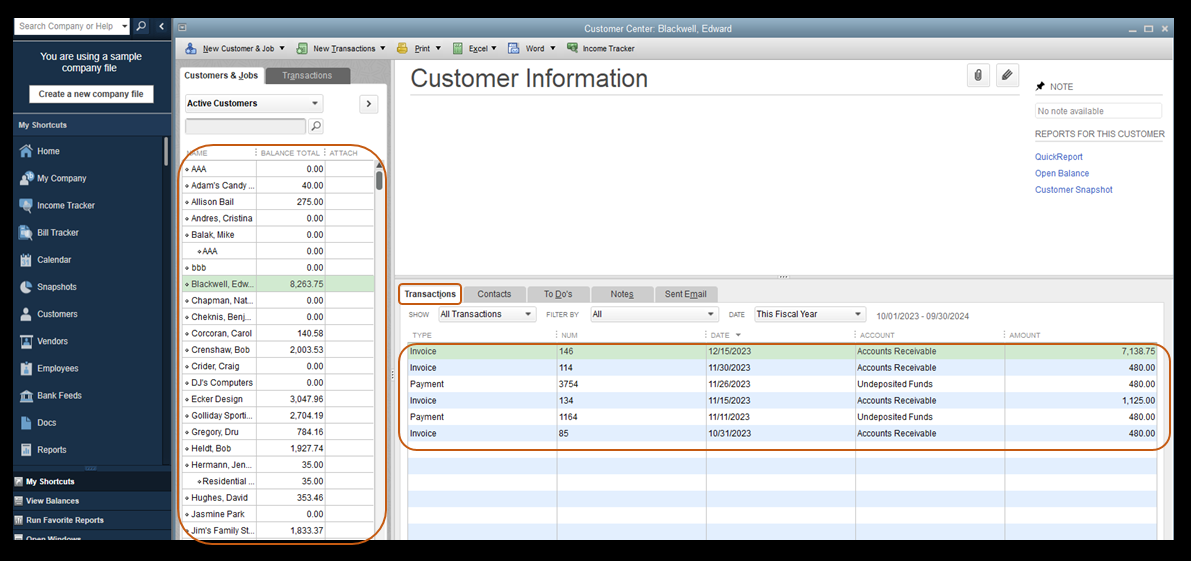
- Go to the Customers menu and then select Customer Center.
- Locate the customer you created an invoice with.
- On the Transactions tab, locate the invoice, then double-click it.
- On the Invoice window, click Add Time/Costs.
- Choose the billable items you'd like to include in the invoice, then click OK.
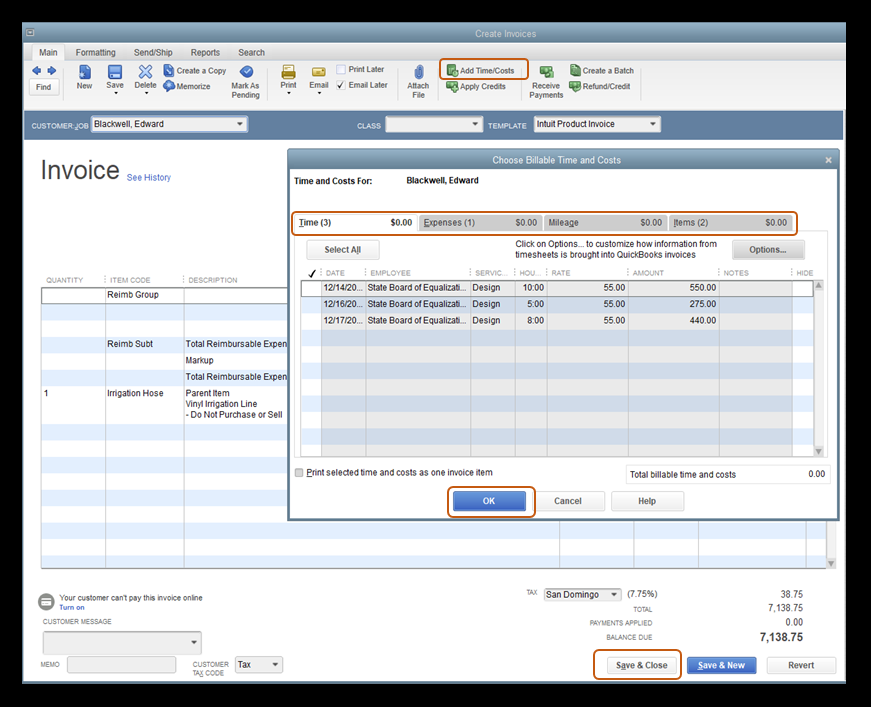
- Once done, click on Save & Close, then choose Yes on the prompt message.
Additionally, I've included this article that'll help you keep track of your sales and expenses in QuickBooks Desktop. This helps you focus on the information that matters most to your business: Run Customer, Job, and Sales Reports.
Please stay in touch with us here in the Community if you have other questions about creating invoices in QuickBooks Desktop, PARROQESPTO. It's always my pleasure to help you out.

