December 20, 2020
Solved

Line item Discounts

  • December 20, 2020
  • 1 reply
  • 0 views

Hello


could someone pl explain how to apply Discounts in a monthly invoice at line level. 

Thanks in advance. 

Best answer by JenoP

Good day, NEEL_SAPIENT.


You can use sub-total so you can apply a discount per line item. Here's how:


  1. Go to the List menu and select Item List.
  2. Press CTRL + N altogether in your keyboard.
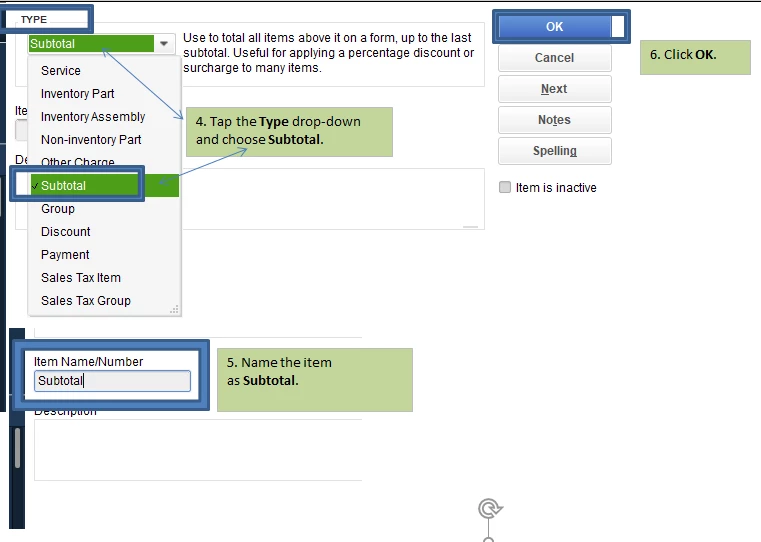
  3. Select Subtotal for Type.
  4. Enter all other details.
  5. Click OK.

Then, create a discount item if you haven't set it up yet. Just press Ctrl + N again and select Discount


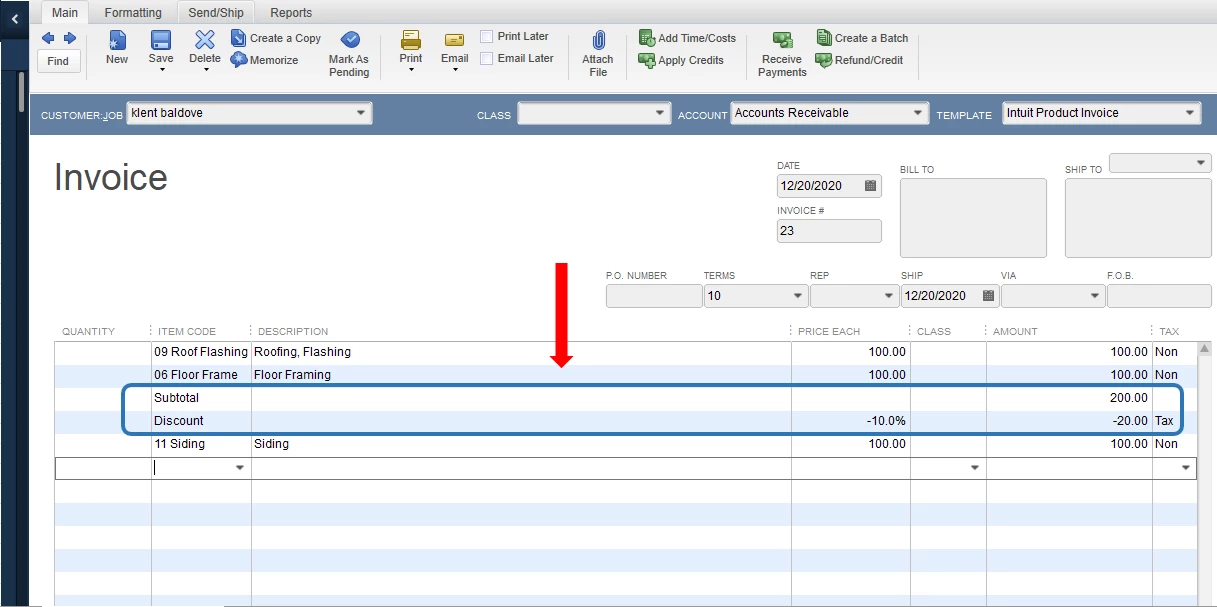
After putting all items in the invoice, add the subtotal first before the discount. The, add more items you need in the transaction. 


You'll also want to take a look at this article in case you want to customize your sales forms in QuicBooks: Use And Customize Form Templates.


The Community is always here if you need anything else.


1 reply

JenoP
JenoPAnswer
December 20, 2020

Good day, NEEL_SAPIENT.


You can use sub-total so you can apply a discount per line item. Here's how:


  1. Go to the List menu and select Item List.
  2. Press CTRL + N altogether in your keyboard.
  3. Select Subtotal for Type.
  4. Enter all other details.
  5. Click OK.

Then, create a discount item if you haven't set it up yet. Just press Ctrl + N again and select Discount


After putting all items in the invoice, add the subtotal first before the discount. The, add more items you need in the transaction. 


You'll also want to take a look at this article in case you want to customize your sales forms in QuicBooks: Use And Customize Form Templates.


The Community is always here if you need anything else.


December 23, 2020

Thanks much. It works.