
February 22, 2021
Solved

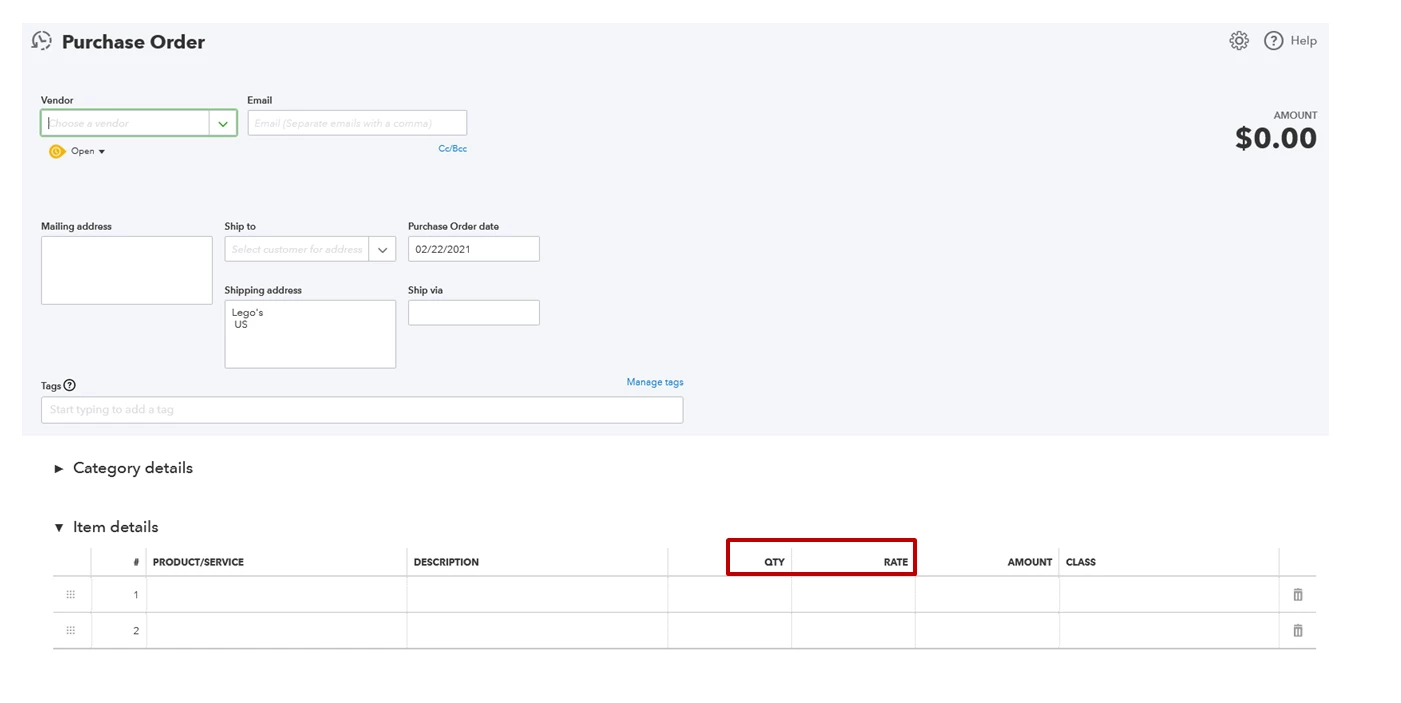
No qty/rate in PO

  • February 22, 2021
  • 1 reply
  • 0 views

Recently, I found the qty/rate in PO disappears, no longer shown in PO posted in QBO. Does this happen to all of you guys?

Best answer by AileneA

Hello, Johnny Zhang. 


I'd be happy to help you with showing the quantity/rate on your Purchase Order in QuickBooks Online. 


Performance issues in QuickBooks are resolved by doing basic troubleshooting steps. Let's start by opening a private browser to start a new session.


Here's how to open a private window in different browsers:
 

  • Google Chrome: press Ctrl + Shift + N.
  • Mozilla Firefox: press Ctrl + Shift + P.
  • Safari: press Command + Shift + N


If you're able to view the quantity/rate on your Purchase Order using the private browser, let's go back to your regular browser and clear its cache. You can also do this task on other supported, up-to-date browsers. Clearing the cache will refresh the system, and you'll be able to work with clean trash.


You may find this article helpful: Create and send purchase orders in QuickBooks Online.


If there's anything else you need or you have other QBO questions or concerns, just leave a comment below. I'll be here for you. Stay safe!

1 reply

AileneAAnswer
February 22, 2021

Hello, Johnny Zhang. 


I'd be happy to help you with showing the quantity/rate on your Purchase Order in QuickBooks Online. 


Performance issues in QuickBooks are resolved by doing basic troubleshooting steps. Let's start by opening a private browser to start a new session.


Here's how to open a private window in different browsers:


  • Google Chrome: press Ctrl + Shift + N.
  • Mozilla Firefox: press Ctrl + Shift + P.
  • Safari: press Command + Shift + N


If you're able to view the quantity/rate on your Purchase Order using the private browser, let's go back to your regular browser and clear its cache. You can also do this task on other supported, up-to-date browsers. Clearing the cache will refresh the system, and you'll be able to work with clean trash.


You may find this article helpful: Create and send purchase orders in QuickBooks Online.


If there's anything else you need or you have other QBO questions or concerns, just leave a comment below. I'll be here for you. Stay safe!

August 5, 2021

I have the same problem, and it happens whether my cookies are cleared or not, and behaves the same on Chrome, Firefox and Edge.


In the PO, the fields visible are # (sequence), Product/Service, SKU, Description, Amount, Class, Received, and Closed.  Each line in Received is 0.


I even include the Rate and Quantity in the import, and NOT the Total Amount.


Is there somewhere to customize the PO?  It certainly has no value as a PO if there's no quantity included.

August 5, 2021

Good to see you in this thread, oceanbeachesglass.


At this time, you can only customize sales forms, like invoices, sale receipts, and estimates in QuickBooks Online. You may consider looking for a third-party application that offers a customizable purchase order.
 

You'll want to click the Apps menu on the left navigation bar. Then, you can click on the Browser category drop-down list, and use filters to narrow down your search.


Also, I've added articles to learn more about how P.O works in QBO:


Feel free to reach out back to me if you need anything else about customizing templates in QBO.