Yes, VLWP. You can create purchase orders without using the Inventory tracking feature. I'm here to assist you.
QuickBooks Desktop allows you to use non-inventory items and other types instead of inventory products when creating a purchase order.
Please note that when you turn on the Purchase Order feature, the Inventory will also turned on since both functionalities share one checkbox. You can opt out of using the Inventory tracking by not creating inventory items.
Follow these steps to turn on the feature:
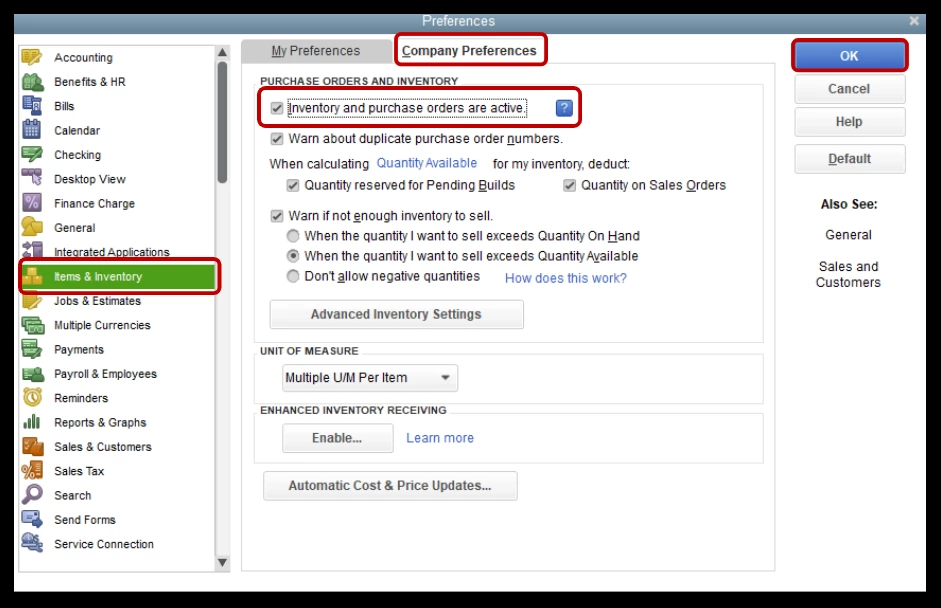
- From the Edit menu, choose Preferences.
- Select Items & Inventory, then the Company Preferences tab.
- Place a checkmark beside Inventory and purchase orders are active box.
- Once done, click OK.
Then, create the items you want to buy:
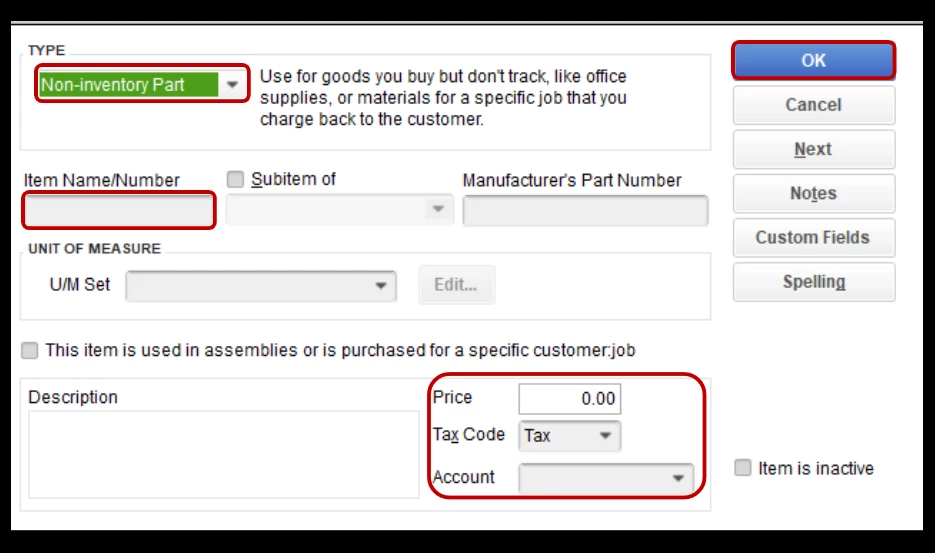
- Go to Lists, then select Item List.
- Select Item, then New.
- Choose the item type you want to create (don't use Inventory Part).
- Fill out the item fields.
- Use Custom Fields to add your own customized fields.
- Hit OK.
Once done, you can start creating a purchase order using the products you've created.
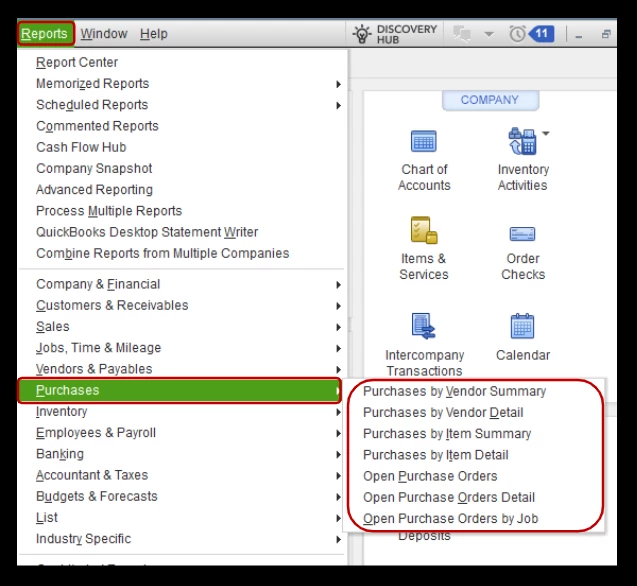
Additionally, you can go to the Reports tab and then Purchases to pull up and customize various reports to help you keep track of your recorded entries and ensure they're added accurately.
This thread is always open if you have additional questions or concerns about creating vendor transactions, paying owed amounts, and creating items. I'm ready to help you out.

