

Question
QB Template Layout Designer Changes - Why did they shrink the window?
I recently upgraded to QB Desktop 2024 and created a new company so had to update all the templates and create new ones. The template layout designer provides a ridiculously small window to work in on the left side of the screen. It used to use the full screen but no more. Why was it changed so that you have to move the window to a monitor that can enlarge the overall window. After editing just one form I have a neck cramp from having to get very close to the screen to be able to see what I'm doing.
Is there a way to return that screen to full size so it doesn't take so much time to layout a form?
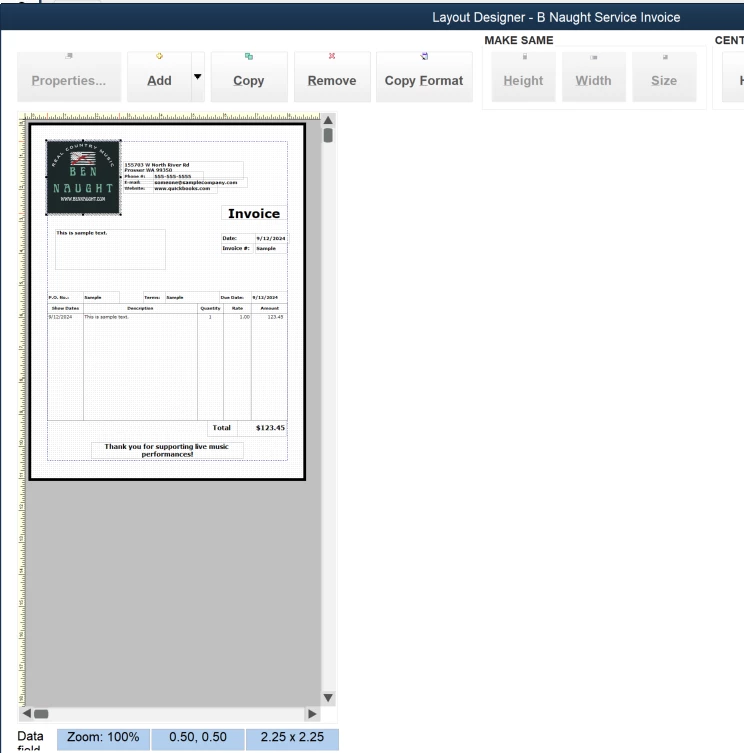
I assist 6 companies and all are using QB DT 2024 - HELP!!!!!