2 replies

August 17, 2023

Hi there, @Paola123. I want to start by expressing my sincere empathy for the inconvenience you have experienced due to the error message you encountered while using QuickBooks Online. I understand that delays and technical issues can be frustrating, especially when they disrupt your workflow and take up valuable time. Rest assured, I'm here to assist you and ensure that we resolve the error message promptly, so you can continue running your business smoothly.


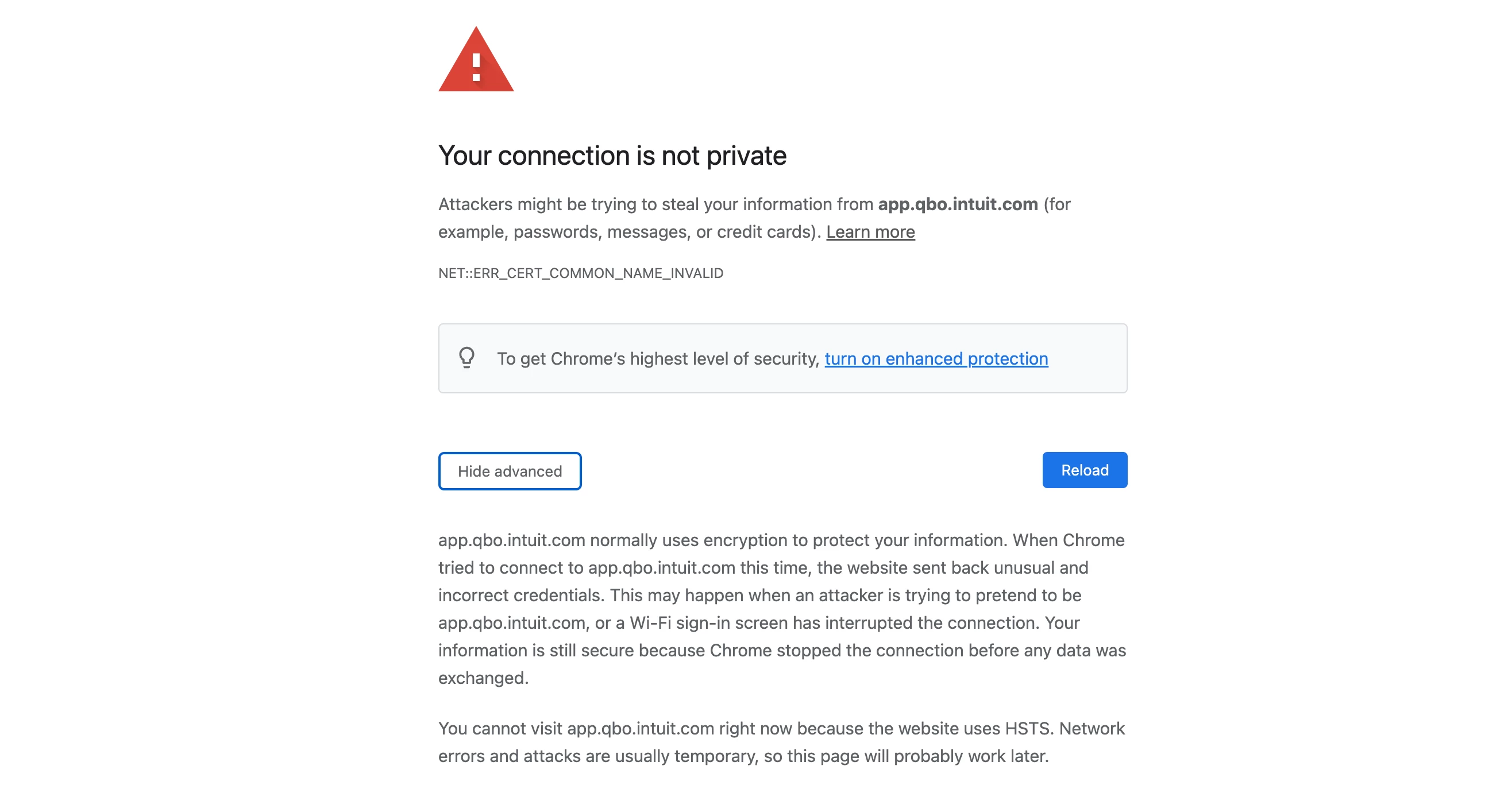
 To start off, a “your connection is not private” error means that your browser is unable to confirm if a website has proper encryption measures to safeguard your device and data. This error can occur on any internet-connected device, such as a computer, smartphone, or tablet. That being said, we can add Intuit as a trusted site in your browser so it won't prevent or block us from visiting the site.


To ensure the optimal and secure usage of QuickBooks Online, it is important to utilize a supported and current web browser.


Since you're using Chrome, please follow these steps: 


  1. Click on the three dots ( ⋮ ) in the upper right then select Settings.


  2. Select Privacy and Security from the left pane then Site settings.


  3. Select Third-party cookies then scroll down to click on Add.
  4. Enter *intuit.com and click Add to save. 


Additionally, Intuit is dedicated to safeguarding your information through the use of advanced security tools and systems, just as your customers and employees trust you with their data. Our goal is to ensure the security of your account by verifying your identity: Verify your Intuit Account with multi-factor authentication or two-step verification.


Your satisfaction is of utmost importance to us, and we are committed to providing you with the support you need. If you have any further questions or concerns with regard to accessing QuickBooks sites, please don't hesitate to reach out. We appreciate your business and look forward to resolving this issue for you. 

Paola123Author
August 23, 2023

Thank you QuennieC, I will try this and see if I get this error. 

January 20, 2025

Hi

I get the same problem with safari

Can you help please 

January 20, 2025

Hi there, Pastering81. I can see that you're having trouble accessing QuickBooks Online (QBO) in your Safari browser. Allow me to provide some troubleshooting steps to use your account successfully.


To start, please ensure your Safari is updated before accessing logging in to your account.

Then, I'd suggest clearing your browser's cache, sometimes, cache-related issues can cause QuickBooks to load incorrectly, preventing you from opening it in your end.


Here are the key shortcuts:


  1. Google Chrome: Ctrl + Shift + N
  2. Mozilla Firefox: Ctrl + Shift + P
  3. Microsoft Edge: Ctrl + Shift + P
  4. Safari: Command + Shift + N


After you cleared your cache, try to open the product in Safari to see if it works. Then, you can add Intuit as a trusted site in your browser.


Here's how:


  1. Open Safari, then enter intuit.com
  2. Select Enter.
  3. Select Bookmarks, then select Add Bookmark...
  4. From the dropdown, under Add this page to:, select Favorites.
  5. Select Add.


Additionally, to enhance the security of your QuickBooks account, it is highly recommended that you verify it using multi-factor authentication, as detailed in this helpful guide on the Intuit website.


Your satisfaction is our top priority, and we're dedicated to offering the support you require. If you have any more questions or concerns about accessing QuickBooks sites, please feel free to contact us. We value your business and are eager to help resolve this issue for you. Take care.