January 14, 2025
Solved

QuickBooks Desktop 2022 Disconitnue ?

  • January 14, 2025
  • 1 reply
  • 0 views

QuickBooks Desktop 2022 Discontinue ?
This year.

Best answer by Ivan_G

You're correct, Raman. QuickBooks Desktop (QBDT) 2022 will be discontinued this year. I'll discuss the details below.


If you're using the QBDT 2022 version, you can still upgrade to the latest release before May 31, 2025. After that period, discontinuation takes effect, and users who remain with the 2022 plan will no longer receive security updates and live support.


With that said, I recommend updating your QuickBooks to the latest version before the discontinuation date. Here's how:
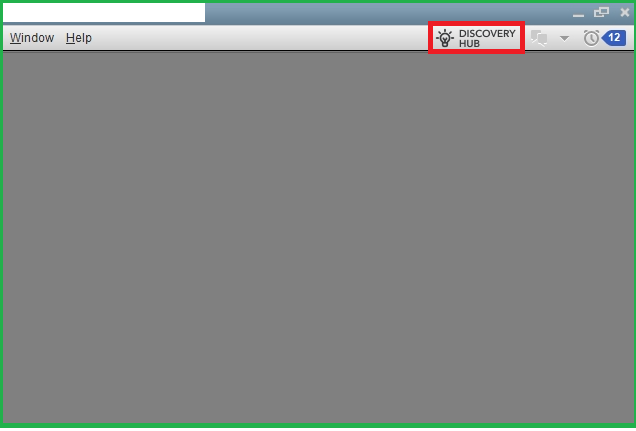
 

  1. Open your QBDT company, then navigate to the Discovery Hub.
  2. Choose Proceed to upgrade, then Upgrade now.
  3. You can keep both versions of QBDT (your old and updated) by selecting Keep old version on my computer. Otherwise, you can leave it blank.
  4. Once done, hit Open QuickBooks.


For more information about the discontinuation and the upgrade process, access these links:


Additionally, once you upgrade your QBDT software, you must update your company file to the new version. It ensures your file's compatibility and accessibility after the process.


We're keeping this thread open so you can add a reply once you need additional details about QBDT's discontinuation policy. Have a good one.

1 reply

Ivan_GAnswer
January 14, 2025

You're correct, Raman. QuickBooks Desktop (QBDT) 2022 will be discontinued this year. I'll discuss the details below.


If you're using the QBDT 2022 version, you can still upgrade to the latest release before May 31, 2025. After that period, discontinuation takes effect, and users who remain with the 2022 plan will no longer receive security updates and live support.


With that said, I recommend updating your QuickBooks to the latest version before the discontinuation date. Here's how:


  1. Open your QBDT company, then navigate to the Discovery Hub.
  2. Choose Proceed to upgrade, then Upgrade now.
  3. You can keep both versions of QBDT (your old and updated) by selecting Keep old version on my computer. Otherwise, you can leave it blank.
  4. Once done, hit Open QuickBooks.


For more information about the discontinuation and the upgrade process, access these links:


Additionally, once you upgrade your QBDT software, you must update your company file to the new version. It ensures your file's compatibility and accessibility after the process.


We're keeping this thread open so you can add a reply once you need additional details about QBDT's discontinuation policy. Have a good one.
