
Solved
Reactivate a Customer
Rebuild does not work, the button is ghosted. When I called support the rep had no idea how to correct this issue. Thoughts? thanks Kim

Rebuild does not work, the button is ghosted. When I called support the rep had no idea how to correct this issue. Thoughts? thanks Kim
Attached is what it looks like from the main or from the customer I can not reativate
Thank you for providing a visual reference, @Pro Grade Enterprises Inc. You may consider checking your user access rights.
If you're the primary admin, you should be able to reactivate a customer. You can inquire your primary admin to review your permission and change it.
However, if you have full access rights, I suggest re-sorting your customer list to fix this unexpected behavior. In addition, if this client is a sub-customer, ensure activating the primary client first so you can reactivate the customer/job. Or you can switch the sub-customer under another active primary customer name to reactivate it.
Also, I can see that you're in Flat View mode. Make sure switching to Hierarchical View to determine if it's a sub-customer or primary client. To change it, right-click on any name and then choose Hierarchical View.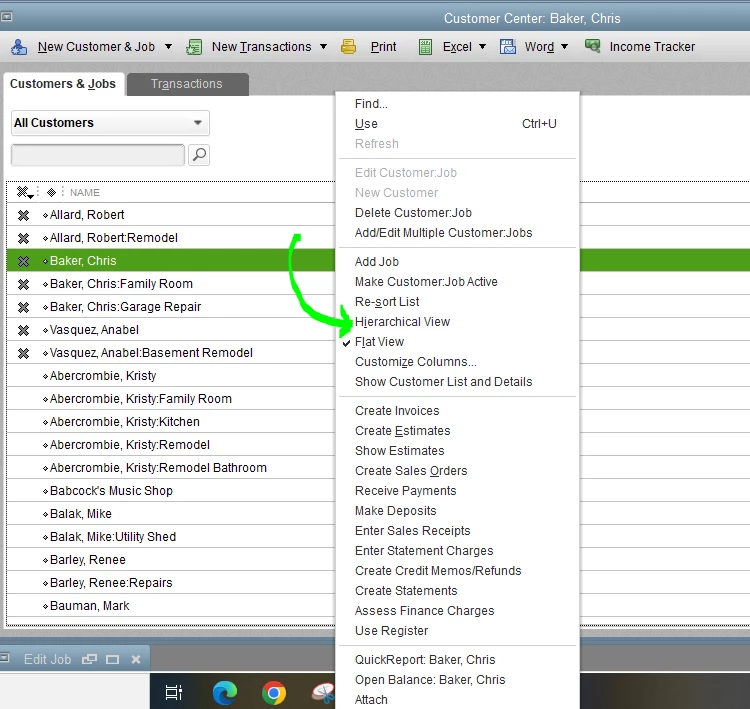
Let me show you how to re-sort your client list and reactivate a sub-client or primary client:
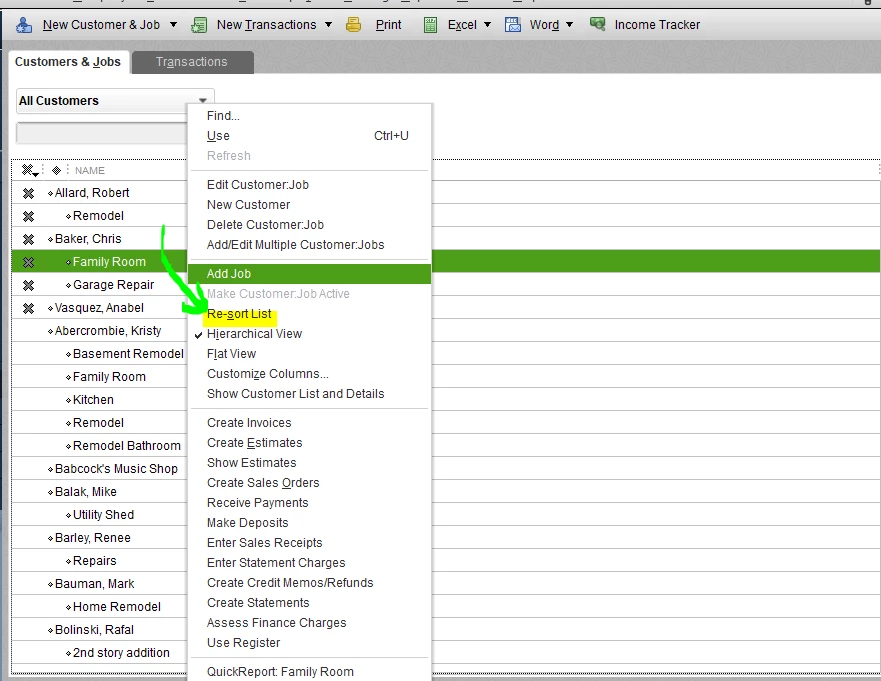
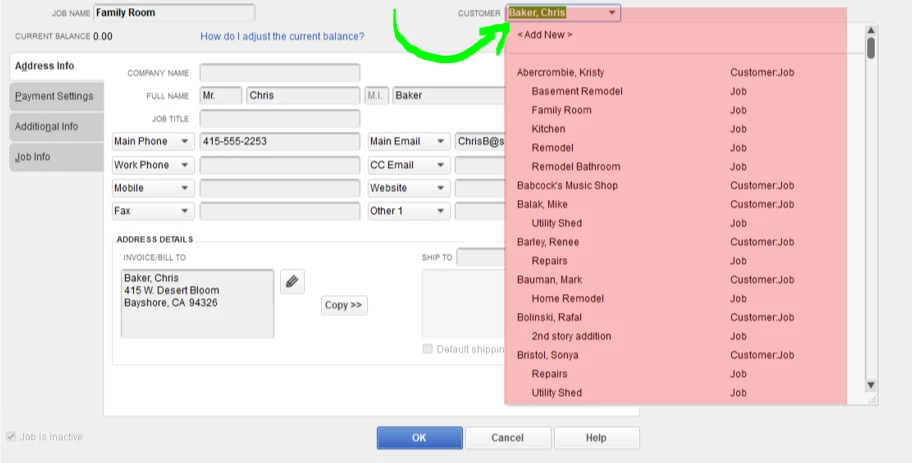
To reactivate a primary client, click the X mark beside its name. Then click Yes to proceed.
If it persists, I suggest following Fiat Lux - ASIA's suggestion to reinstall the program. Before that, I suggest backing up your company file data so you can restore them after installing QBDT.
To help you manage your customers and jobs, you can refer to these articles:
Please let me know if you have other concerns about managing client's list. I'm always here to help, Kim. Take care.
Enter your E-mail address. We'll send you an e-mail with instructions to reset your password.