

September 20, 2023
Question

"Reconcile" Icon Not Taking Me to the Correct Page

  • September 20, 2023
  • 1 reply
  • 0 views

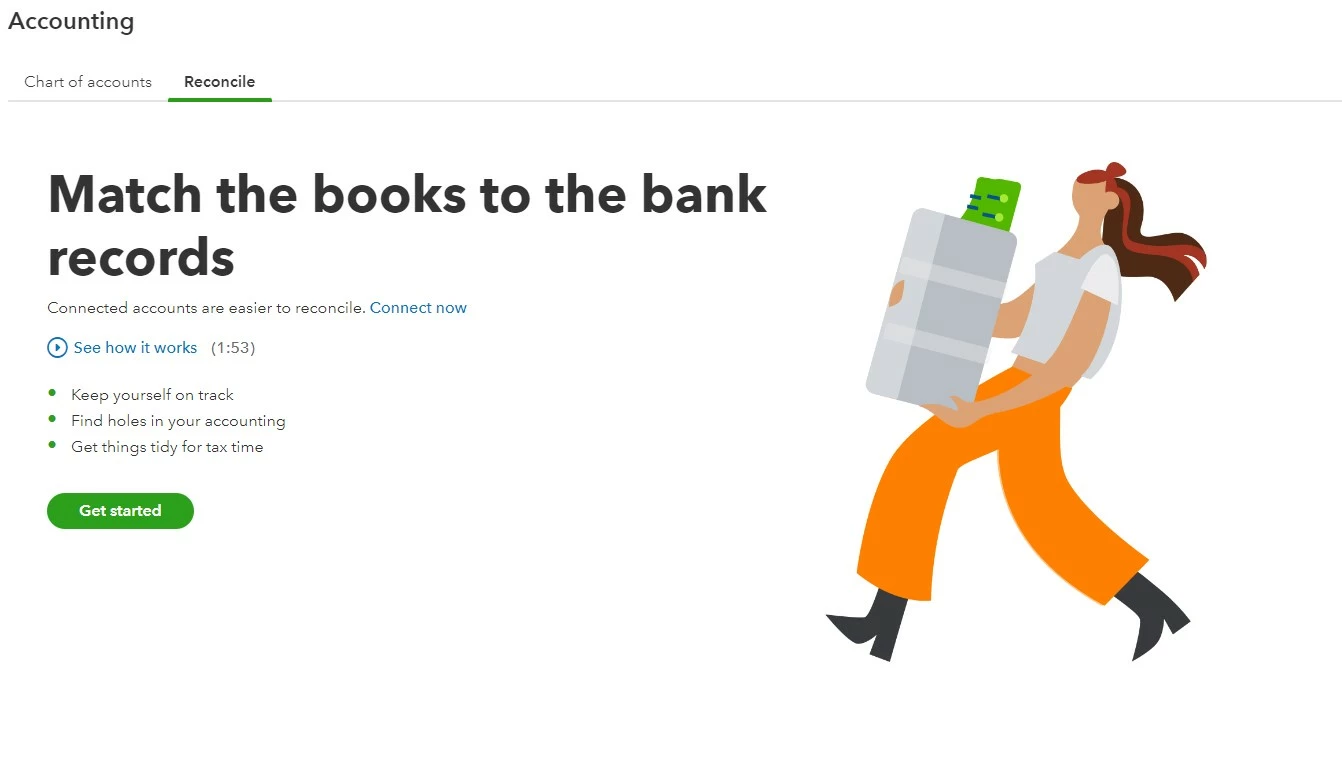
I am trying to reconcile credit cards. I was able to do one, but afterwards the "Reconcile" button takes me to the page to link my bank account, which obviously won't help me with my credit cards. 

Things I have tried:

  • Clearing the cache and cookies, several times, and restarting the browser.
  • Using "Incognito" browser
  • Using an entirely different browser
  • Restarting the whole computer and clearing the cache, history, and cookies again.


I have attached a photo of the icon I am clicking, and the page it is taking me to. What should I try next?

1 reply

AlcaeusF
September 20, 2023

Hello there, AccessWDH.


I appreciate the steps you've taken to fix this. I'm here to help fix the issue you're having when trying to reconcile in QuickBooks Online (QBO).


When reconciling an account that is not connected to Online Banking for the first time, the system will suggest that you connect the account to make the reconciliation process easier. Is the credit card account in question different from the one you have previously reconciled? Additionally, is this the first time you are reconciling this account? If it is, that could be why you've been directed to this screen.


No need to worry! If you prefer not to link this account, simply click on the "Get started" button shown in your screenshot to continue with the reconciliation.


For further guidance with the process, check out this article: Reconcile an account in QuickBooks Online.


Start by reviewing a previous reconciliation report. If you reconciled a transaction by mistake, here's how to unreconcile it. If you adjusted a reconciliation by mistake or need to start over, reach out to your accountant.


Please let me know if you have follow-up questions about this or anything else. I'm more than willing to answer them. Stay safe.