Hi, @cjd1111. I'll give you insights on how to record per diems in cash for non-employees in QuickBooks Online (QBO).
You can use a check or an expense transaction to issue per diem for clients and independent contractors. If you haven't yet, make sure to set your accounts from the Chart of Accounts to track your per diem entries accordingly.
Here's how:
- Click on Accounting at the left pane, then Chart of Accounts.
- Tap on New.
- Fill in the details, then Save.
After that, enter the check following these steps:
- Go to the +New icon.
- Select Check or Expense under Vendor.
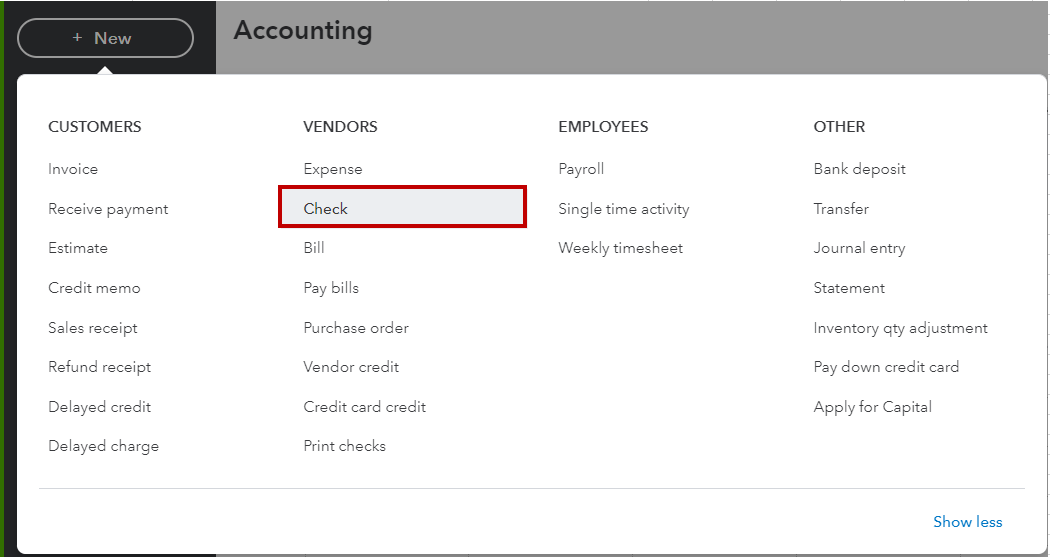
- Enter the payee's name and other information.
- Click on Save and Close.
I'm also adding this article for more hints about the process: Create and record checks in QuickBooks Online.
On the other hand, here's how you can record, edit, and delete expenses in our system: Enter and manage expenses in QuickBooks Online.
Please know that you're always welcome to post again if you need anything else. I'm always here to help. Have a good one!

