

January 16, 2020
Question

Restoring a backup in Intuit Data Protect there isnt a "Next" button

  • January 16, 2020
  • 2 replies
  • 0 views

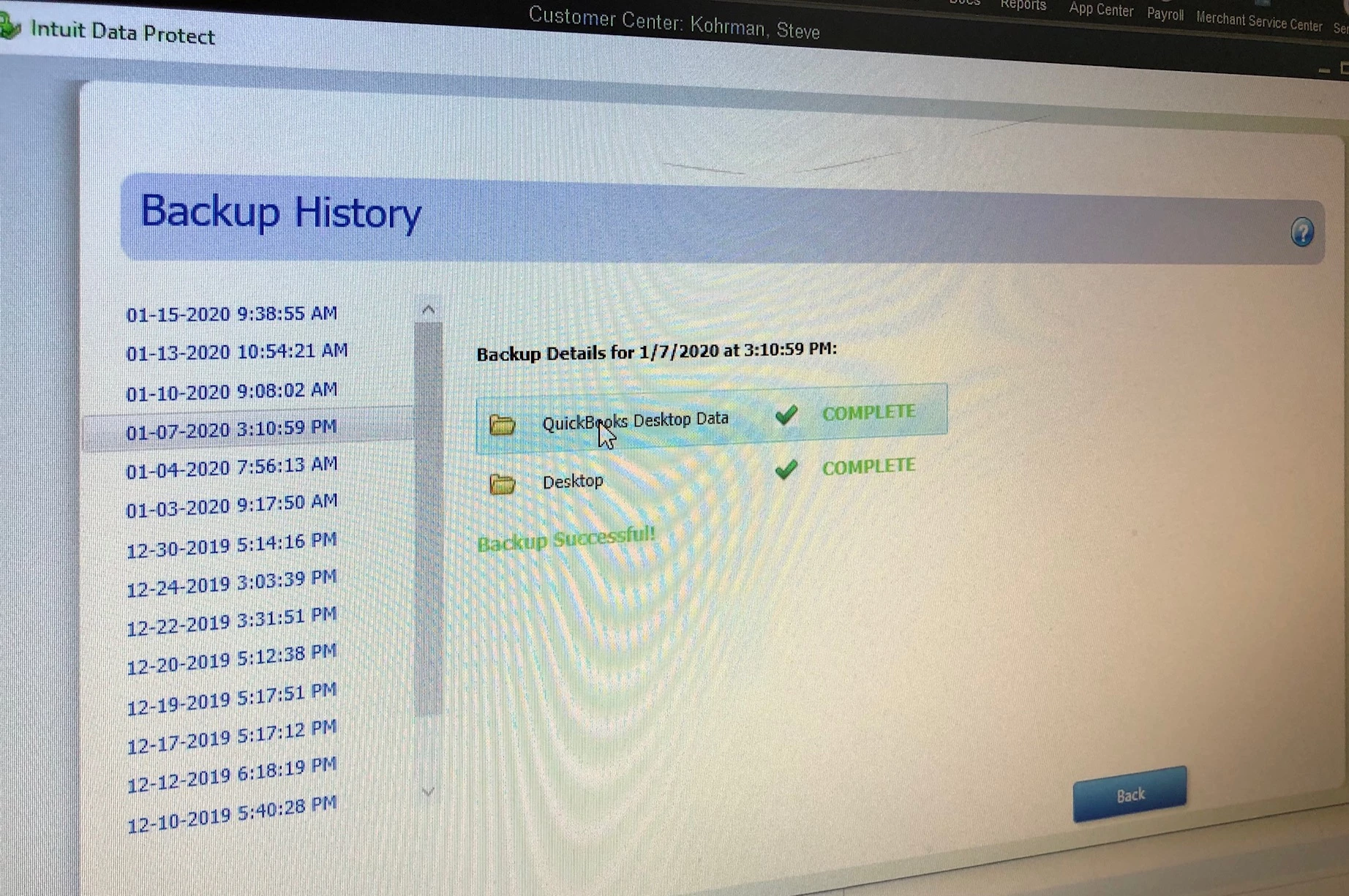
So I am trying to restore a backup from last month.  I can see the backups listed in the history.  I can highlight it but there isnt a Next button to begin the process of restoring from it.  There is only a "Back" button.  See screenshot
2 replies

January 16, 2020

Good afternoon, @mcjx02.


I'm happy to help you restore your backup.


Here's how:

  1. Go to your QuickBooks Home page.
  2. Open the Backup Status section in the lower right corner and click the View Details link.
  3. In the Backup Status page, click Restore a Backup.
  4. Select the date and time of the backup you want to restore, and then select the file(s) and click Continue.
  5. Choose the location for the restored file and click Restore.

That's all there is to it, only a few clicks.


If you have any other questions, I'm only a reply away.

January 15, 2025

I was trying the same thing... here are the steps that worked for me.

Click on restore backup

Navigate to the folder where your quickbooks data is stored on your computer (like desktop, or documents)

Find the company file you want it ends with .QBW

at the left is the column that says version - click on choose

click on continue

a window will appear with the dates of your backups for that company file,

click on the date you want to restore

Click on Close

click on continue

You can now decide to copy the files to a new location (I recommend)

Type in the name for that new location

click on OK

Wait until the restoration is done

Go into Quickbooks and open the restored file from the new location

Sorry the numbers feature in this response doesn't work so I couldn't number the steps.  Hope this will help someone else.


January 15, 2025

Hi there, @kwct. Thank you for sharing helpful information. This would be a big help to the Community.

If you have any further questions or need assistance, please don’t hesitate to reach out!

January 15, 2025

I am hoping it will be helpful.  I forgot to mention step one is to get into the Intuit Data Protect App.