June 7, 2021
Solved

Scholarship Fund Tracking in a For-Profit Business

  • June 7, 2021
  • 1 reply
  • 0 views

We are a for-profit company that is receiving donations for a memorial fund that will be used as a scholarship fund for the employees.  How do I record the income - receive payment - and tag it as a scholarship.  How can I keep a running balance to know how much is still available?  Using Quickbooks Desktop.  Thank you for any direction provided!

Best answer by mv32

I'll be helping you record this transaction, @LSC2.


You can create the memorial fund as a customer. This will make sure that the money you receive came from the memorial fund. Then create a service or non-inventory item for the Scholarship and account for this as income to post the money from there.


Here's to create a new customer:

  1. Go to the Customers menu and then select Customer Center.
  2. Select New Customer & Job, then choose New Customer.
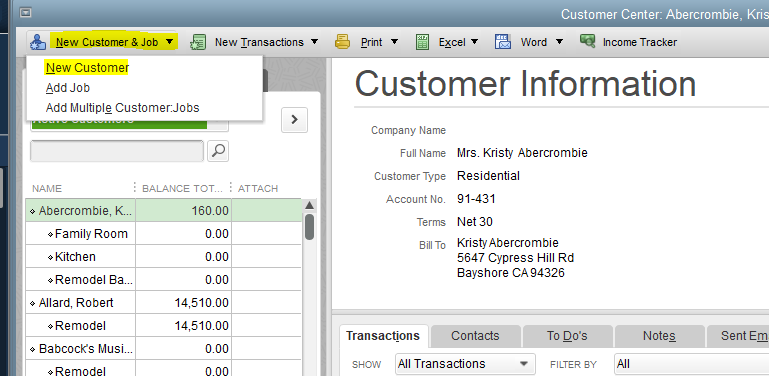
  3. Enter the customer name (e.g. Memorial Fund) and other necessary details.
  4. Click OK.


Then follow these steps to create a service or non-inventory item:

  1. Go to Lists and then select Item List.
  2. On the Item List window, choose Item then New.
  3. Select the type of item you want to create, then fill out the item fields.
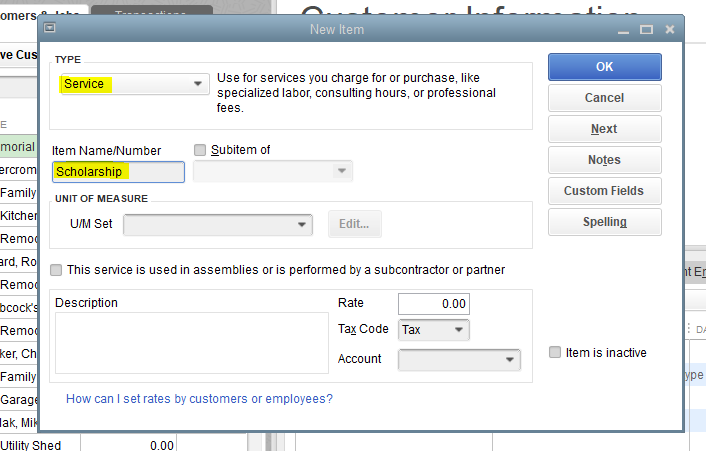
  4. Choose the income account or create a new one (you name it anything you want like Scholarship Fund).
  5. Hit OK.


Once done, create an invoice and then choose the customer (memorial fund). Then add the service or non-inventory item (Scholarship) and enter the amount.


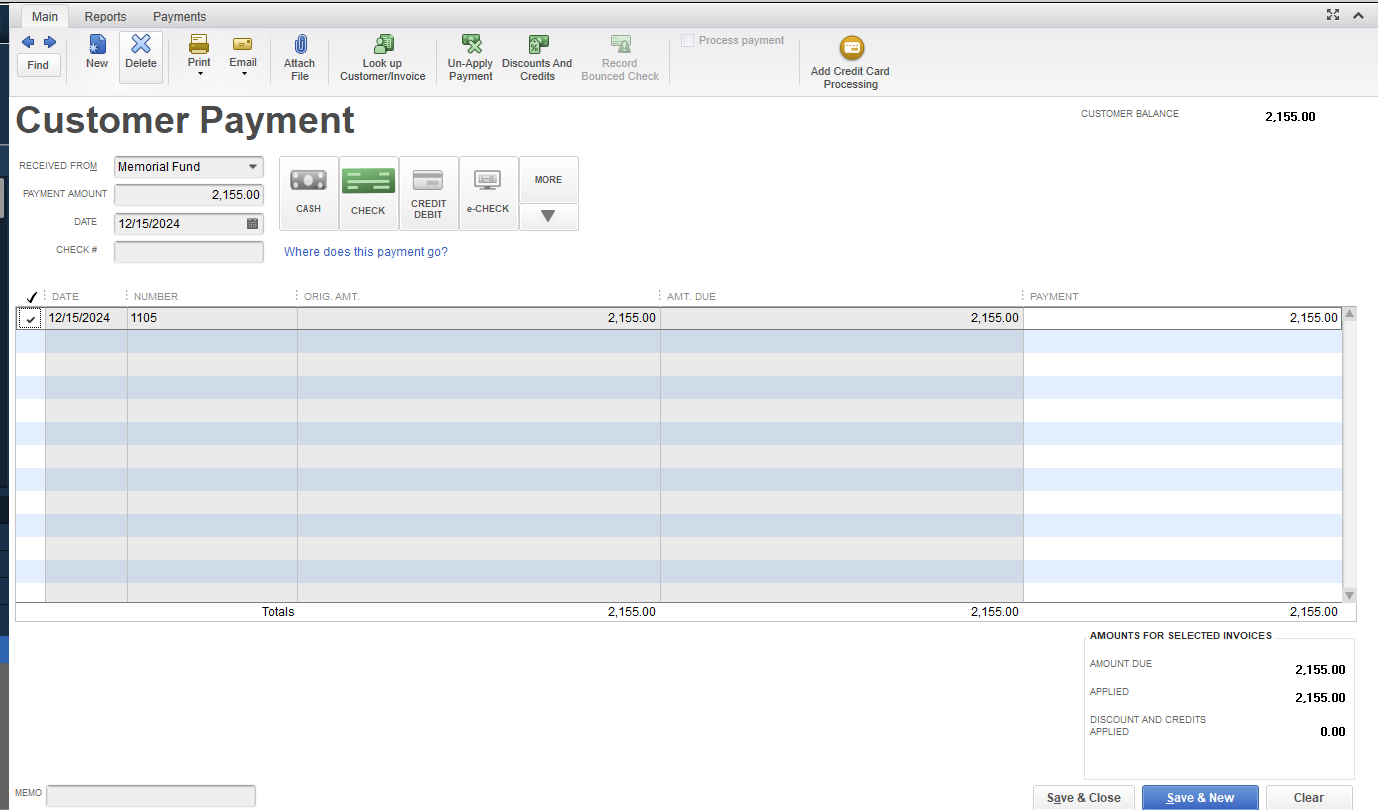
Lastly, received the payment from the memorial fund.
 

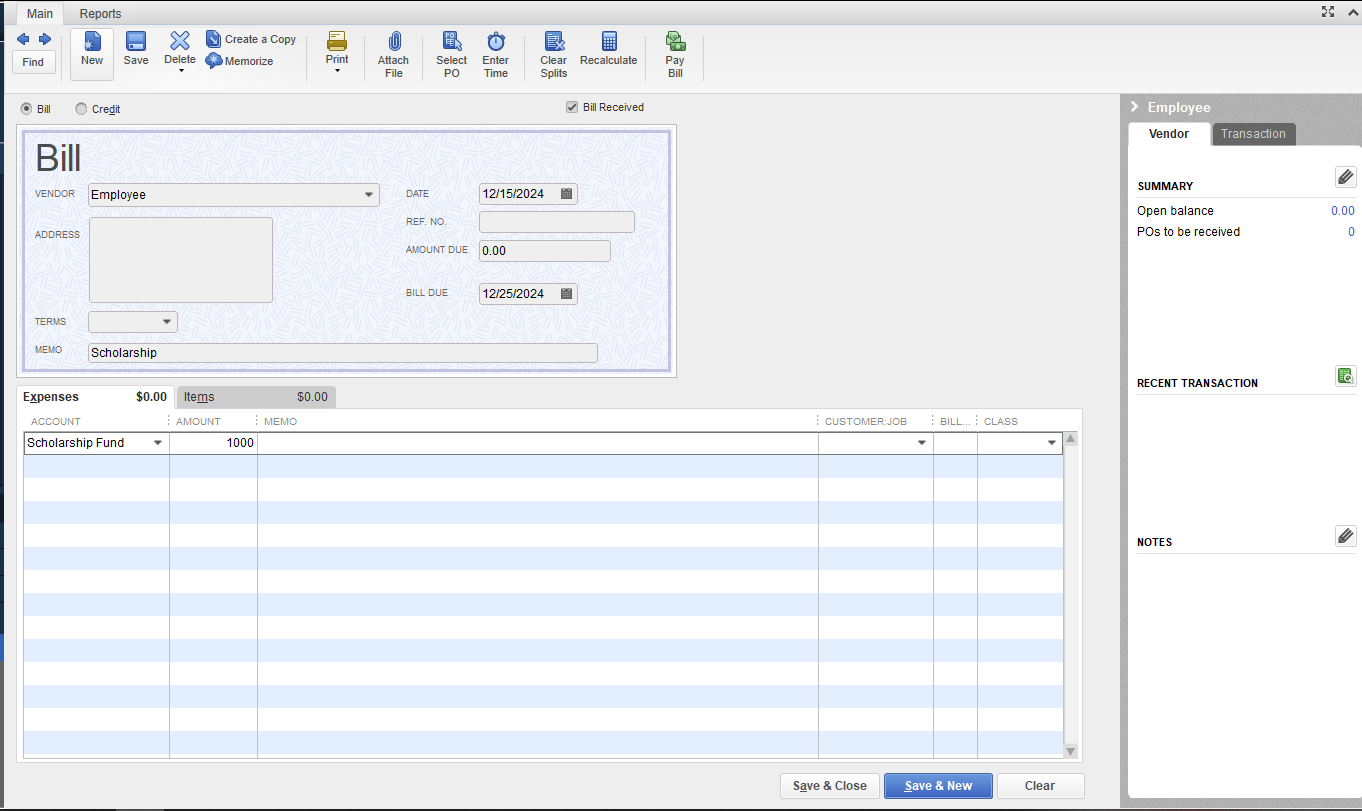
When you need to use the scholarship fund for employees, simply create the bill/check and use the account Scholarship Fund.
 

Once done, run the Profit and Loss report to know the running balance of Scholarship Fund.
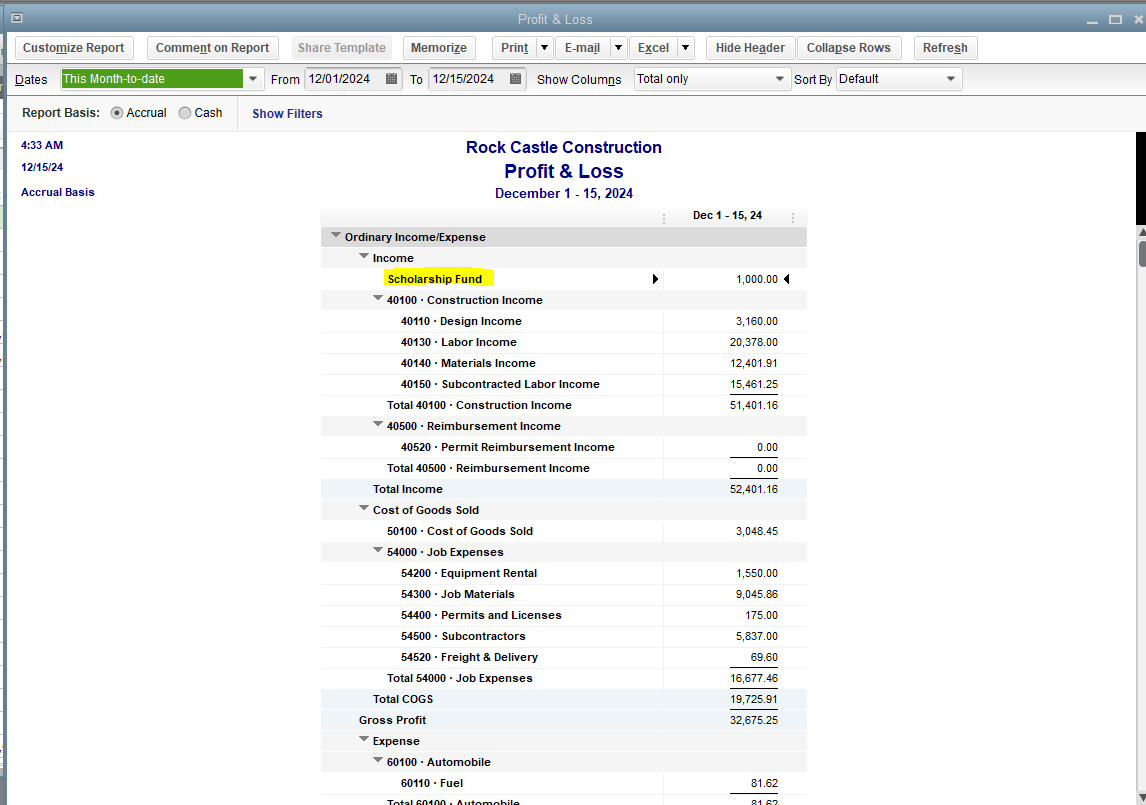
 

You'll want to drill down reports and see specific accounts only, you can customize the reports anytime and memorize them so you won't have to customize them again in the future.


I’ll be around if you have other concerns or questions about recording transactions and running balances in QBDT. I’d be more than happy to assist you. Have a great day ahead.


1 reply

mv32Answer
June 7, 2021

I'll be helping you record this transaction, @LSC2.


You can create the memorial fund as a customer. This will make sure that the money you receive came from the memorial fund. Then create a service or non-inventory item for the Scholarship and account for this as income to post the money from there.


Here's to create a new customer:

  1. Go to the Customers menu and then select Customer Center.
  2. Select New Customer & Job, then choose New Customer.
  3. Enter the customer name (e.g. Memorial Fund) and other necessary details.
  4. Click OK.


Then follow these steps to create a service or non-inventory item:

  1. Go to Lists and then select Item List.
  2. On the Item List window, choose Item then New.
  3. Select the type of item you want to create, then fill out the item fields.
  4. Choose the income account or create a new one (you name it anything you want like Scholarship Fund).
  5. Hit OK.


Once done, create an invoice and then choose the customer (memorial fund). Then add the service or non-inventory item (Scholarship) and enter the amount.


Lastly, received the payment from the memorial fund.


When you need to use the scholarship fund for employees, simply create the bill/check and use the account Scholarship Fund.


Once done, run the Profit and Loss report to know the running balance of Scholarship Fund.


You'll want to drill down reports and see specific accounts only, you can customize the reports anytime and memorize them so you won't have to customize them again in the future.


I’ll be around if you have other concerns or questions about recording transactions and running balances in QBDT. I’d be more than happy to assist you. Have a great day ahead.

LSC2Author
June 10, 2021

This worked great!  Thank you so much for your help!