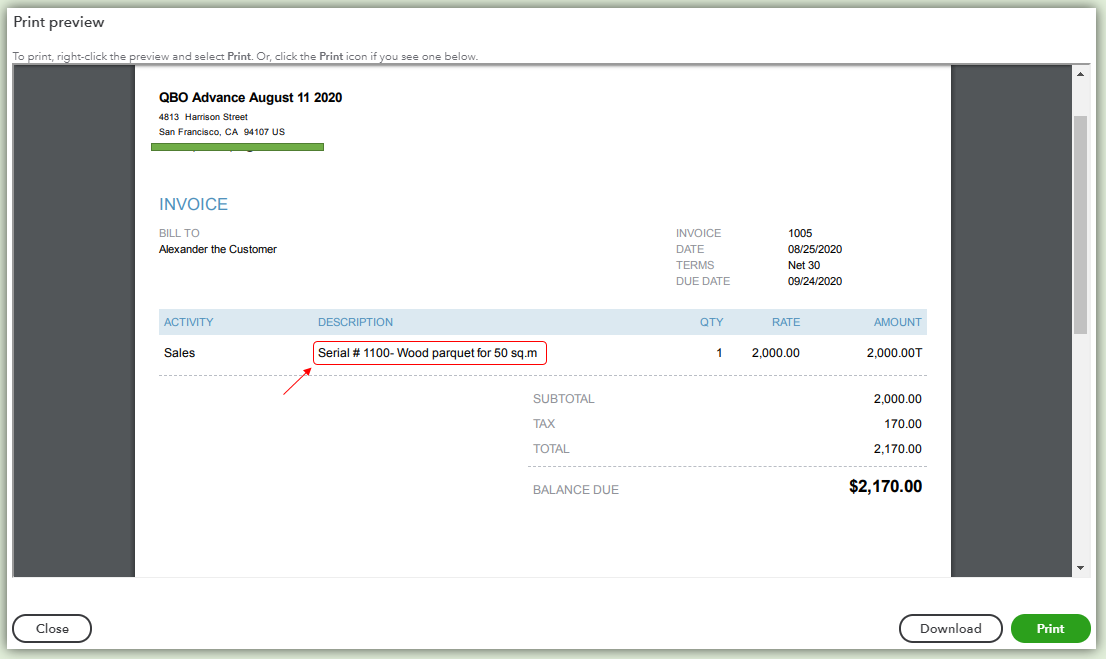
serial number on the invoice
This is # (sl number) not appearing on invoice or pdf file.
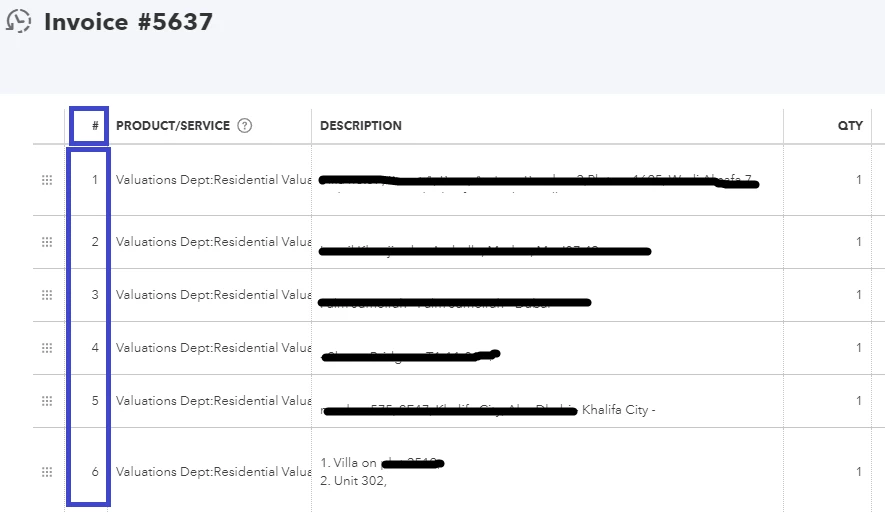

how to achieve the result as per the invoice date entry screen?
This is # (sl number) not appearing on invoice or pdf file.
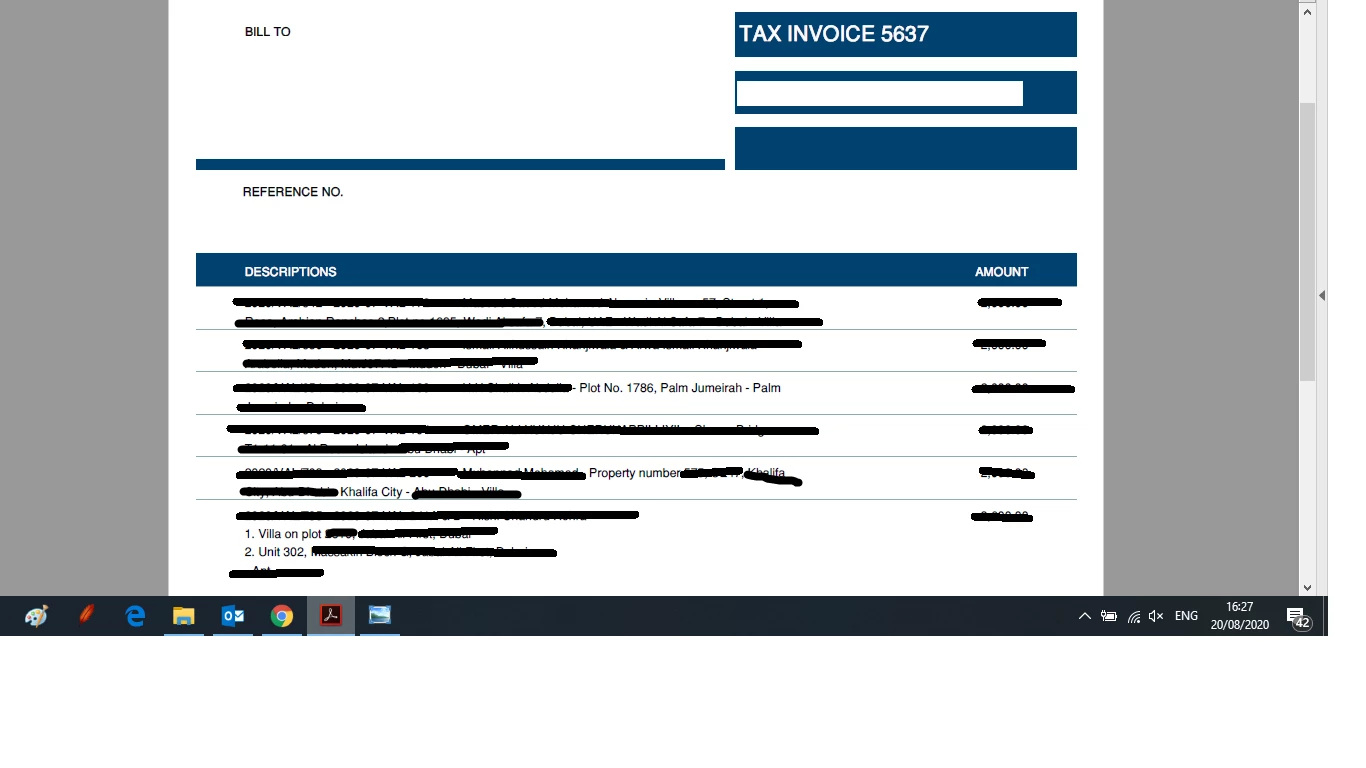

how to achieve the result as per the invoice date entry screen?

Hello there, @SuperStar777.
I understand that this option or column for the serial number is important for fast identification. For now, you may follow the steps provided by my colleague. You can enter the serial number and the description of the product in the Description column. This is how it looks like:

When you receive the invoice payment, you can also add the serial number to the Memo field. This is done so that when you pull up a report, you'll see the serial number of the payment transaction. I've added some screenshots for your reference below:


To stay current on the updates in QuickBooks, you can check out our QuickBooks Blog site.
You're always welcome to tag my name in the comment section below. I'd glad to back you up. Take care.
Enter your E-mail address. We'll send you an e-mail with instructions to reset your password.