

June 22, 2024
Question

Sorting of Transaction list

  • June 22, 2024
  • 1 reply
  • 0 views

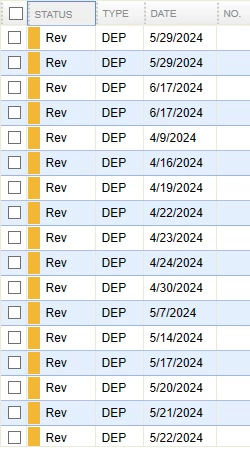
When I synch transactions using Bank feeds I get a listing of transactions but they are in a random order.  When I click on date to get them in the order I want, as soon as I enter one transaction, it changes back to a random sort.  Is there a way to set the default to always be by Date?
 

1 reply

June 22, 2024

Sorting the list in your preferred order can be beneficial for efficiently managing transactions, WJMBill. Let me share a workaround to arrange them according to your preference.


The list will revert to its default sorting when QuickBooks detects a match. That's why standardizing the date you'd like to organize the transactions in the Bank Feeds is unavailable. In this case, manually re-sort the list after it refreshes.


Furthermore, you can mark the transactions as Not a match in the ACTION column to prevent them from being matched. Follow the steps below:


  1. Set the fields correctly to view transactions seamlessly.
  2. Check in the boxes under STATUS.
  3. Choose Not a Match in the drop-down list under the ACTION column.


For additional details about importing entries, check out these articles:


Save this guide to ensure your QuickBooks accounts correspond to your real-life bank balance: Reconcile workflow.


You can always visit me here if you have more questions about displaying transactions in the program. I'll be right here to assist you.