Thanks for coming back and providing us a screenshot to better isolate the issue, alan516.
A purchase Order (PO) is a non-posting transaction. You need to create a bill first so you can make a payment. When you create a purchase order you can link it to a bill. This is the process to receive a bill for 30 of the F21 so the Purchase order will indicate they have been received. To pay the remainder, you can go back to the bill and create a payment again.
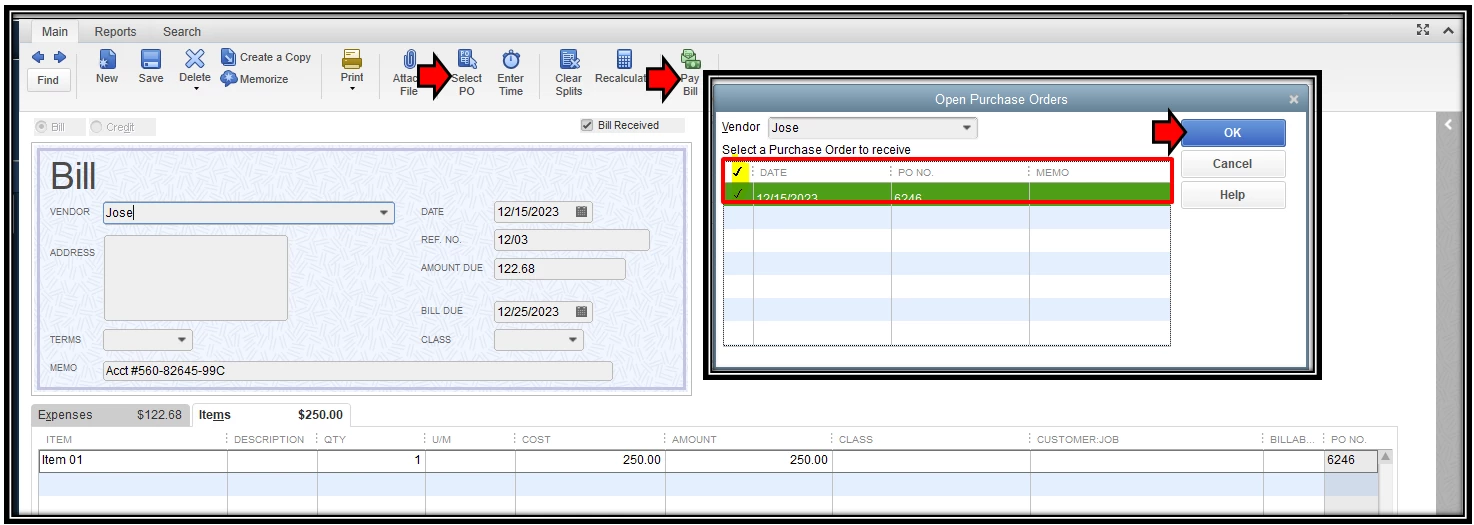
Here's how to associate the bill with the original PO:
- Within the Bill page, click Select PO.
- Locate the PO that will need to link the bill.
- Make sure the transaction is ticked next to the Date column.
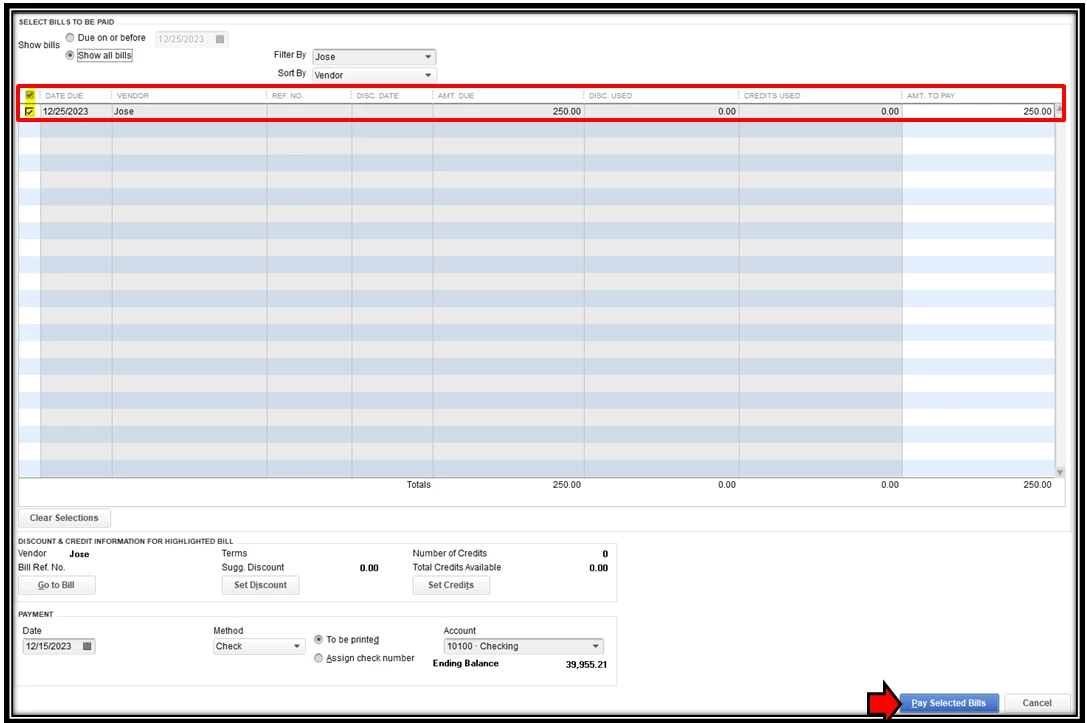
- Click Save. Once done, select Pay Bill from the menu.
- Find the PO and put a check mark on it.
- Then, hit Pay Selected Bills at the bottom part of the page.
Here are the sample screenshots for additional reference:
You'll also want to check these articles about your accounts payable workflows:
That will do. Let me know if you have follow-up questions and I'll be right here to assist more if you still need help. Take care and stay safe always!

