January 22, 2019
Solved

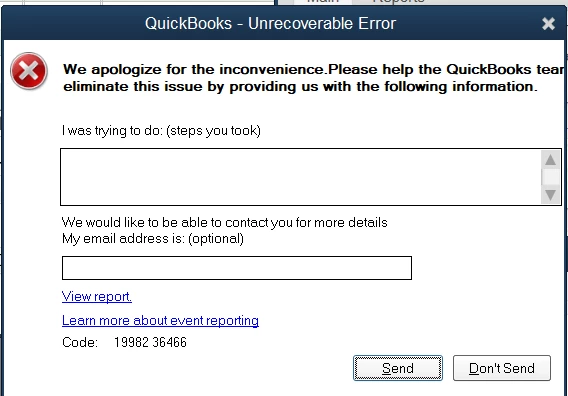
Unrecoverable Error 19982 36466

  • January 22, 2019
  • 1 reply
  • 0 views

When I started QB 2017 today, there was an  update.  I let it go through.  Unfortunately, I am no longer able to start QB because  I always have the following error followed by QB quitting:
I

I need to file a bunch of tax forms in the next few days, so I am a bit desperate now.  


Could anyone offer a tip on how to remedy this?


I thought I made posts on QB forums, but I cannot find them anymore.  Did the forum change recently?

Best answer by AlcaeusF

Thank you for the instructions.

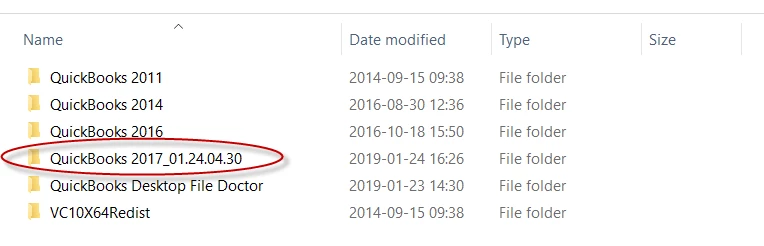
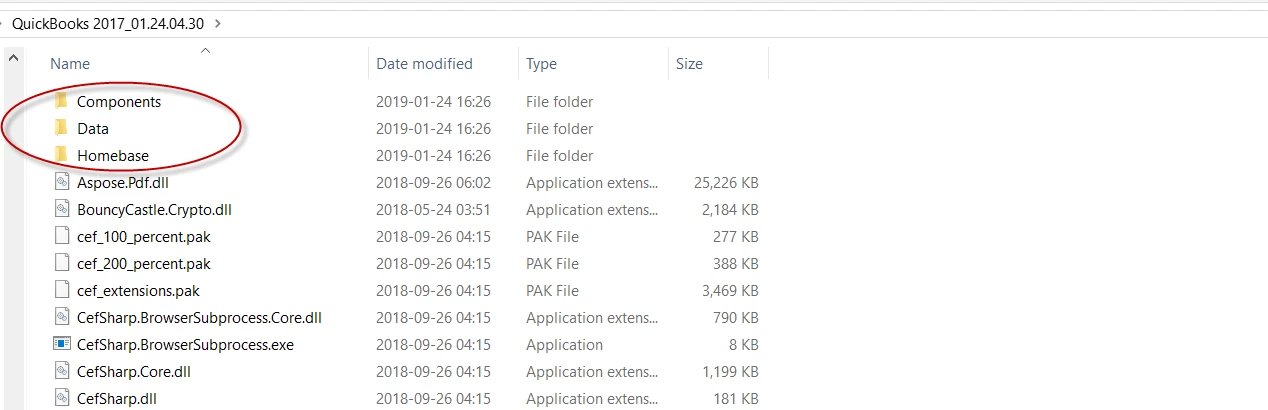
I am not sure I fully understand the renaming part.   The clean install tool says it has renamed folders  (e.g. from "QuickBooks 2017" to  "QuickBooks 2017_01.24.04.30".  Should I rename each folder under  "QuickBooks 2017_01.24.04.30"?


Hi again, @zipswich.


Thanks for getting back to me and for adding some screenshots. I'm here to add some clarifications about the renaming part of the Clean Install process.


You have the option to let the QuickBooks Clean Install Tool rename the folders for you. However, you can also manually rename the QuickBooks installation folders if you wish to.


You can check this information on this article below the Important box: Using clean install for Windows.


That should answer your question. Please let me know in the comment section if you have any follow-up concerns so I can get back to you right away. Cheers!

1 reply

AlcaeusF
January 22, 2019

Hello there, zipswich.


It would be my pleasure to help you with any question you may have about the unrecoverable error in QuickBooks Desktop.


There are several possible reasons why you encounter the error when running QuickBooks Desktop 2017. To fix the error and to be able to get back on track with filing the forms, I'm adding the article I recommend below:


Fix unrecoverable error in QuickBooks Desktop.


I also want to let you know that the forum for QBO and Desktop users migrated from the old Learn & support to the QuickBooks Community forum.


As always, I'm here anytime you need further assistance. You can reach out to the Community by posting a response below.

zipswichAuthor
January 22, 2019

Thank you for your quick response.

I followed the article to stop the service, restart the computer, then repair QB to no avail.


The repairing process has the following errors:

It got the following error when rolling back:

Could you offer a tip on how to go about this?

AlcaeusF
January 23, 2019

Hello again, zipswich.


Thank you for getting back to me and for providing updates about the results. Let's get to the bottom of this strange behavior together.


Since it's showing some errors when trying to repair QuickBooks Desktop, we'll need to proceed with using clean install for Windows. By performing this process, we'll be able to fix any damaged QuickBooks components.


Before reinstalling QuickBooks Desktop using clean install, let's create backups to ensure you have copies of your company files.


I'm adding an article with detailed steps on this: Using clean install for Windows.


Please keep in touch with me here should you need any further assistance. I'll be on a lookout for your response.