July 9, 2020
Solved

Vendor PO ship to address

  • July 9, 2020
  • 2 replies
  • 0 views

I need to know how to add multiple ship to addresses to the drop down list I've circled in the pic below. Thank you in advance for all the help!
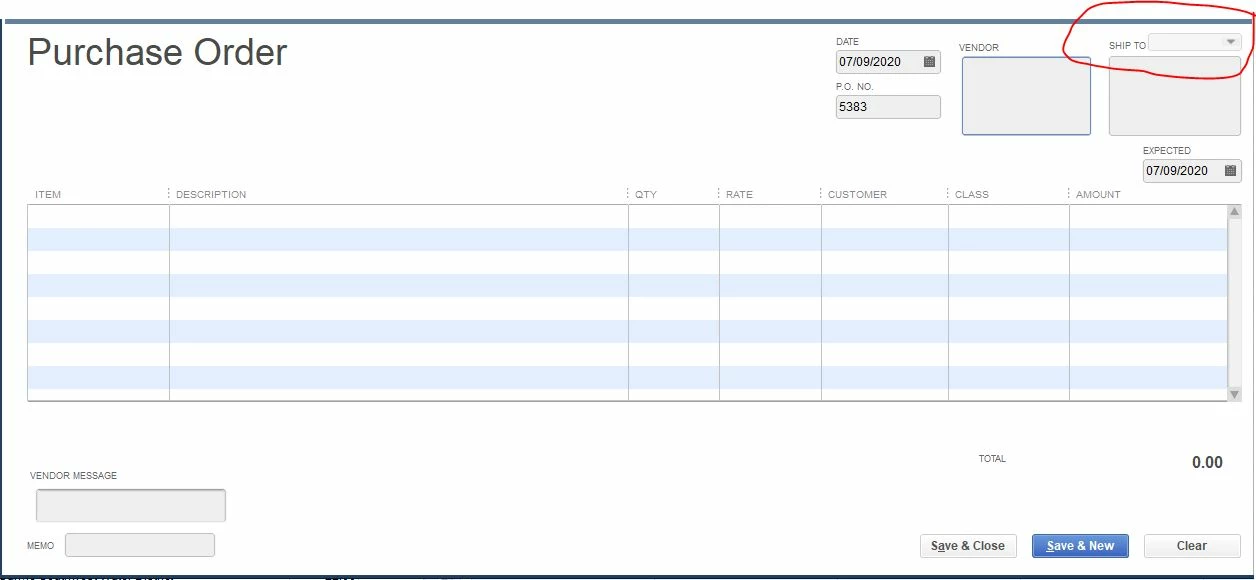

 

Best answer by Rose-A

Hey there, bob127.


I'd be glad to help you add multiple "Ship To" addresses in Purchase Order via QuickBooks Desktop.


You'll need to choose a client first on the "Drop Ship To" field to be able to add multiple addresses for the "Ship To" drop-down. See the sample screenshot below.


In case you need help with utilizing your sales forms template in QuickBooks Desktop, you can go through this article. Also, this will provide you steps on how to import and export templates: Use and customize form templates.


I've got your back if you need more help with QuickBooks. I'd be more than willing to lend you a hand.

2 replies

Rose-A
Rose-AAnswer
July 9, 2020

Hey there, bob127.


I'd be glad to help you add multiple "Ship To" addresses in Purchase Order via QuickBooks Desktop.


You'll need to choose a client first on the "Drop Ship To" field to be able to add multiple addresses for the "Ship To" drop-down. See the sample screenshot below.


In case you need help with utilizing your sales forms template in QuickBooks Desktop, you can go through this article. Also, this will provide you steps on how to import and export templates: Use and customize form templates.


I've got your back if you need more help with QuickBooks. I'd be more than willing to lend you a hand.

bob127Author
July 9, 2020

Perfect. Thank you for your help. 

February 3, 2021

Hello,


But when I do that it creates a new inventory site. How can I keep that from happening?


Mike

DivinaMercy_N
February 3, 2021

Finding the cause of that unexpected issue is my specialty, @mikeconstien60.


Have you first pick a name in the Drop Ship to field before creating a new Ship to address? Or do you create first a Ship to address before selecting a name in the Drop Ship to box? 


When creating a Purchase Order (PO) in QuickBooks, you'll need first to select a name in the Drop Ship to field before adding a Ship to address. This will prevent creating a new inventory site. 


This way, the added ship to address will only show on the name's profile. In the example, the added ship to address was only assigned to the customer's Address info. 


On the other hand, if you add first a new address in the Ship to field before selecting a name in the Drop Ship to box, this will result as if you create a new inventory site


For more information, please check this article: Create purchase orders in QuickBooks Desktop.


Also, to get an overview of your purchase history and keep track of outstanding orders, you may pull up the Open Purchase Orders report. Here's how:

  1. Go to the Reports tab.
  2. Select Purchases.
  3. Click Open Purchase Orders


Let me know how this goes and leave a reply below if you have further questions about adding a ship to address in PO. I'm always around to help you. Have a good one. 

May 7, 2021

Hello, 


It looks like I am only able to change the Ship To Address when a Customer is selected in the Drop Ship To field. How do I change the Ship To Address when a Vendor is selected? 


The Ship To field is still greyed out even when I select a vendor in the Drop Ship To field. 


We have multiple locations and different addresses for our product to ship to.
