

Aug 30, 2021 7:30 PM UTC
Solved
Vendor window
- 2 replies
- 0 views

Customizing vendor and customer columns is my specialty, KathyP1964. I'll gladly show you the way.
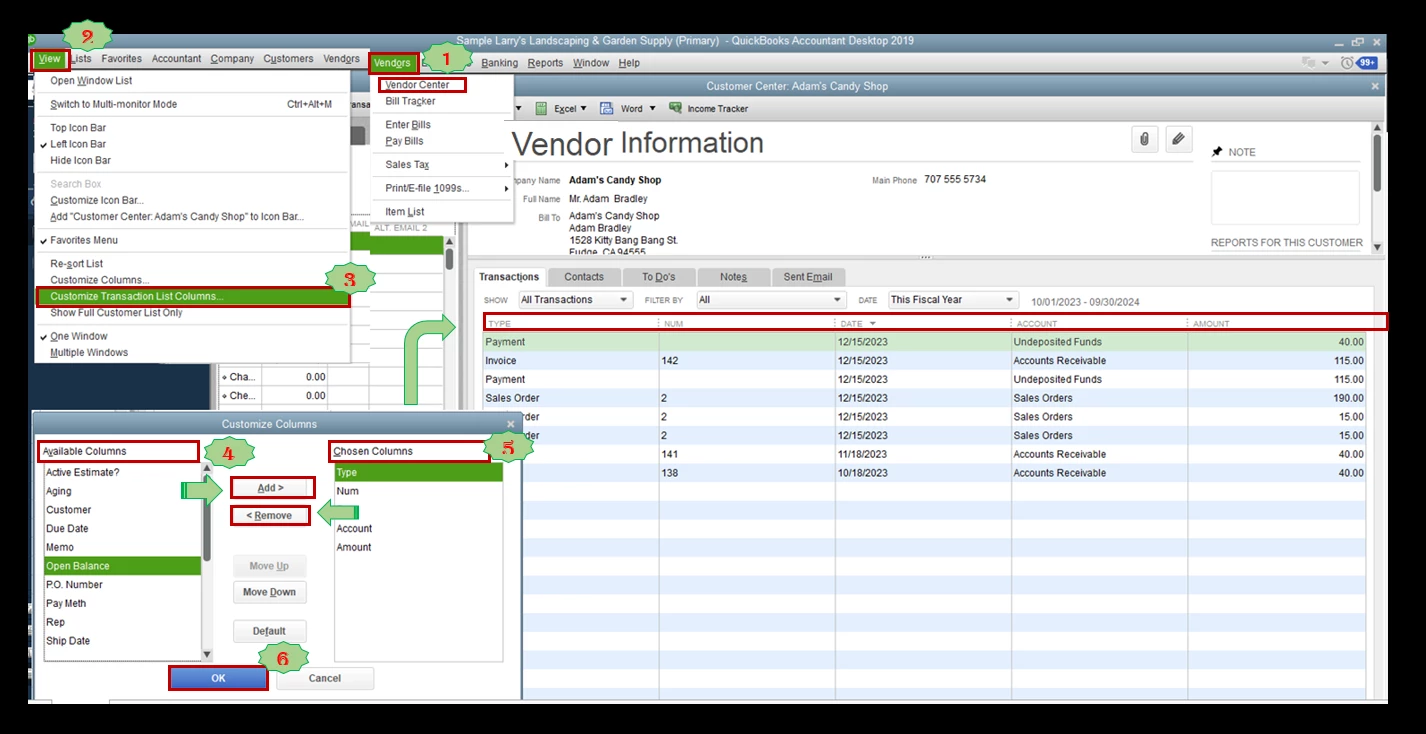
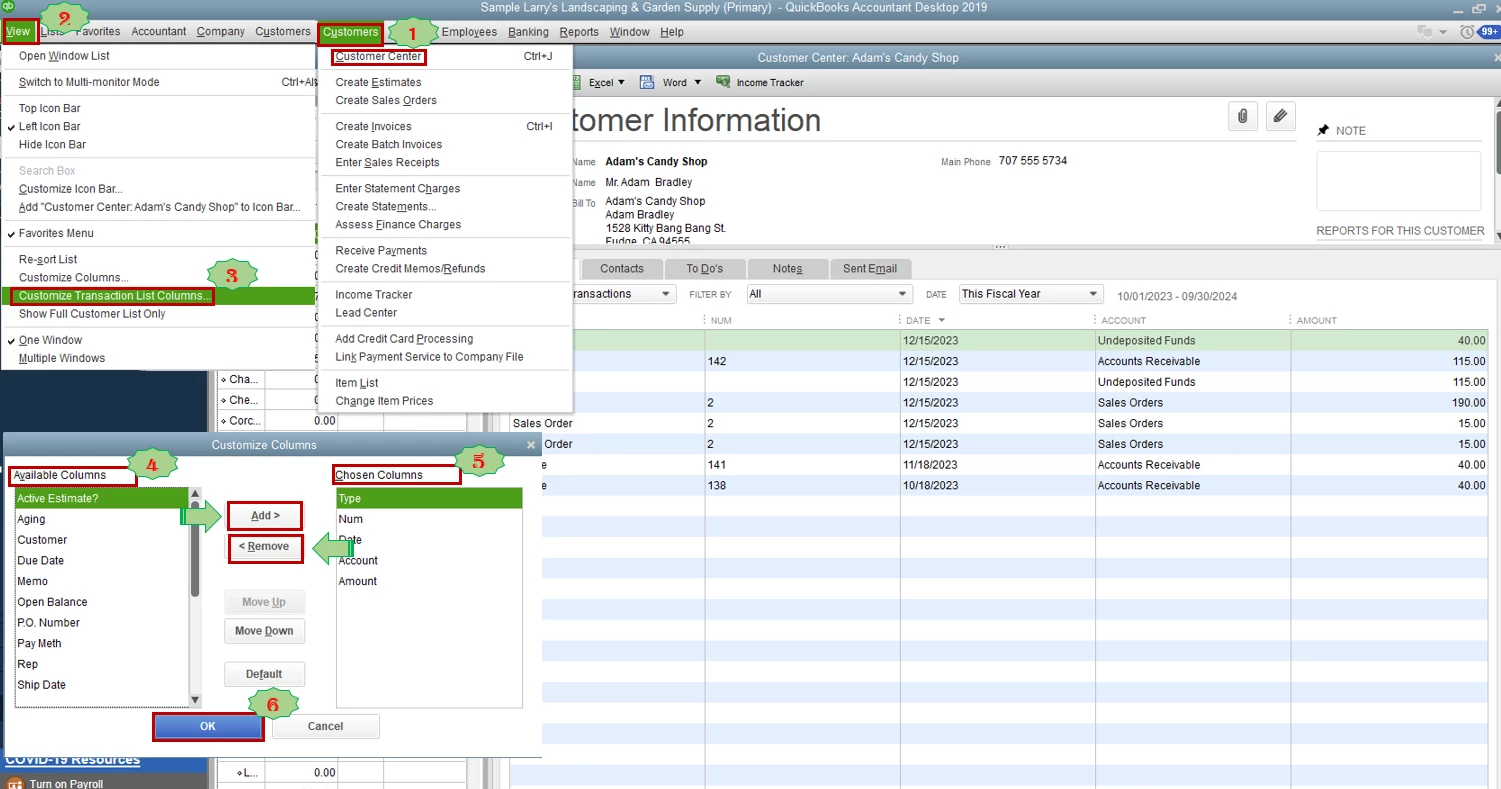
In QuickBooks Desktop, we can personalize the columns in the Vendor Center and Customer Center. This will help view all the details selected.
Vendor Center
Customer Center
Aside from customizing columns, you can also personalize your reports in QuickBooks Desktop. By doing so, you'll be able to focus on the information that matters most to your business. To learn how, please see these articles:
I'm only a few clicks away if you need further assistance customizing the appearance of your QuickBooks Dekstop account. It's always my pleasure to help you out again.
Enter your E-mail address. We'll send you an e-mail with instructions to reset your password.