
Solved
Void an invoice already paid
I can't figure out if perhaps I have to void an invoice I want to rectify and create a new one? NB:This invoice has already been paid by the customer.

I can't figure out if perhaps I have to void an invoice I want to rectify and create a new one? NB:This invoice has already been paid by the customer.

Hi there, @EuniceA.
Thank you for posting here in the Community. I want to make sure you're able to rectify the invoice in QuickBooks Online.
Voiding an invoice will keep the invoice number and list it in reports but changes the amounts to zero. If you're trying to edit the customer's information like an email address or billing address, you don't need to create a new one. You'll just edit the invoice automatically.
Here's how:
However, if you're trying to change the product/services, amount, tax, and many more, you'll need to create one. Please note that since the invoice has already tagged as paid, the payment will be detached then turned into credits.
Let me show you how:
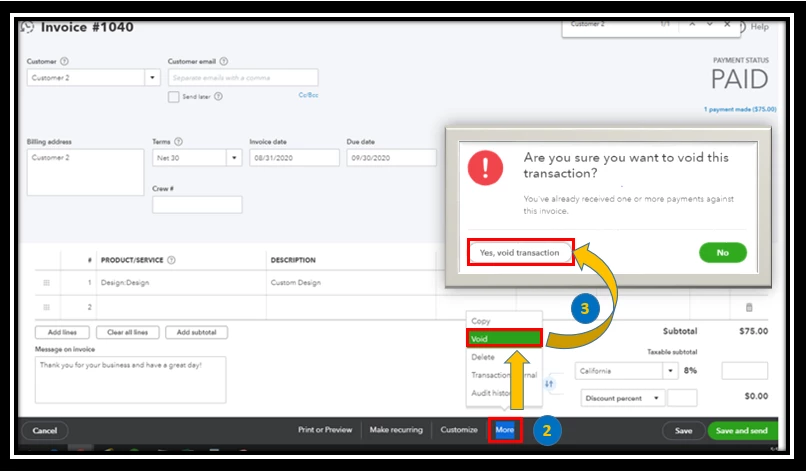
For more information about voiding invoices, please visit this article: Void or delete transactions in QuickBooks Online.
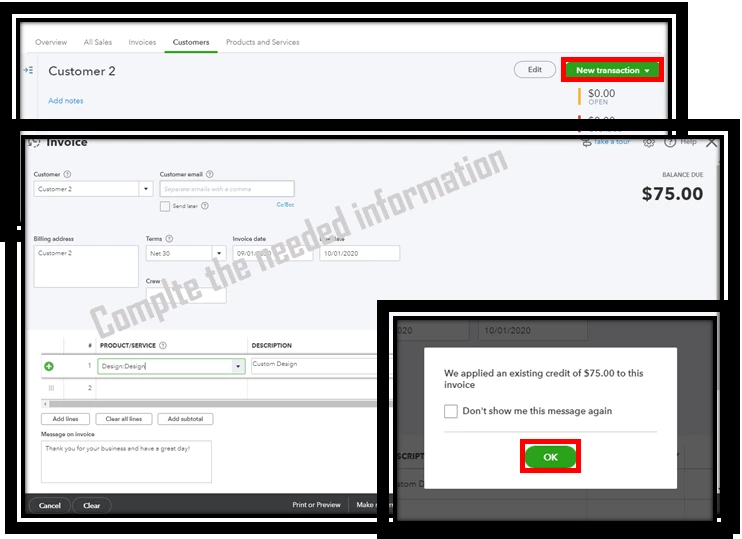
Once done, you can now create a new invoice with the correct details by clicking the Plus (+) icon on the upper right corner or by tapping the New transaction tab in the Customer information. See the sample screenshot below.
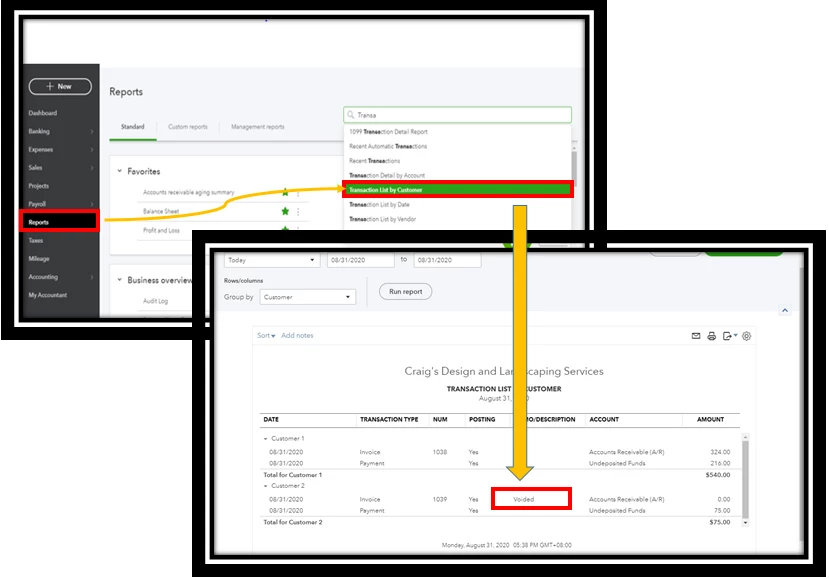
You also have an option to see the voided transaction by going to the Report tab. Search Transaction List by Customer, then customize the report. See the screenshot below for your visual guide.
Let me know if there's anything else I can do for you. Have a great day!
Enter your E-mail address. We'll send you an e-mail with instructions to reset your password.