I've got insights to help address your queries, Matt2BL.
When performing tasks in your QuickBooks Desktop file, keyboard shortcut keys are convenient to use so you can efficiently process data transactions with just a few keystrokes. That said, the Ctrl + U shortcut key or Use menu under the Item List window will allow its command to open the full list of items for the selected dropdown menu when creating transaction forms like invoices, bills, purchase orders, etc. Then, this will add the selected item from the list to your open form.
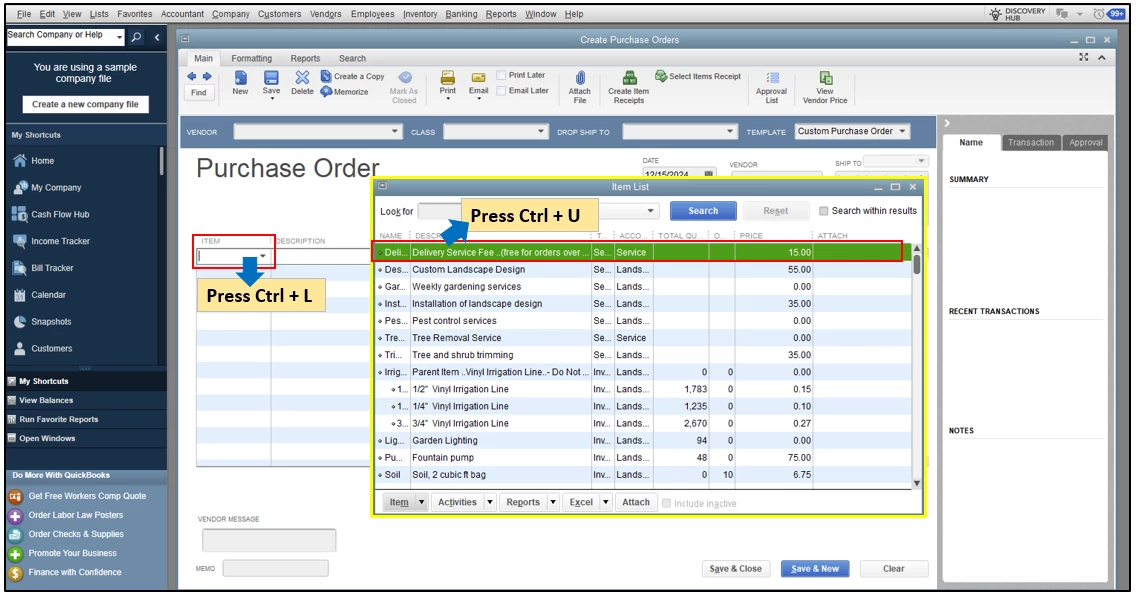
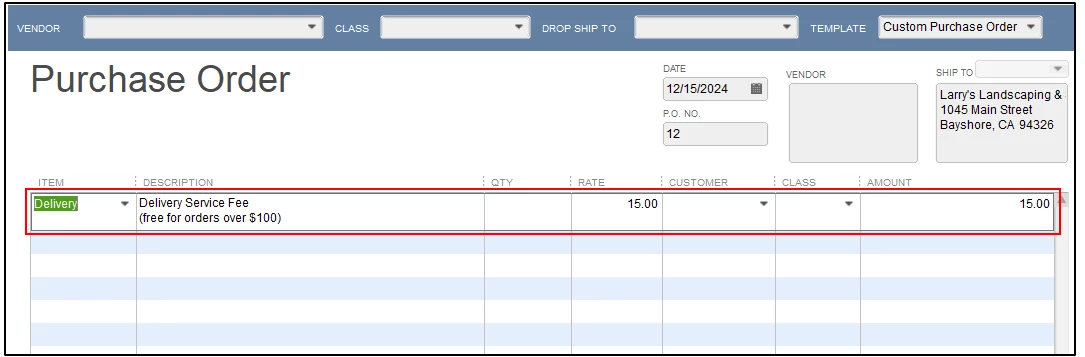
You can refer to the screenshots added below for visual reference. Let's consider creating Purchase Orders for your vendors as an example.
- From the main menu tab, go to Vendors and select Purchase Order.
- Highlight the Item column dropdown and press Ctrl + L to open the Item Lists window.
- From there, choose a specific item, then press Ctrl + U. You can also click Use from the Item dropdown menu.
- Once done, this item will be selected and visible to your open PO transaction.
I'm sharing this reference for more detailed information: Keyboard shortcuts in QuickBooks Desktop.
Moreover, you'll want to run specific reports on your account to help you review and keep track of your business finances.
We're always ready to back you up if you require additional assistance managing your desktop account. Feel free to reply below, and we'll be sure to get you covered. Keep safe!

