Hi there, @Wayne 1.
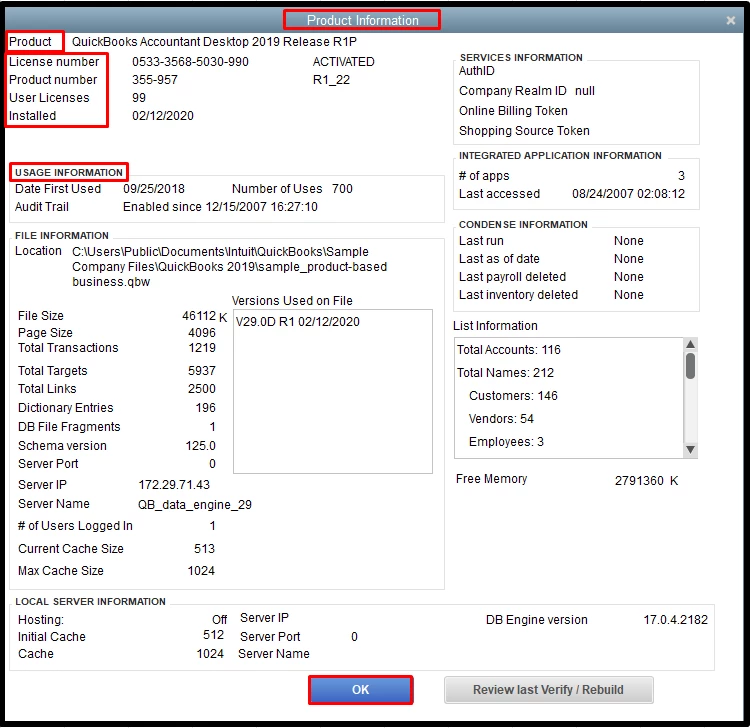
You can open the Product Information window that shows the version and the data usage of your QuickBooks.
Here’s how:
- Open the QuickBooks Desktop.
- Press the F2 key on your keyboard.
- Look for your product name, product number, and license number in the Product Information window.
- In the Usage information section, you’ll see the Date First Used.
- Look for your release at the end of the product name.
- Hit OK once done.
Please review this article on how to find important information about QuickBooks Desktop and related products: Find QuickBooks Desktop and Point of Sale product and license info.
For your reference, check this link to discover some keyboard shortcuts for doing things more efficiently in QuickBooks Desktop: Keyboard shortcuts in QuickBooks Desktop.
Know that I'm still here to help you further if you have followed up questions. Just drop me a comment below. Have a wonderful day!

