

March 7, 2019
Question

When an invoice has multiple rows, enter the same invoice number in every row that's part of that invoice.

  • March 7, 2019
  • 1 reply
  • 0 views

I just upgraded to QuickBooks Online Advanced. I'm trying to use the Invoice Import feature, but I keep receiving the below.
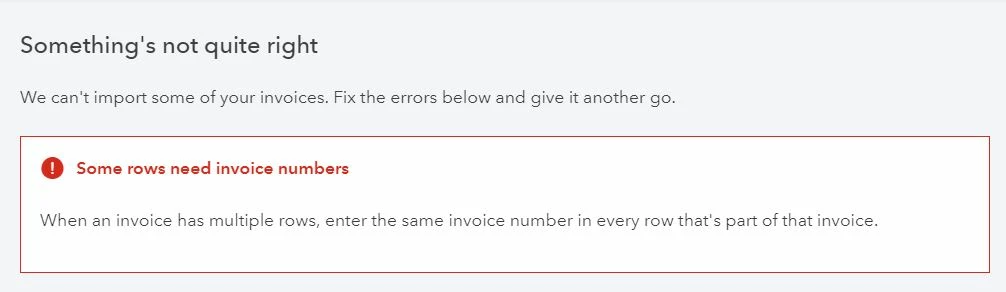
I'm testing my first file, and I get this error in every situation.  I will not have invoice numbers on my imports and I will have multiple line items per customer. What is strange is that I get this error even if the .csv file only has one line item. I have tried with a single line and with multiple lines, I've tried with "Custom transaction numbers" turned off and on as instructed in this Importing invoices in bulk How-To article. Can anyone tell what I'm doing wrong? Here's what my .csv file looks like (customer name changed for privacy).

Thanks for your help!

1 reply

Aleh - CloudBusiness
March 7, 2019

Hello pattyk,


  I can say here that if you are using a .csv file it is not possible to import Invoice that has multiple rows without setting an Invoice number as it is used for grouping the rows.


  Can't say why it doesn't work with a single line though.

March 7, 2019

Thanks for posting in the Community, @pattyk. I'd be glad to lend a hand with importing invoices. 


First, I'd like to take a quick moment to welcome you to QuickBooks Online Advanced. It's also nice to see that you're taking advantage of the new features in the software.


@Aleh - CloudBusiness is correct in that you will need to have an invoice number when importing a CSV. This is a required column and is largely used to help ensure that transactions are properly grouped. I had a similar experience of needing to include an invoice number for a file that had a single line. 


The Custom transaction numbers setting means that the numbers in the Excel file will be pulled over if it's turned on. However, if it's not, then the imported invoices will have their number overwritten by the standard QuickBooks numbers. For example, if your spreadsheet has an invoice marked as 101 then it will not be retained and a default will be used. 


Should you not need custom numbers then you can put a default or generic number in there as it will be overwritten. However, please make sure that invoices with multiple items on it share the same number to ensure proper grouping. 


Please let me know if you should have any questions about this or anything else as I'm just a few clicks away. Have a good day. 

August 10, 2020

Dear Team,


I am facing the same error even I have put the invoice nos. Can you please let me know why the error is coming on invoice nos. when I have already put it.


*InvoiceNo*Customer*InvoiceDate*DueDateTermsLocationMemoItem(Product/Service)ItemDescriptionItemQuantityItemRate*ItemAmountService Date
1506Kisan09-30-202009-30-2020 IZEService Income- IZE:Service Income- IZECompliance 8,817.50 
1506Kisan09-30-202009-30-2020 IZEDeferred Revenue:Deferred RevenueCompliance -8,817.50