

November 7, 2022
Question

Anyone Else Get Treated Terribly By QB Invoices? Painful how little they care about us.

  • November 7, 2022
  • 1 reply
  • 0 views

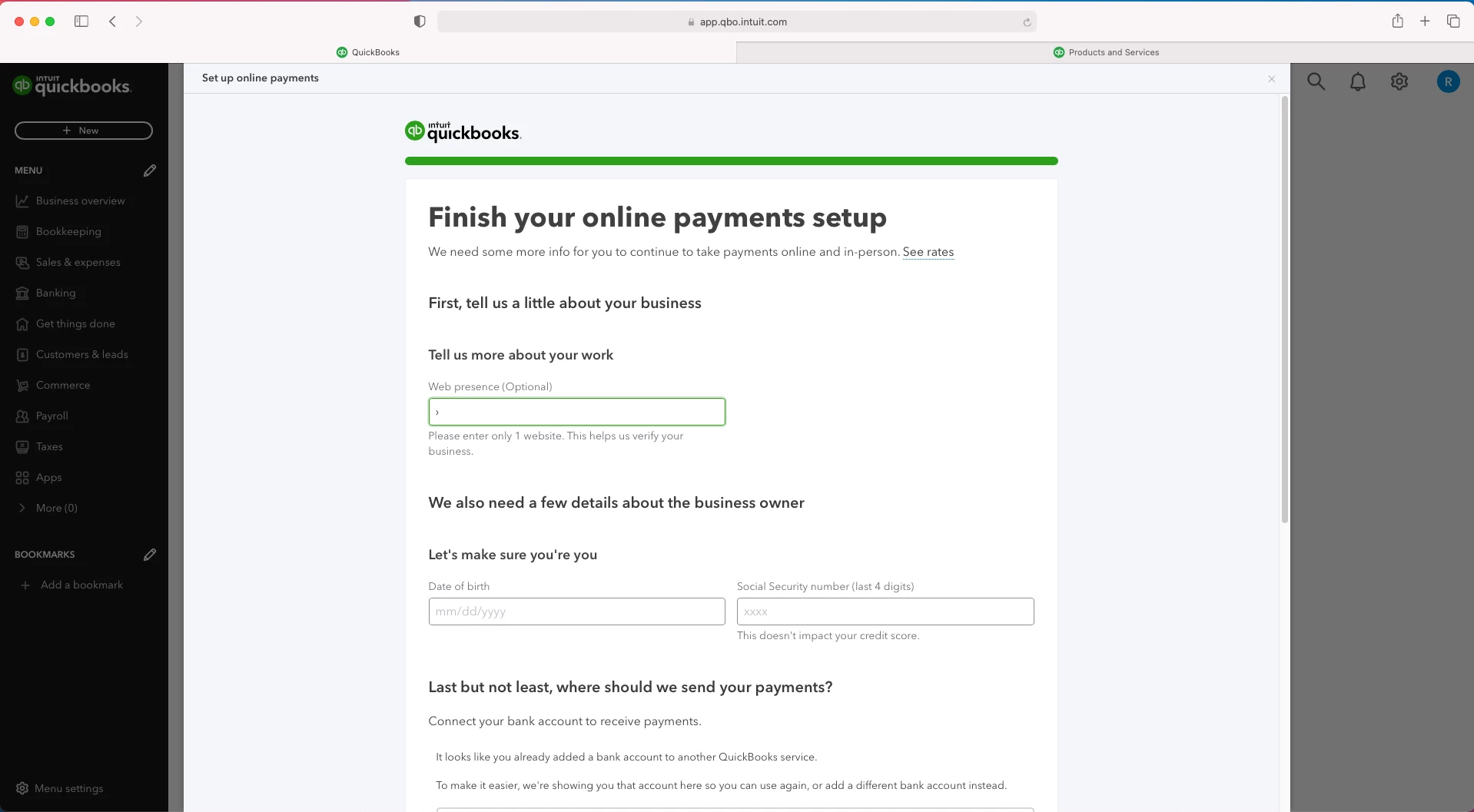
We do not want to use QB as a payment processor. They have kept ~$900 of our clients money in escrow for over 2 weeks now with 0 care or updates. Then once we removed payments they bombard us with a repeating ad for their payments after each invoice.


We literally pay for the highest tier service possible from QB. We have to log in and log out after every single invoice because this pop up does not go away.


a) We have cleared cache, used multiple browsers and incognito tabs.

b) Why does quickbooks bombard its loyal customers paying $100+ per month with ads they can't remove?


Please if you have been treated like your time and business does not matter by QB make your voice heard. We have been treated so terrible that we really hope others stand up with us. Thank you. 
1 reply

AlcaeusF
November 7, 2022

Hi, MNXINC.


I appreciate the steps you've done to fix this. I'm here to share information about the displayed ads in QuickBooks Online (QBO).


These ads are designed to guide and suggest how you can optimize your QBO experience. Currently, we don't have the option to completely stop the ads from popping up. You can click the X or No, thanks to buttons as a workaround. This way, the pop-ups will keep from showing up again.


If you're using Google Chrome, you can follow this article to guide you on how to block the ads: Block certain ads.


Additionally, you can enable the pop-up blocker in your browser. I'll show you how.


  1. Click the lock icon to the left of the address bar.
  2. Select Site settings (Google Chrome) or Permission for this site (Mozilla browser).
  3. Hover to the Pop-ups and redirects section, and choose Block from the drop-down menu. 


Here's how for the Safari browser:


  1. Open your Safari browser.
  2. Click Safari, then Preferences.
  3. Select Websites at the top
  4. Click Pop-up Windows on the left sidebar
  5. Then select Block in the pop-up menu for the website.


In case you need it, I'll add this article that tackles managing invoices in QBO for further guidance: Create invoices in QuickBooks Online.


For more tips and other resources you can use in the future, I recommend visiting our website: Self-help articles.


I'm only a few clicks away if you have additional questions about invoices or anything else QuickBooks. I'll be here to assist. Stay safe always.