

Question
Can not connect to Pay Bills - QB Online
In QB Online. - When I select Pay Bills from the menu I can pay a bill. After saving the payment QB leaves Pay Bills and goes to this :
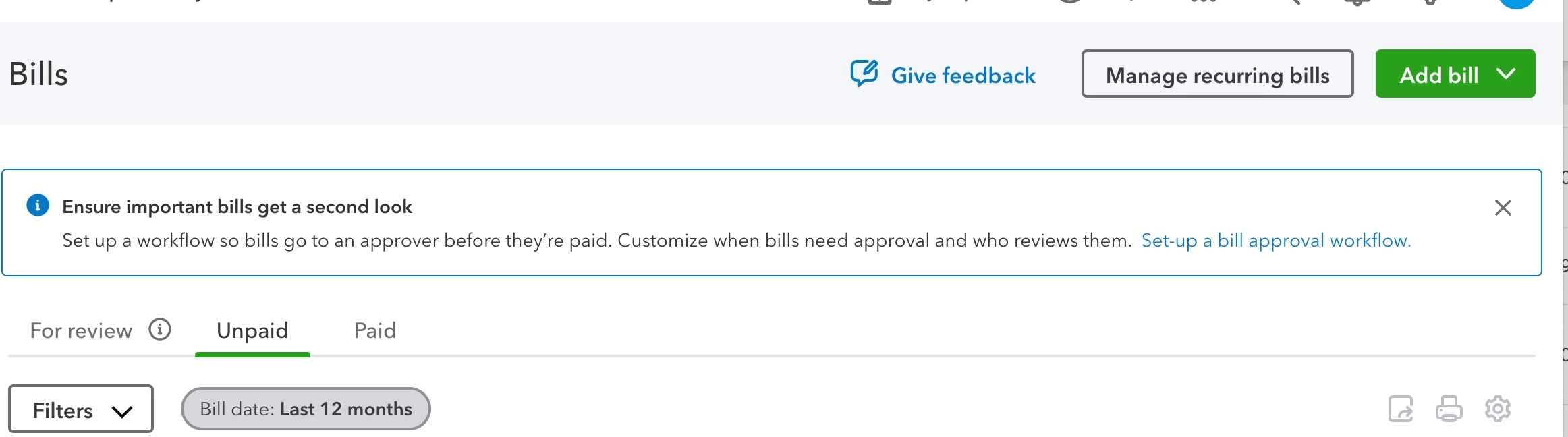
I don't want to see this. Usually when I save a payment QB stays on Pay Bills and I pay the next bill. After each payment QB goes to this screen and I can't get back to Pay Bills. The only fix I have found is to close out of QB and open a new QB. I then pay a bill, then get this screen again and have to close/open QB again to pay the next bill. It is the only want to get rid of the this to get to Pay Bills. This is the second day of this. How do I get rid of this popping up uninvited and won't leave.