(Tenga en cuenta que la respuesta original está escrita en inglés y la respuesta está traducida al español mediante Google Translate.)
Hola, @arkvalleyinfo Galán.
Gracias por comunicarse con la comunidad. Estaré más que feliz de guiarte y compartir algunas ideas.
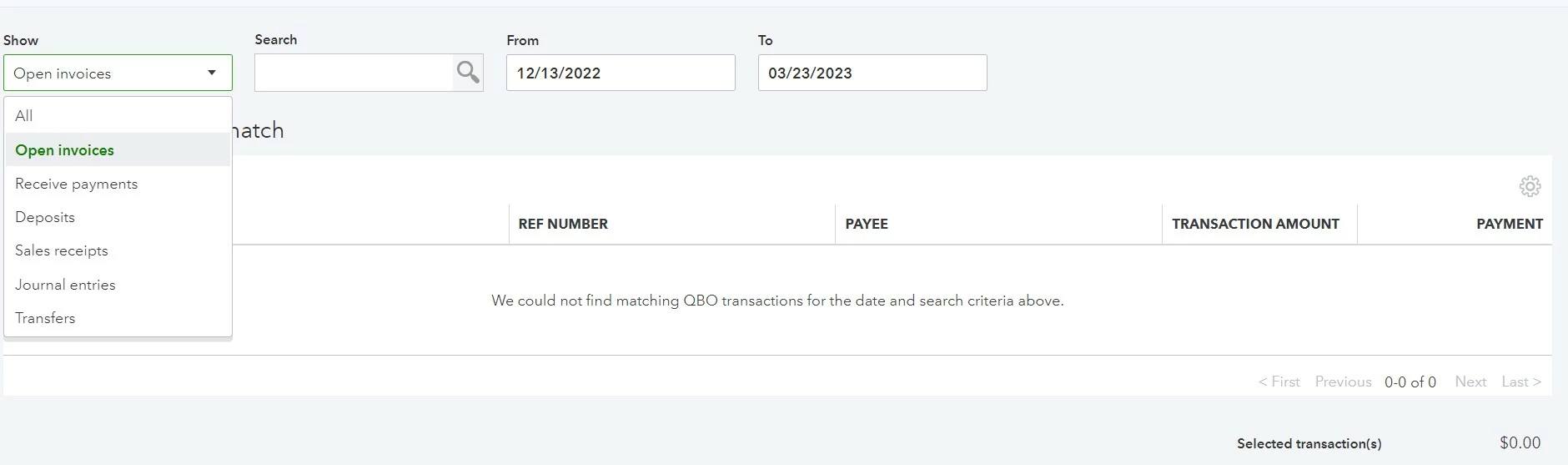
Sí, tienes razón en que ya recibiste los pagos. Ésa es la razón por la que no se puede mostrar la factura. En lugar de elegir una factura, debemos elegir los pagos recibidos en la flecha del botón desplegable.
Para localizar la factura que desea igualar o depositar, aquí le explicamos cómo:
- Vaya al panel de navegación izquierdo.
- Seleccione Ventas y vaya a la sección Factura.
- Busque la transacción específica.
- Verifica si está cerrado o abierto.
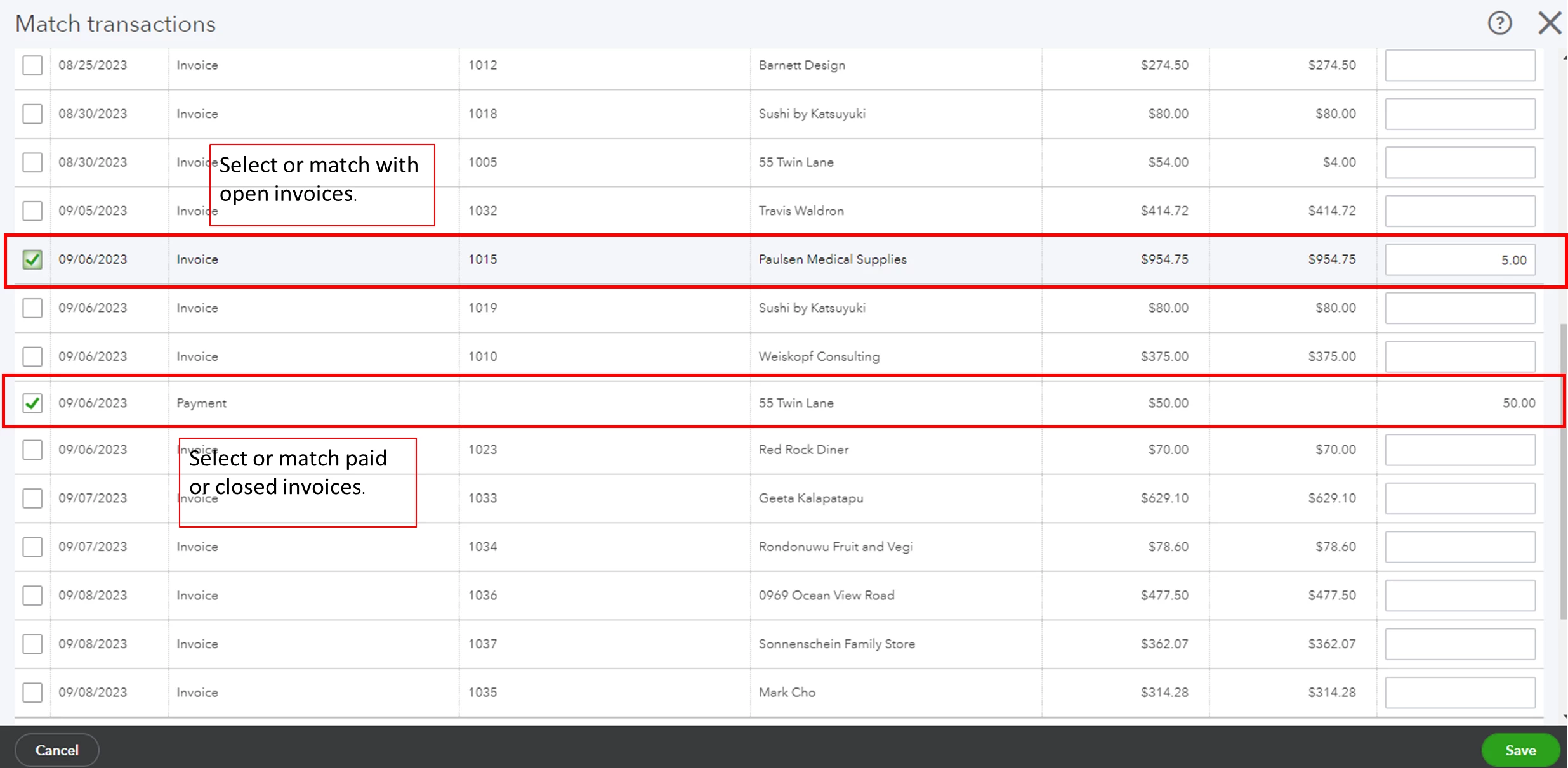
Una vez confirmada, ahora puede relacionar las facturas abiertas con las facturas disponibles en su página Coincidir transacciones.
Mientras que para las facturas cerradas o pagadas, relacionelas con los pagos recibidos que se muestran en la misma página.
Por otro lado, si ya recibiste el pago puedes cotejar la factura y la transacción descargada. Puede consultar este artículo sobre cómo realizar el proceso: Conciliar transacciones bancarias en línea.
Puede consultar este artículo si desea conciliar sus cuentas bancarias y de tarjetas de crédito: Conciliar una cuenta en QuickBooks Online.
No dude en comunicarse con nosotros nuevamente si tiene más inquietudes.
------
Hello, @Norma Galán.
Thank you for communicating with the Community. I'll be more than happy to guide you and share some insights.
Yes, you are right that you already received the payments. That is the reason why the invoice cannot be shown. Instead of choosing an invoice, we need to choose payments received from the drop-down button arrow.
To locate the invoice you want to match or deposit, here's how:
- Go to the left navigation panel.
- Select Sales, and go to the Invoice section.
- Search for the specific transaction.
- Verify if it is closed or open.
Once confirmed, you can now match the open invoices with the available invoices on your Match transactions page.
While for the closed or paid invoices, match them with the received payments shown on the same page.
On the other hand, if you have already received the payment you can compare the invoice and the downloaded transaction.
You can check out this article on how to go about the process: Reconcile online banking transactions.
You can refer to this article if you want to reconcile your bank and credit card accounts: Reconcile an account in QuickBooks Online.
Please feel free to contact us again if you have any further concerns.
Please note that the original answer is written in English and the answer is translated into Spanish using Google Translate.