Good day, @JZ-22.
I'm here to get you on the right track toward reimbursing the bill payment of your employee for the company. In this method, you no longer need to create a purchase order and split payroll in QuickBooks Online.
Since this is money that your business owes from an employee and will be paid at a later date, you can create a bill. To ensure the process is a breeze for you, follow the steps below:
- Go to the + New button.
- Select Bill under Vendors.
- Enter the necessary details, then click Save and close.
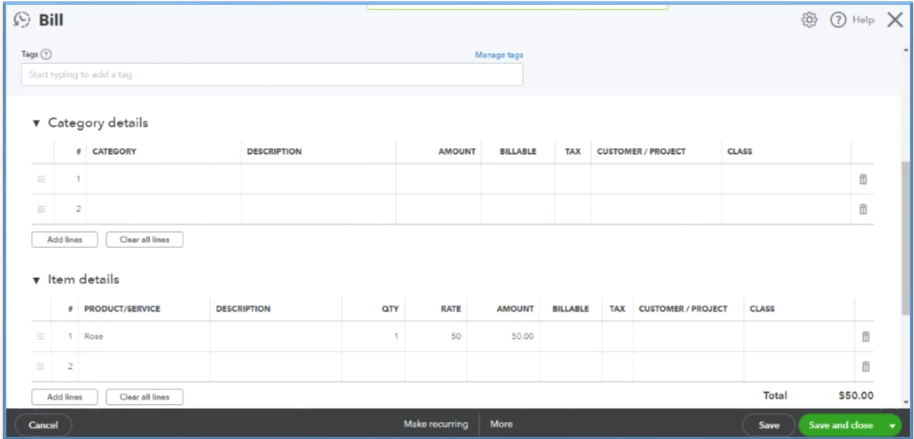
After that, use a journal entry to ensure there's no money posted on the business bank. We will then apply this to the bill you created above. Thus, it will be marked as paid.
Here's how:
- Go to the + New button.
- Select Journal Entry under Other.
- Ensure to debit Accounts Payable and credit the Liability account.
- Proceed to the + New button again and choose Pay bills.
- Locate the JE you've made, then press Save and close.
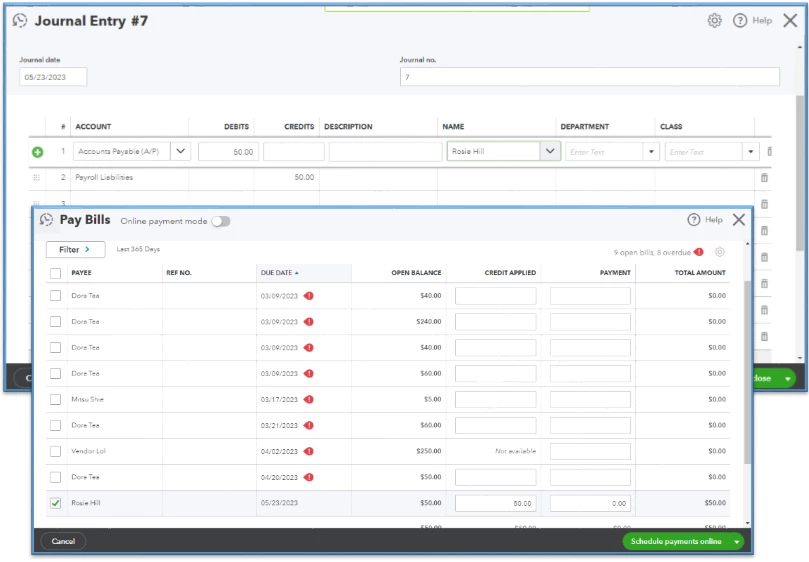
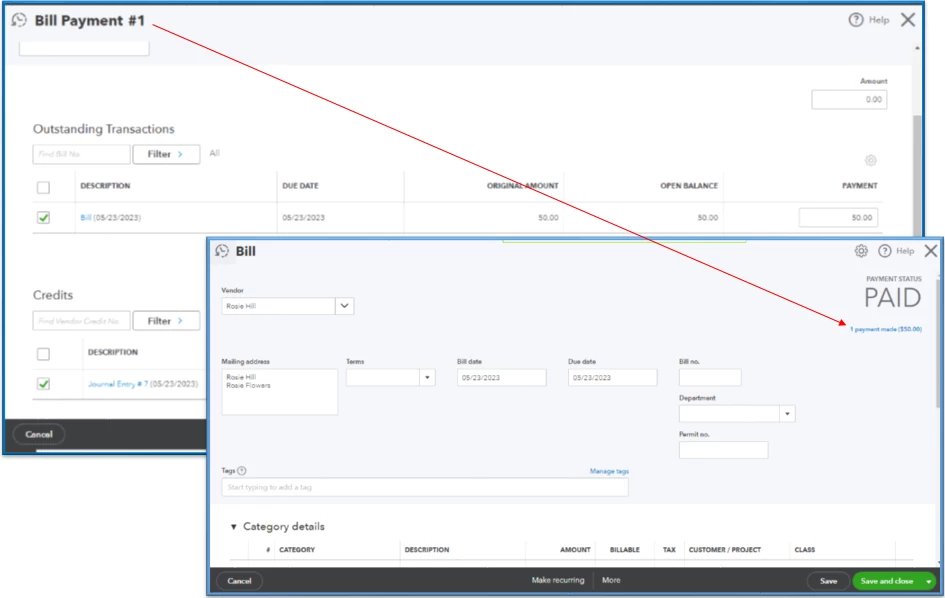
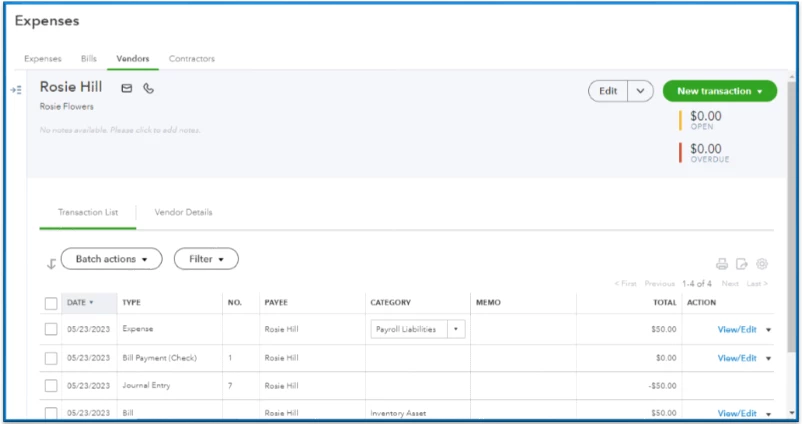
Once done, create an expense transaction to reimburse your employee. Just navigate to the + New, then select Expense. Choose the correct vendor and pick the Payroll Liabilities you used on the JE.
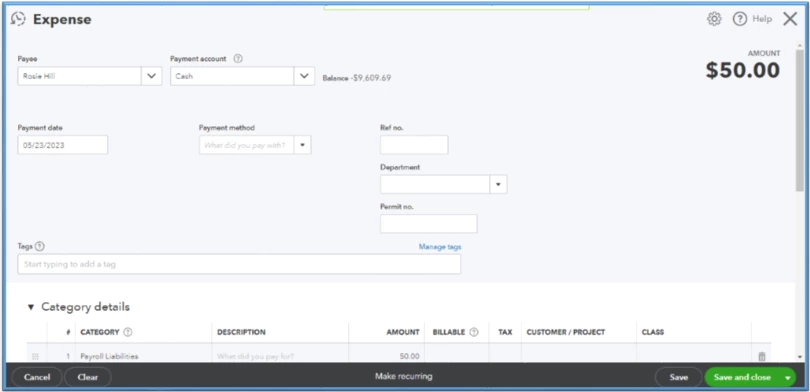
Navigate to the Expenses page and locate the supplier on the Vendors button. We can review the entries to check if they're recorded correctly from there. The zero amount on the Open and Overdue on your vendor's profile indicates that we successfully linked the transactions together.
As for the taxes and accounts affected, it's best to consult with your accountant. They can guide you on which action to take to record these transactions correctly.
Utilize this guide if you use your cash to pay for your business needs: Paying for business expenses with personal funds. It involves using journal entries and checks or expenses to reimburse the money.
I'm adding these resources for more tips on managing vendors and handling bills:
Stay in touch if you have additional questions about reimbursing employees who paid business expenses on behalf of the company. I look forward to hearing from you soon. Take care.

