

Question
Enabled Progress Invoicing setting and it reset my templates and user interface
I am new to Quickbooks and was testing a setting called "progress invoicing". After I enabled this setting it prompted me that this would change the template(s). I clicked ok. What ended up happening that I really don't like is it changed the user interface, and removed some features I previously had. I believe what happened was it switched me to the "old estimates experience", and I'd like to know how to switch back to the new one.
This Is what my user interface originally looked like: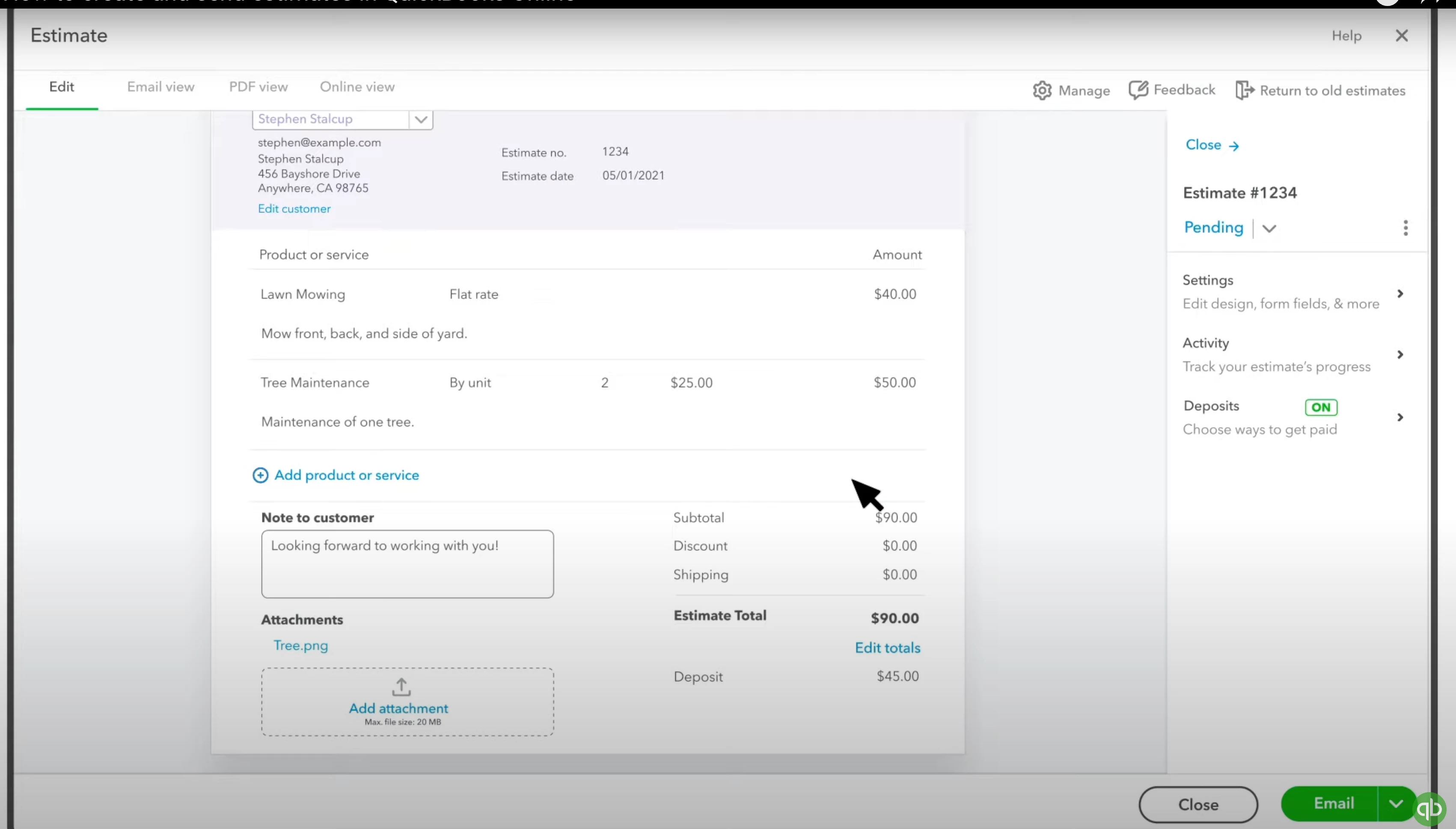
I had the ability to create a deposit amount (I still have this enabled in settings). I was also able to save and copy a link to my estimate.
Now the estimate page looks like this:
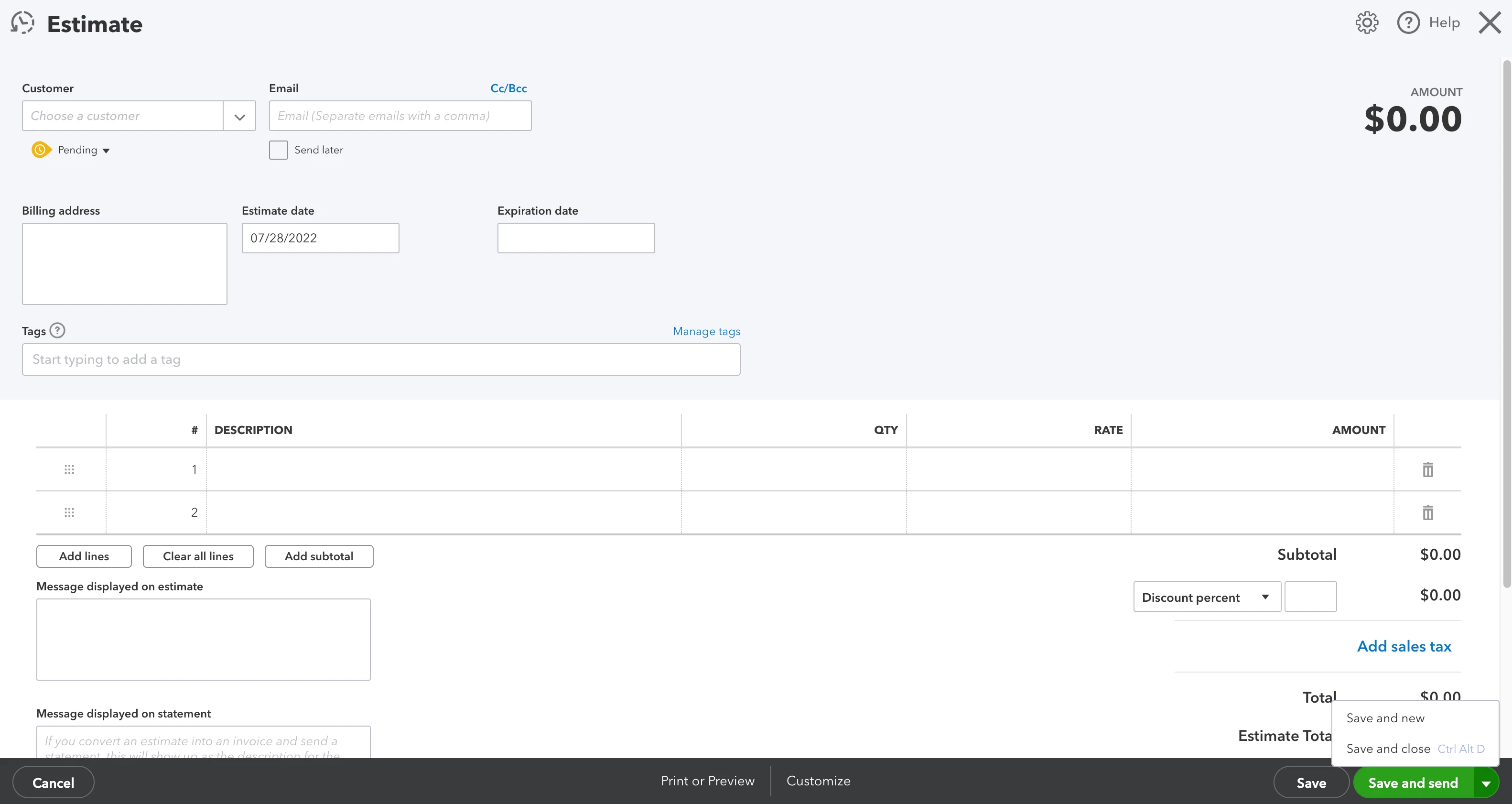
Any help would be very appreciated! Thank you.