Follow the steps in my previous answer.
I know how to do it, ToddG34292.
You can unapply the credit memo if you're using QuickBooks Desktop.
Here's how:
- Open the incorrect invoice.
- Click the Apply Credits button.
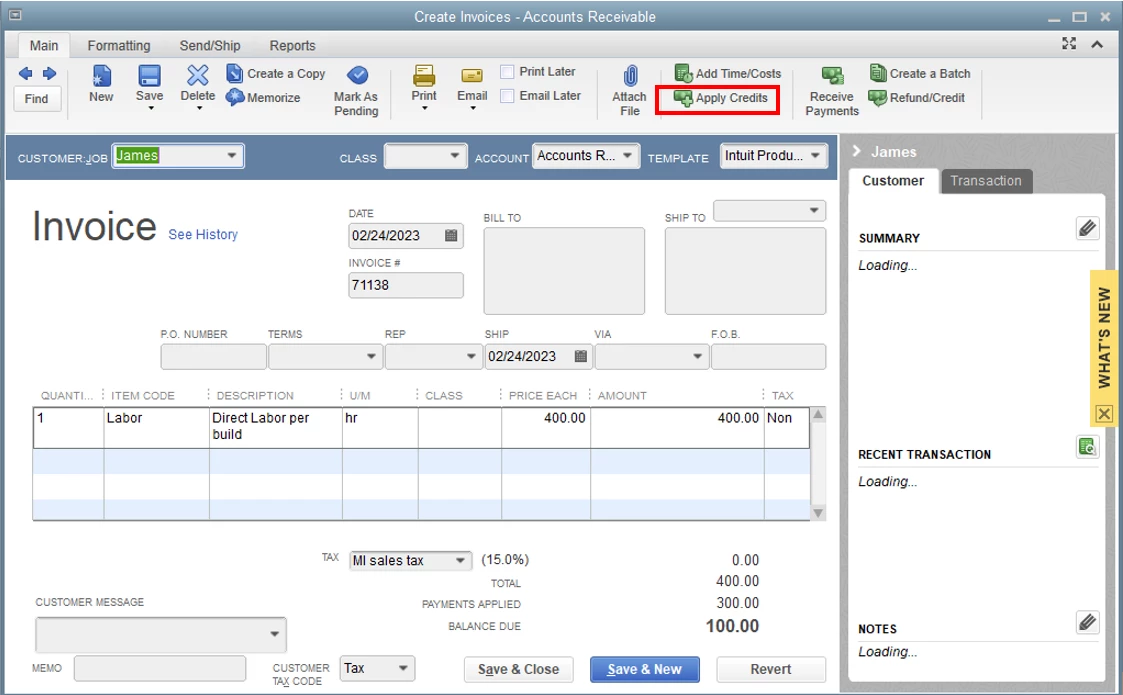
- Under the Previously Applied Credit section, uncheck the credit memo.
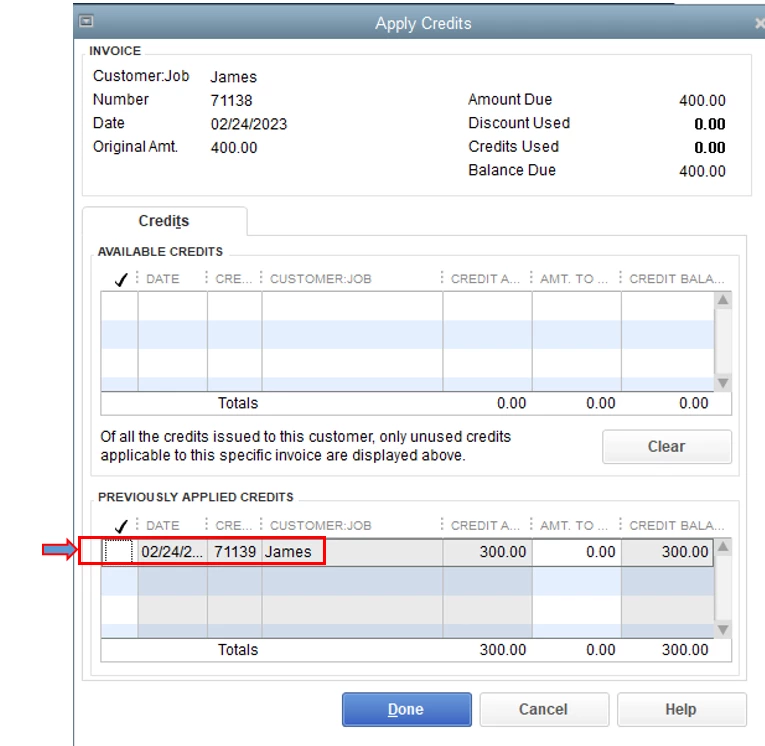
- Select Done, then Save & Close.
Then apply the credit memo to the appropriate invoice through Receive Payments or open the invoice and click the Apply Credits button.
You can delete the payment transaction associated to the incorrect invoice. It will unlink the credit memo so you can apply it to the correct or future invoices. Before we proceed, let's ensure the Automatically apply credits is turn off.
Here's how:
- Click the Gear icon in the upper-right corner and select Account and Settings.
- Select the Advanced tab and go to the Automation section.
- Turn off the Automatically apply credits radio button.

- Hit Save, then Done.
Then, you can locate the payment transaction or open the invoice were the credit memo is applied. I'll show you how.
- Go to the Sales menu, then Customers tab.
- Select the customer from the list.
- Locate and open the payment transaction.

- You can also open the invoice, then click the 1 payment link below the PAID status to open the payment transaction.

- Click the More option at the bottom, then choose Delete.

- Hit Yes to confirm.
Once done, you can use the Receive payment feature to apply the credits to the appropriate invoice manually.
I'm including the following articles below to help you manage customers debt that you know you won't be paid:
If you have any additional inquiries regarding credits or invoices, feel free to post again. We're always here to assist you.

