January 20, 2021
Solved

How do I edit an invoice has the wrong customer listed and payment already applied?

  • January 20, 2021
  • 1 reply
  • 0 views

Hello,

We have two customers with very similar business names and when an invoice was entered for one of them the wrong customer was chosen. The invoice was mailed to the correct customer and they paid on the invoice. So when the transaction showed up on our banking dashboard the payment was matched with the invoice. While entering new invoices I caught the mistake. I want to fix the error but I am new to Quickbooks Online and don't want to make this error even worst. How do I move the invoice and the payment to the correct customer?   

Best answer by MaryAnn_E

Thank you for your response. I'm so sorry, I feel like this should be so simple but I can't seem to fix it as easily as the instructions make it. So I'm going to layout step by step what I am doing and seeing and you tell me where I am going wrong. 

Step 1: Edit Invoice - Change customer name on invoice to the correct customer

Step 2: Message pops up - The transaction you are editing is linked to others. Are you sure you want to modify? I Select Yes

Step 3:  I verify invoice is now showing under the correct customer

Step 4: I go back to the wrong customers account and the payment looks like this:

Step 5: When I select the payment to edit it and change the customer name I receive the following message:
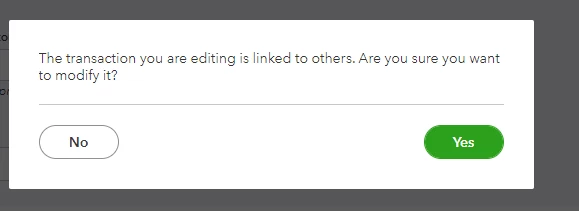
Step 6: I select yes

Step 7: Then a screen appears with the amount received zero'd out:
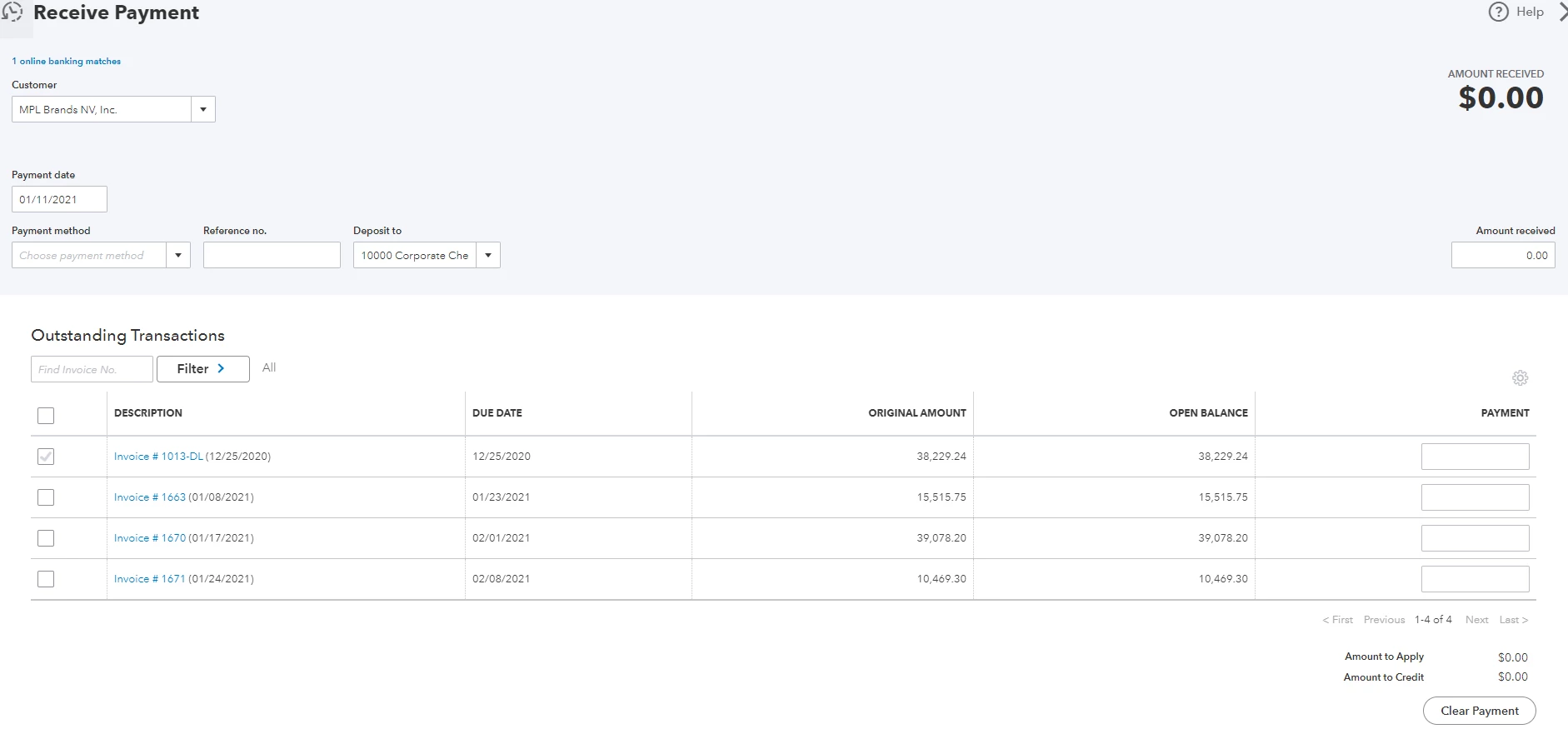
Step 8: I'm not sure what to do from here and I'm scared i will make a mess of this, so I just exit out without saving the changes. Which then keeps the payment where it is at under the wrong customer.


I can see the invoice that needs to be credited. It's the first line item on the zero'd out screen. When I check the box for that line it applies the the amount in the "Amount to Credit" area as $-38,229.24 and the amount to apply area stays at $0.00. I don't want to select save and close because I don't want to mess this up further. Suggestions?

Thank you!


Hi there, @ lxsgreen.


You can edit the payment with the correct customer name and amount. You may open the payments and the transaction history to check the changes.


Here's how to do it:


  1. In QBO, go to the Sales menu at the left pane to get to the Customers page.
  2. Click the customer's name to open the Transaction List.
  3. Locate the payment and select it to open.
  4. Rename the customer and enter the amount.
  5. Hit Yes to confirm. The customer will have an unapplied payment which you can either delete or apply to future invoice(s).


Once done you can link the invoice to the payment and delete the incorrect payment.


I'm also adding this article that tackles how to let customers pay their invoices online for future reference: Take and process payments in QuickBooks Online.


 That should get you pointed in the right direction. Feel free to get in touch with me if you need anything else. I’m always here to help. Thanks for dropping by and take care!


1 reply

January 20, 2021

Resolving this concern is easy peasy, @lxsgreen.


You can simply edit the invoice and change the mistakenly selected customer to the correct one. This won't affect the invoice and payment transactions since you'll only change the customer. Here's how to do it:


  1. Find and open the invoice transaction.
  2. In the Invoice window, simply change the customer to the correct one.
  3. Click Save and close.


Just in case you apply this payment to the wrong invoice, you can check out this article to learn how to fix it: How to fix a payment applied to the wrong customer invoice.


Please keep in touch if there's anything else I can do to help you succeed with QuickBooks. I've got your back. Have a great day!

lxsgreenAuthor
January 20, 2021

Mark,

Thank you for your response.

So when I change the customer and click save I get the message below. 

If I select yes the invoice moves to the correct customer but the payment stays listed under the wrong customers account and the status is "unapplied". How do I move that payment to the correct customer account so it can then be applied to the invoice?  

MarsStephanieL
January 21, 2021

Happy to see you back, @lxsgreen.


You can apply it to another customer by unlinking the payment. Once done, change the name of the customer. Then, link the Invoice to the correct one.


Base on the screenshot you've shared, click the Yes button. Once done, apply the payment to the correct customer.


I've added this article to know more about the process: Record invoice payments in QuickBooks Online.


 You may consider checking this reference for your future task when you're ready to assess your business financials: Reconcile an account in QuickBooks Online.


I'll be here if you have other questions. Don't hesitate to let me know in the comment section. Have a good one.