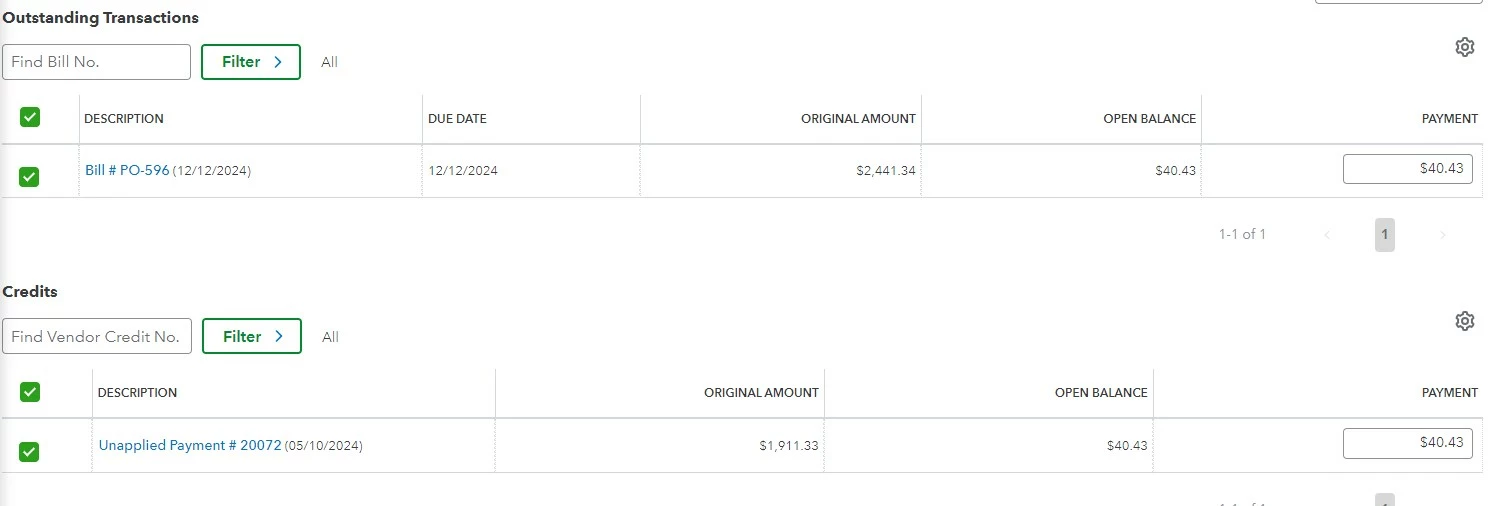
Thank you for providing screenshots of your concern, TimiAdler. To fix this, please enter the payment amount in the corresponding fields. Let me walk you through this process.
Aside from ticking the checkbox fields from the Outstanding Transactions and Credits section, you'll also need to enter the amount from the Amount field. This way, you can see how much you've paid or how many credits you've applied to your bill.
You can see the screenshot below for more visual guidance:

Additionally, I encourage you to view this article whenever you want to learn more about tracking your bills and record payments: Enter and manage bills and bill payments in QuickBooks Online.
You can also print your checks from your print queue after completing your transaction offset.
If you require assistance managing your transactions, please visit our QuickBooks Live Expert Assisted website. Our experts can guide you step by step to ensure your financial records are accurate.
We're always here to help you further whenever you need our help, TimiAdler. Please notify us by leaving your concerns in the comment section.