For anyone wondering, I found a better option for this that doesn't require a barter account and keeps bank reconciliations clean.
Think about things in terms of debits and credits:
If you add a line to the bank deposit and the amount is positive, that account must be credited since the increase in cash on the deposit would be a debit to the bank account. With this logic, any amount entered as a negative would then be a debit to the account entered on a line item, while simultaneously reducing the amount of cash being deposited to the bank account selected for the deposit.
If a deposit has three different payment avenues, you can enter the first two as negatives, and then leave the remainder in the main deposit. Attached is a screenshot example.
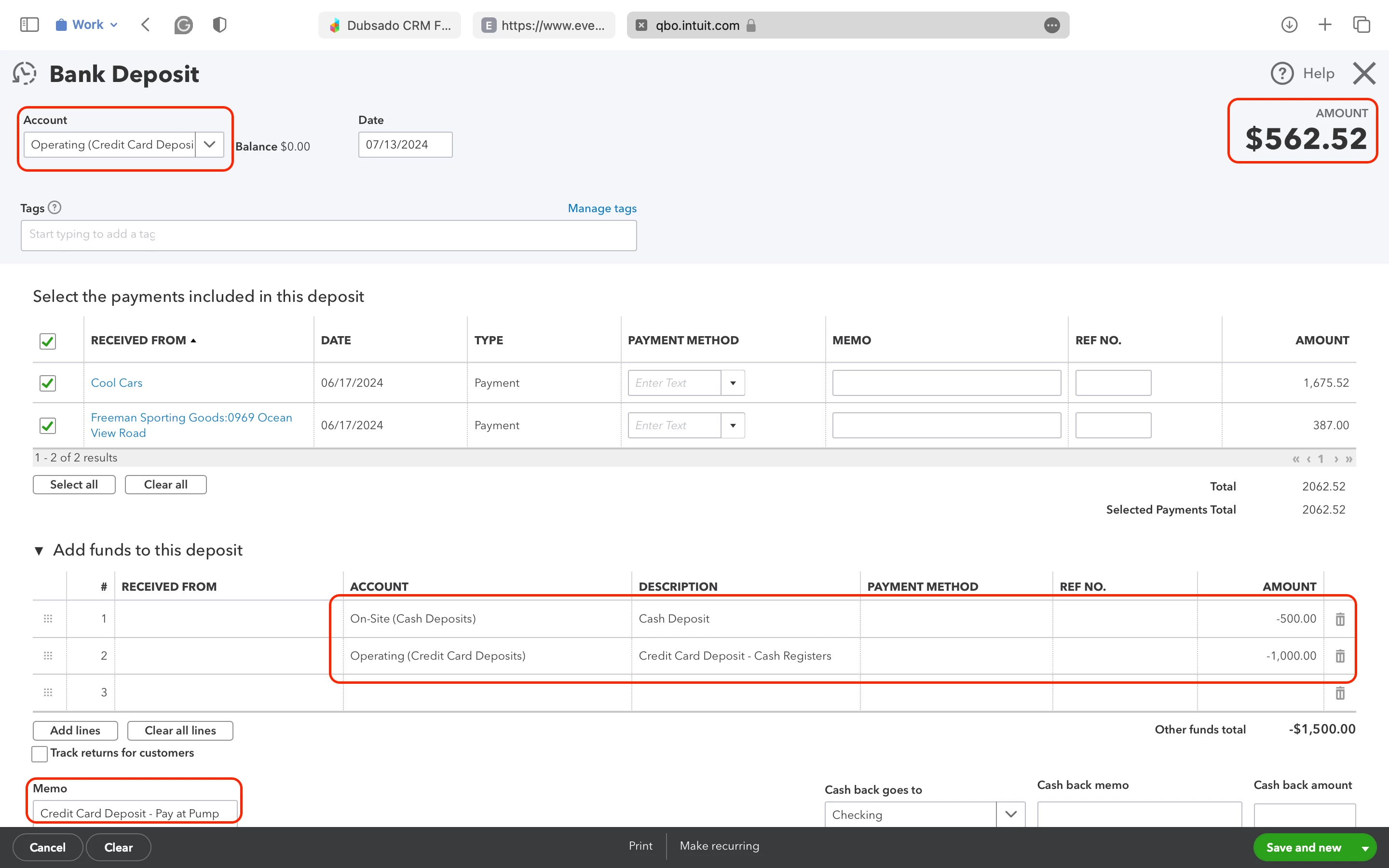
In this bank deposit, the main bank is "Operating (Credit Card Deposits)" - this is where the remainder will be deposited. The other two deposits shown in the "Add funds to this deposit" section are entered as negative amounts to debit those bank accounts and reduce the remaining deposit.
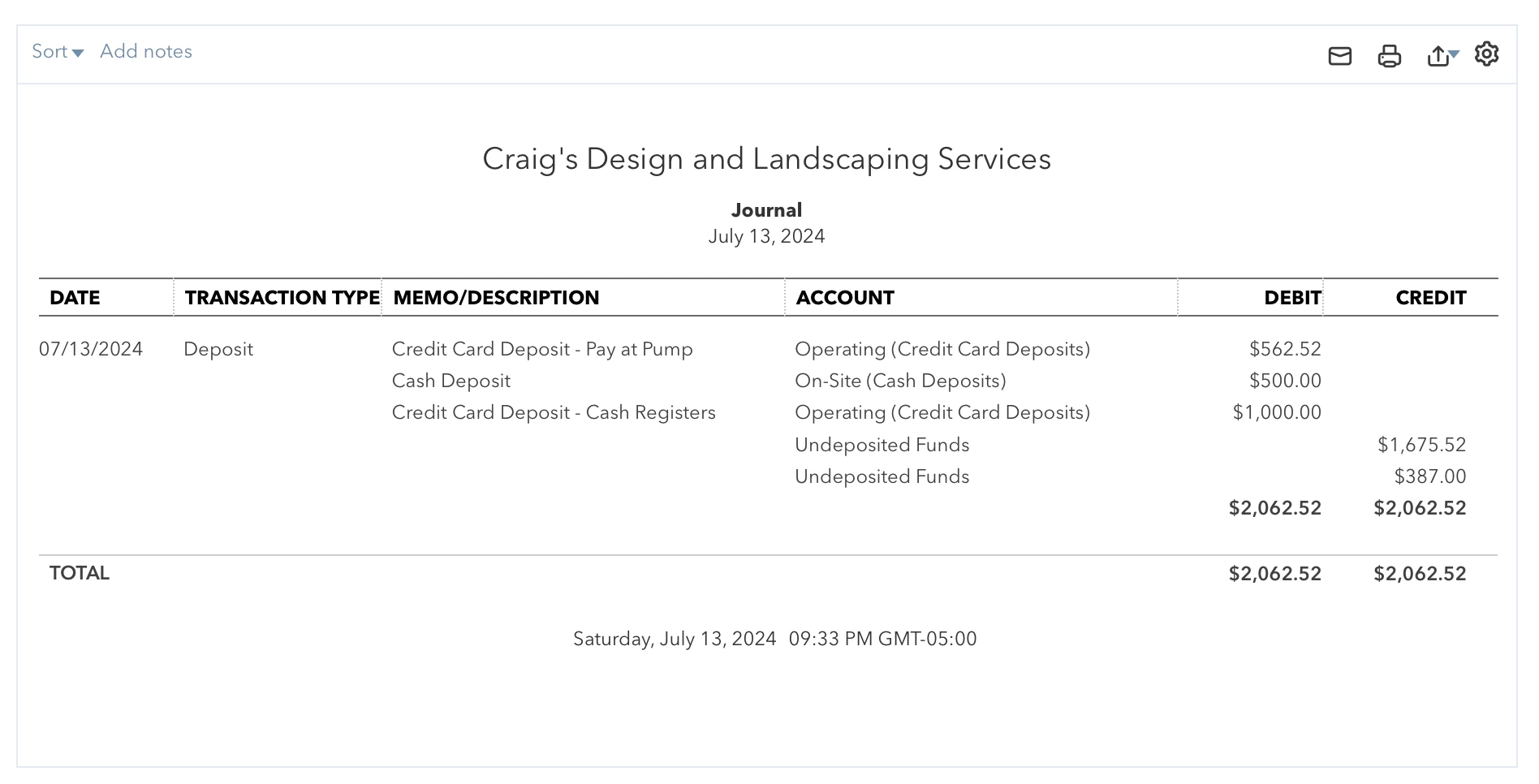
Here is an image of the transaction journal showing the debits and credits:
And here is a screenshot of the bank register after entering the deposit, showing the increase in cash:
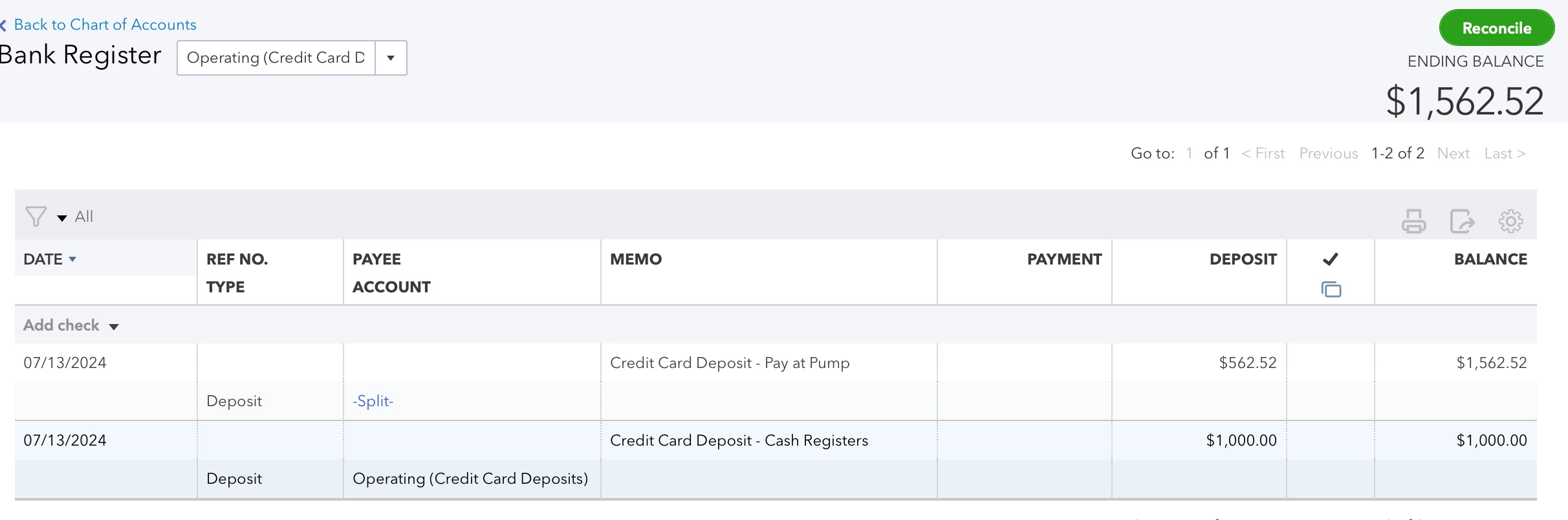
As you can see, since there was a line item for Cash Registers, and then the main deposit (remaining amount) for pay at pump, there are two entries created; each line item is treated separately.
This method is perfect if you have multiple sources of cash flow for a single daily shift total based on payment type.
For example: our cash registers are manged by a different card processor than our pay-at-the-pump gas stations, so we received those deposits separately despite both being paid by credit card. This method matches the actual flow of cash into the bank so our bank reconciliations are a breeze and we don't have to make calculations when reconciling.

