

February 10, 2023
Question

Invoice match by accident

  • February 10, 2023
  • 1 reply
  • 0 views

New to QB..
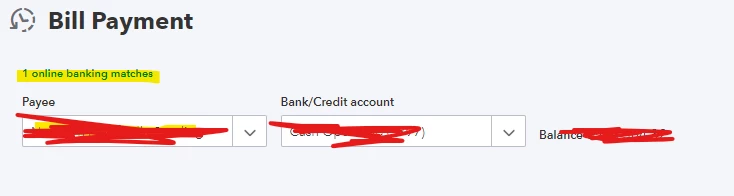
I was going through the Banking module and accidentally clicked match on a bill that was paid. I needed to add another invoice on there. When I realised what had happen I checked the register and it says it was already paid. 

What can I do to kick it back out and unmatch it to re-do it and add the other invoice? 

I saw where I can click "unmatch". Will this screw up if it says its already paid? Any advice or explanation would be greatly appreciated! 
1 reply

February 10, 2023

Welcome to the Community forum, Morgan.


Let me guide you on how to undo or unmatch downloaded transaction in QuickBooks Online.


If you mistakenly matched a downloaded transaction with the wrong invoice or bill in QuickBooks, you can easily make changes after reviewing it.

Here's how:


  1. Go to Bookkeeping then Transactions then select Bank transactions, or go to Banking.
  2. Choose the account tile for the bank or credit card account you downloaded the transaction from.
  3. Click the Categorized tab.
  4. Find the transaction you want to unmatch.
  5. Select Undo from the Action column. You can also click blue transaction link in the Added or Matched column to see the matched transaction.


Once done, the two will be disconnected and the original transaction will go back to the For Review tab. Check out this link to learn more: Unmatch downloaded bank transactions or move them to another account.


I've also added this article to guide you on how to find and match the right transactions: Categorize and match online bank transactions in QuickBooks Online.


Feel free to reach us back if you need help with anything or have other banking concerns. I'll be here to help. Have a great weekend!