February 19, 2020
Solved

Is there a way to get a total for Received Payments for a time period?

  • February 19, 2020
  • 2 replies
  • 0 views
The Invoices and Received Payments do not give a total at the bottom, I always have to do that manually, is there a way to get this total in the report itself?

Best answer by vpcontroller

@SDM2 

@Kristine Mae 


Invoices and Received Payments Report—this is supposed to be a great report but unfortunately, someone designed this report very poorly and not a useful financial tool at this time.


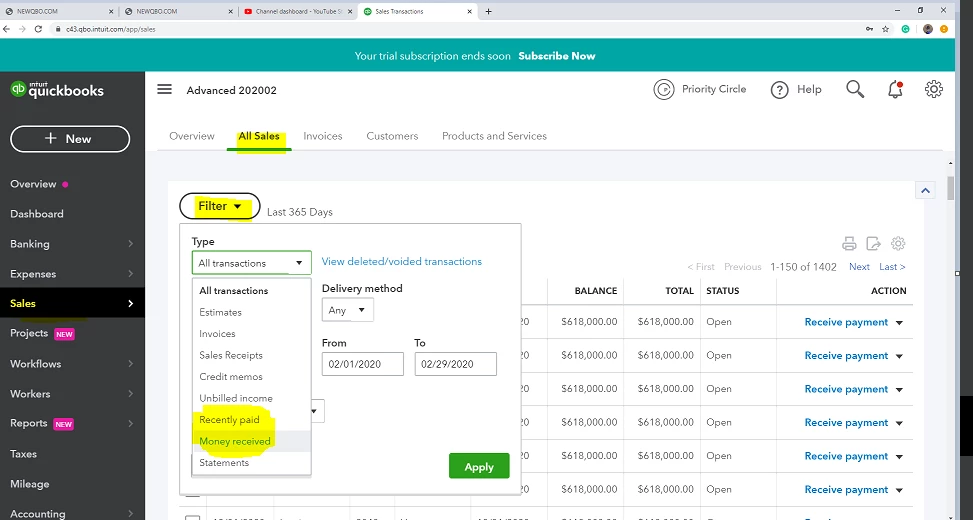
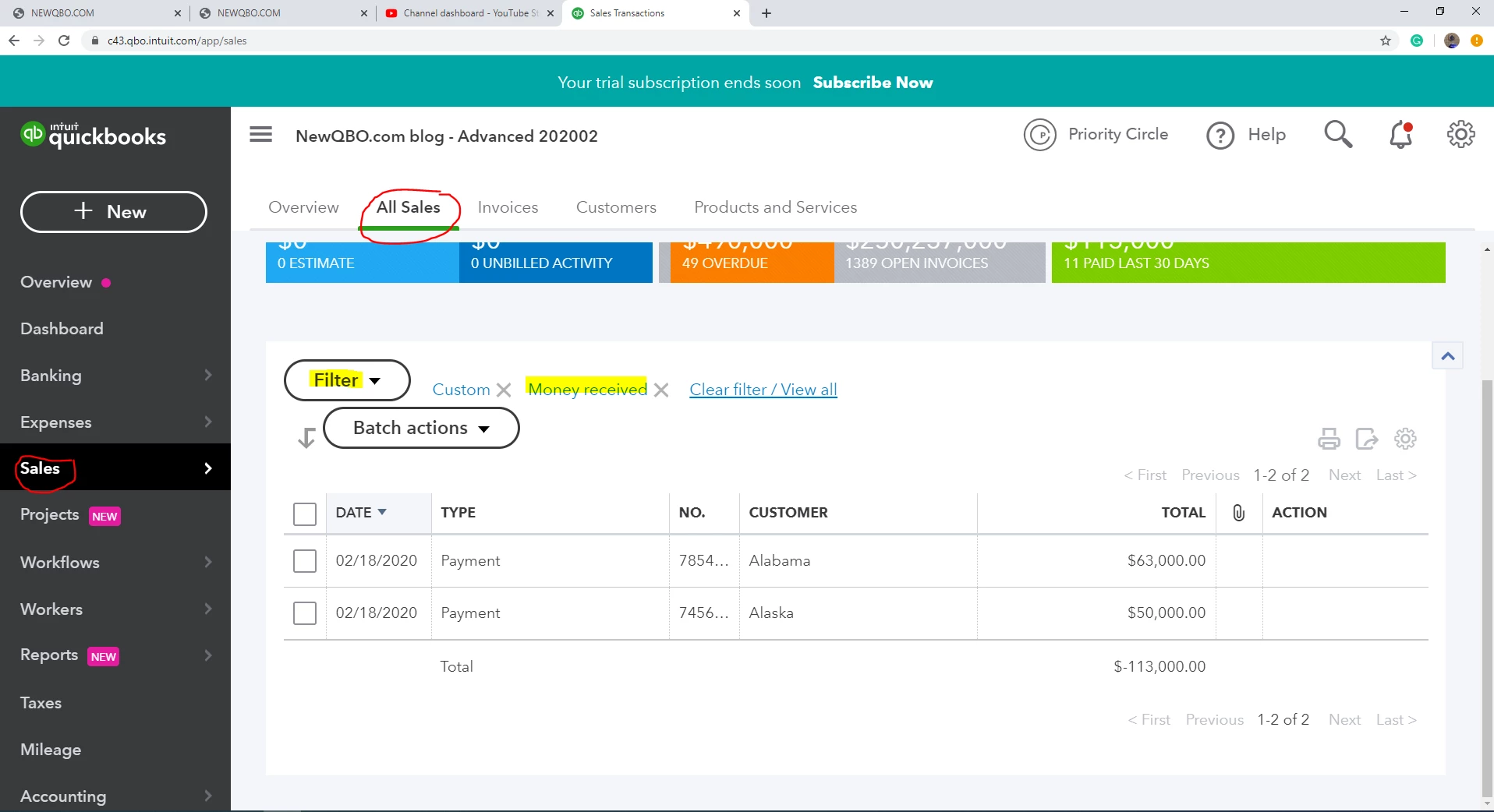
If you're looking total received payment, I would use the left Sales panel and select All Sales and here you can filter it by money received or recently paid or paid invoices. All will give you the total. (But the negative number, why?)


2 replies

Kristine Mae
February 19, 2020

I've replicated your concern on my sample company file, SDM2. We're unable to get a report that will show the total payments for a specific period.


You can only get the total payments per customer when pulling up the Transaction List by Customer report. Here's how:

  1. Click Reports.
  2. Enter Transaction List by Customer in the Find report by name field.
  3. Click Customize, then go to Filter.
  4. Click the Transaction Type drop-down arrow, then select Payment.
  5. Click Run report.


It's a good idea to have a report that'll show total customer payments. I'll share your concern to our management team. They'll submit this to our software developers. This will be assessed and may be included in future program updates. 


If you have additional questions, don't hesitate to keep in touch. Just click the Reply button and we'll get back to you as soon as we can. 

July 30, 2020

Does this work for Desktop version of Quickbooks? 

vpcontroller
February 19, 2020

@SDM2 

@Kristine Mae 


Invoices and Received Payments Report—this is supposed to be a great report but unfortunately, someone designed this report very poorly and not a useful financial tool at this time.


If you're looking total received payment, I would use the left Sales panel and select All Sales and here you can filter it by money received or recently paid or paid invoices. All will give you the total. (But the negative number, why?)


June 19, 2021

I think I figured it out... with Quickbooks Online, I went to REPORTS, in Find Reports I chose "Transaction List by Customer".. then clicked on Customize, then Group By - Transaction Type (instead of by customer), then Filter Transaction Type to Payment.. then RUN REPORT..

and yes I do accept cash or gifts if you feel obligated..
