

October 13, 2022
Question

Magtek Credit Card Reader - Results in Red boxes (Errors) when swiped

  • October 13, 2022
  • 1 reply
  • 0 views

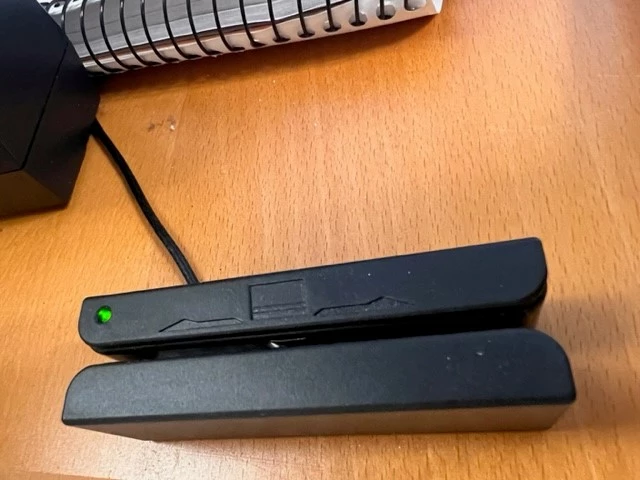
I have the Magtek Card reader (Pic Included of exact type)- When I attempt to swipe a card for payment, the boxes populate with card info (Card # with only last 4 visible, expiration) security code and zip code were not populated. The issue was all the boxes were outlined in RED and it also said "Card # not valid" - even though it was swiped. It would not allow me to update those boxes or even apply the zip code to box for zip codes. 


Does anyone have any idea what troubleshooting I can do? The light is green- it appears it is ready to process a card transaction. However, as I explained- I receive the errors and red boxes. 


Can anyone provide any guidance, insight, etc?


I appreciate it . 
1 reply

October 13, 2022

Hi there, BrianR1973.


Let's go over some basic troubleshooting steps to resolve your card reader issue. This way, you can process your customers' payments smoothly.


When the card reader's light turns green, it is ready to accept a card. Since you're getting an error, follow the suggestions below to fix it.


Use a direct USB connection:


  1. Plug the reader directly into one of your computer's USB ports, not through a keyboard or a USB hub. Switch ports and restart the computer if needed.
  2. Try a different direct USB port on your computer.


Swipe the card correctly:


  1. Face the card's magnetic stripe in the correct direction, towards the light.
  2. Swipe the card just one time. You can start from either end.
  3. Don't swipe the card at an angle.
  4. Swipe the card quickly.


If the issue persists, I recommend contacting our QuickBooks Payments Team. They have tools to investigate why the boxes displayed a red light, including the "Card # not valid" error. When a permanent solution is available, our specialists will walk you through the implementation process.


To learn more about how to troubleshoot GoPayment and QuickBooks mobile app card readers, click here. Aside from that, this resource includes topics that will show you how to manage your payments account, troubleshoot card reader issues, process refunds, and cancel your subscription: QuickBooks Payments FAQ. 


Keep me posted below if you have any further questions about processing payments via card reader or other QuickBooks issues. I'll return right away to answer them for you. Have a wonderful day.


June 22, 2023

i have a similar issue...it rewrites over the zip code and then I cannot process the payment.  Was your problem resolved?

August 7, 2023

I am having the same problem. Did anyone get the issue resolved?