


ailoilo
February 11, 2020
Question

Pay Bills - default (or pre-populated) payment account

  • February 11, 2020
  • 3 replies
  • 0 views

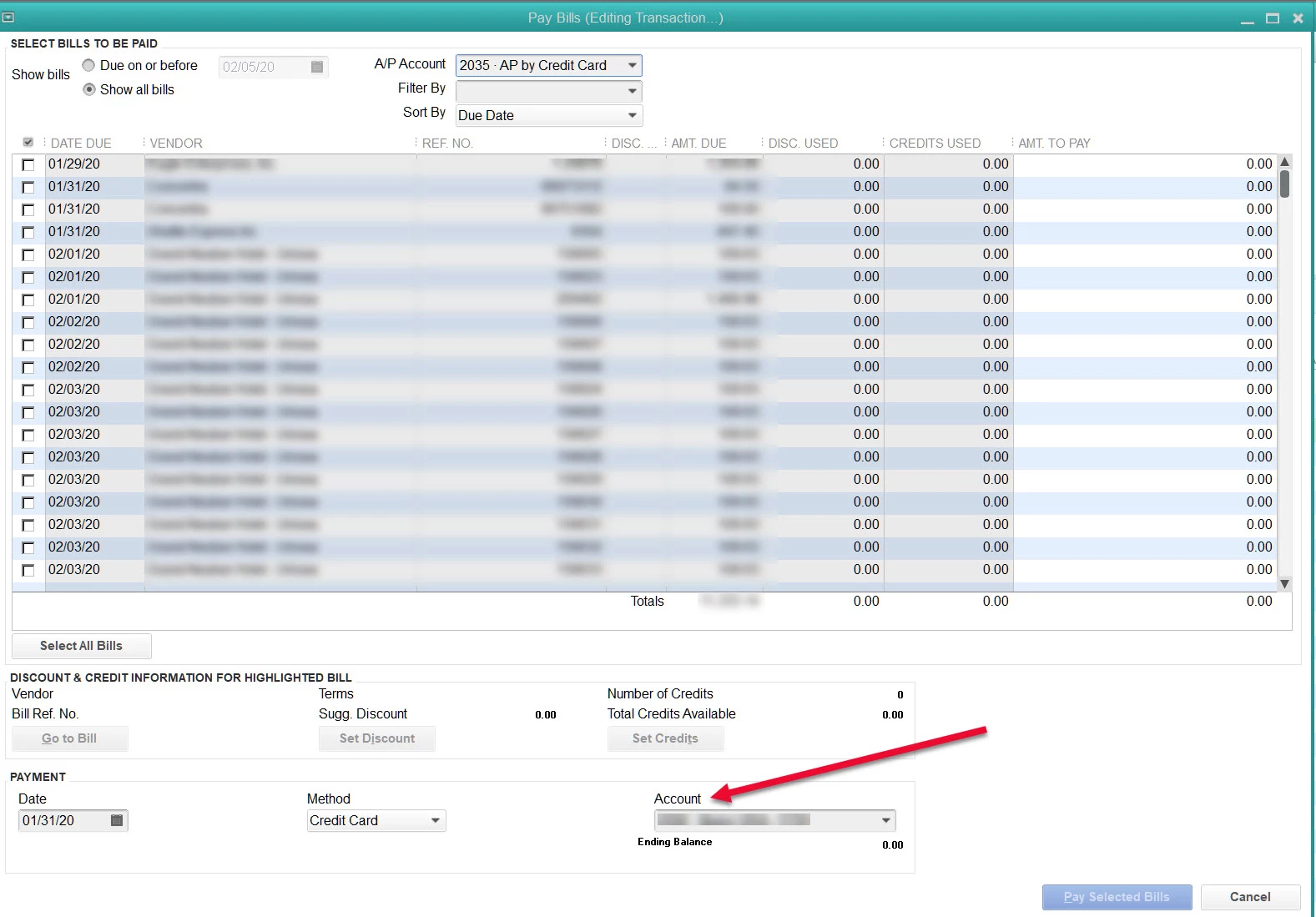
Hi there -  What determines the default or pre-populated payment account when using Pay Bills?  I pay a majority of our bills via a credit card and 99% of the time I used the same credit card but every once in a while I process payments using a different card and then that card account ends up sticking / pre-populating every time I open the Pay Bills window. I cannot figure out how to change it back or what makes it change in the first place.  
 

3 replies

Sarah Bl
February 11, 2020

Hello, @ailoilo.


To change the card that is sticking to the actual card, you'll want to go into your preference to edit the card staying. To go into your preferences, just go to the link provided. Here you'll be able to edit to where the correct information will stay instead of switch back to the card you sometimes use. The image below shows you as well.


Please let me know if you have any more questions or concerns. I'm always here lending a helping hand.

ailoilo
ailoiloAuthor
February 11, 2020

The screenshot of "Preferences " you show does nothing for CREDIT CARDS, only allowed to chose BANK accounts...

JoesemM
February 11, 2020

Hi there, @ailoilo.


The screenshot provided by my colleague above is where you can choose Bank accounts. To avoid card sticking/ pre-populating, we can go to the Preference tab and choose the General to edit the pre-fill accounts for vendors based on past entries.


I've provided a screenshot for visual reference.


Also, you can browse a topic through our Help articles page.


Let me know if you need more assistance with pay bills or any questions about QuickBooks.I'll be happy to help. Take care.

ailoilo
ailoiloAuthor
February 12, 2020

Isn't the 'Automatically Recall Information' for vendor (or customer) information? I am not sure how that would help the 'Account' in the Pay Bills window...  I already have same options selected as your screenshot and I have searched the help topics over and over...  I just don't understand what makes it change because it will default to the correct account for months and then all of a sudden it changes to a different credit card account...


RenjolynC
February 12, 2020

Hello there, ailoilo.


The Automatically remember account information or transaction information feature uses the information from the last saved transaction of that type for that specific vendor, customer, or employee.


You can un-check the auto-recall box by following the steps provided by Joesem. Note: The Account drop-down from the Pay Bills page can't be left blank. You still have to follow Sarah Bl's steps on how to set a default account for your Pay Bills. 


I'm also adding this article for reference: Pay bills in QuickBooks Desktop.


If you have more questions, please let me know and I'll get back to you as soon as I can. Thanks.

March 14, 2024

Late to the conversation, but hopefully this helps.  Don't know if this is a solution or a work around, but worked for me.  I have a bunch of bills to enter that are paid by one main credit card, but occasionally there is a bill paid by an alternative credit card.  And yes, when I choose to pay bills by credit card, it auto-populates to the less used card.


On the home page, there is an icon that says 'Enter Credit Card Charges'.  In my case I was entering a credit card refund.  The card on that screen was the less used one.  When I switched that one to the frequently used card, and then checked my usually way of entering bills paid by credit card (enter bills, then click on pay bills, choose method, visa in this case), voila!  It had auto-populated to the main used card.


I hope this makes sense.  That being said, it might be more efficient to just use the credit card charges icon to enter and pay these bills.


This is for Quickbooks desktop, I was using premier 2023 version.