I appreciate your attention to detail in identifying this overpayment, Bunkiewood1. I have two options for managing an overpayment in QuickBooks Desktop. We can either retain it as an available credit for future invoices or issue a refund if the customer prefers to get the overpaid amount returned.
In cases where both companies have paid the same invoice, resulting in separate deposits on the bank statement, as mentioned by Rainflurry, we can record the payment from the new company as an overpayment to appropriately record it and applied to future transactions or invoices.
Here’s how to record the extra payment from the new company:
- Go to the Customers menu and select Receive Payments.
- Select the customer (New Company).
- In the Payment Amount field, enter the amount of the extra payment.
- You have a couple of options for dealing with the overpaid amount:
- Leave the credit to be used later: If the customer wants to apply the overpayment to future invoices.
- Refund the amount to the customer: If the customer wants a refund for the overpaid amount.

Once you have created the overpayment as a credit, refer to this article for more detailed guidance on managing the available balance in QuickBooks Desktop: Give your customer a credit or refund.
After you record the payment from the New company, follow these steps to record the deposit to match it with your bank statement:
Here's how:
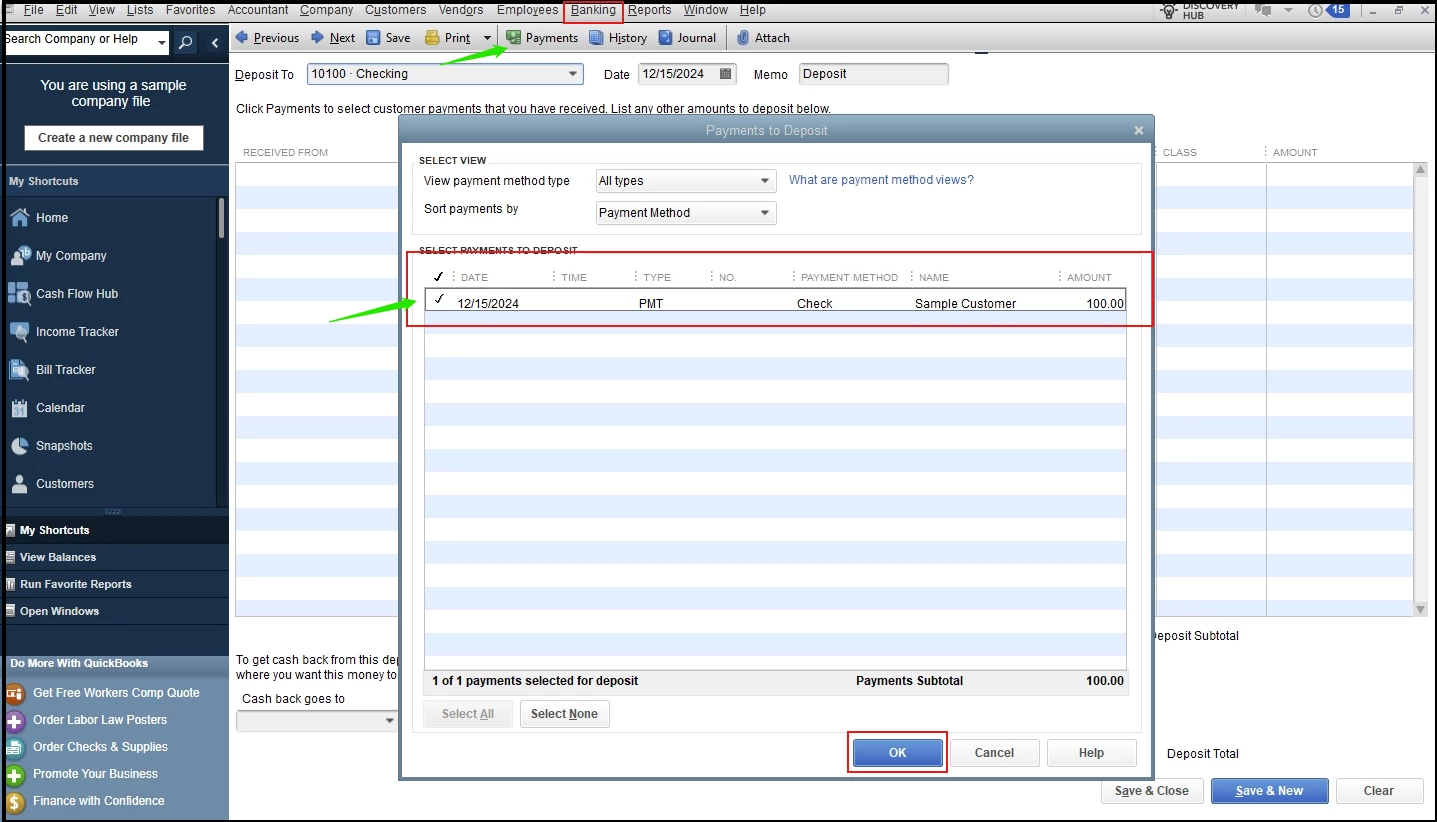
- Go to the Banking menu and then Make Deposits.
- In the Payments to Deposit window, select the overpayment from the New company, then click OK.
- In the Make Deposits window, select the bank account where you want to deposit the funds from the Deposit To drop-down menu.
- Enter the date of the deposit in the Date field.
- Then, Save & Close.
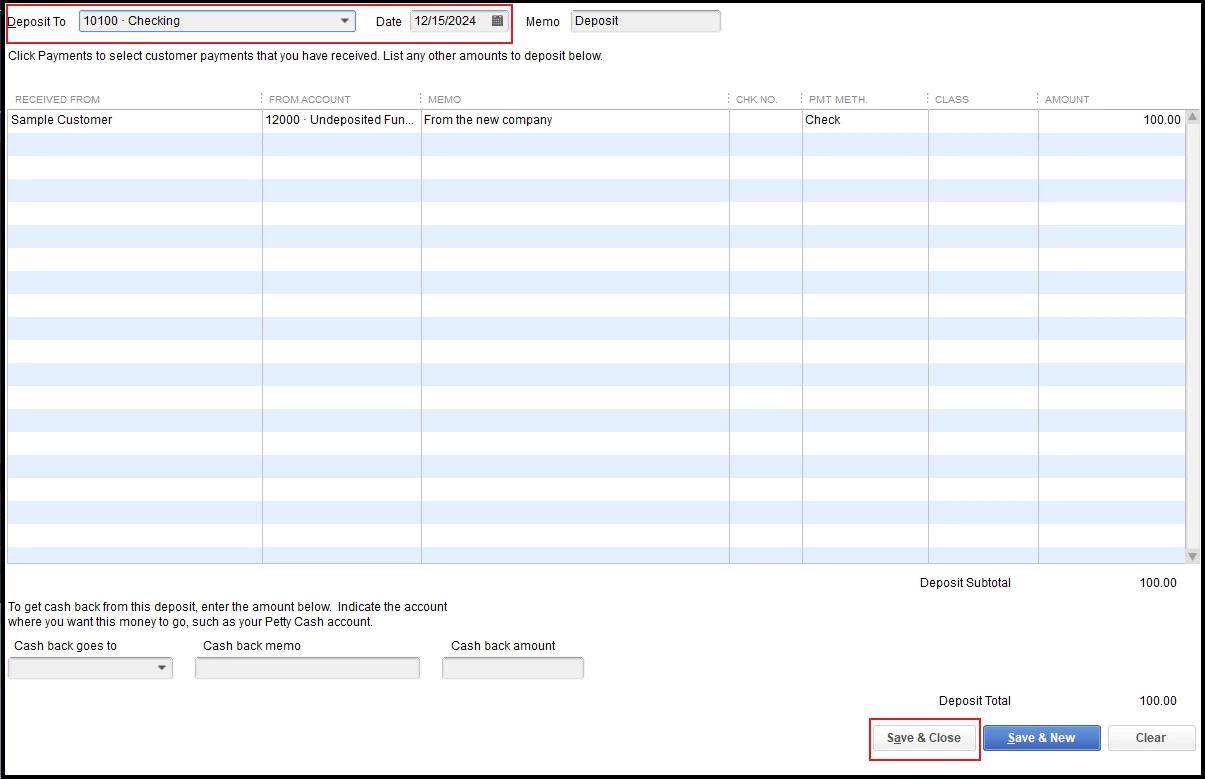
Your deposit is now recorded in QuickBooks Desktop, and the funds will appear in the selected bank account.
Additionally, you can visit this article to ensure the accuracy of your financial records: Reconcile an account in QuickBooks Desktop.
Recognizing an overpayment is the first step to maintaining impeccable financial records. We’re always here to support you with any further queries or if you need more clarity on this process.

