June 4, 2020
Solved

Question on correctly applying a refund using credit memos - credit memo showing 'unapplied' status

  • June 4, 2020
  • 1 reply
  • 0 views

We have a client that was invoiced and the client paid the deposit amount. A few weeks later, the client decided to cancel the service and we issued a check in the amount of the refund. 


We then did the following steps: 

  • Select +New
  • Under customers, select 'credit memo'
  • Selected the name of the customer on the invoice
  • Enter the entire amount of the invoice, including the deposit
  • Clicked save & close
  • Check was already created 
  • Then recorded the credit memo payment:
  • click +New
  • Under customers, select 'receive payment'
  • selected the name of the client on the invoice
  • entered the credit memo amount, 
  • click save and close

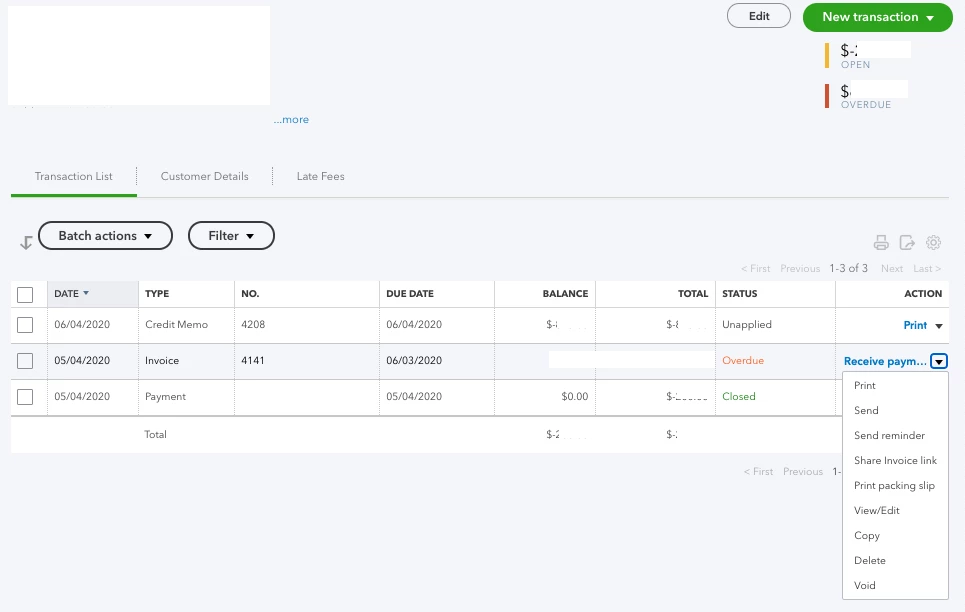
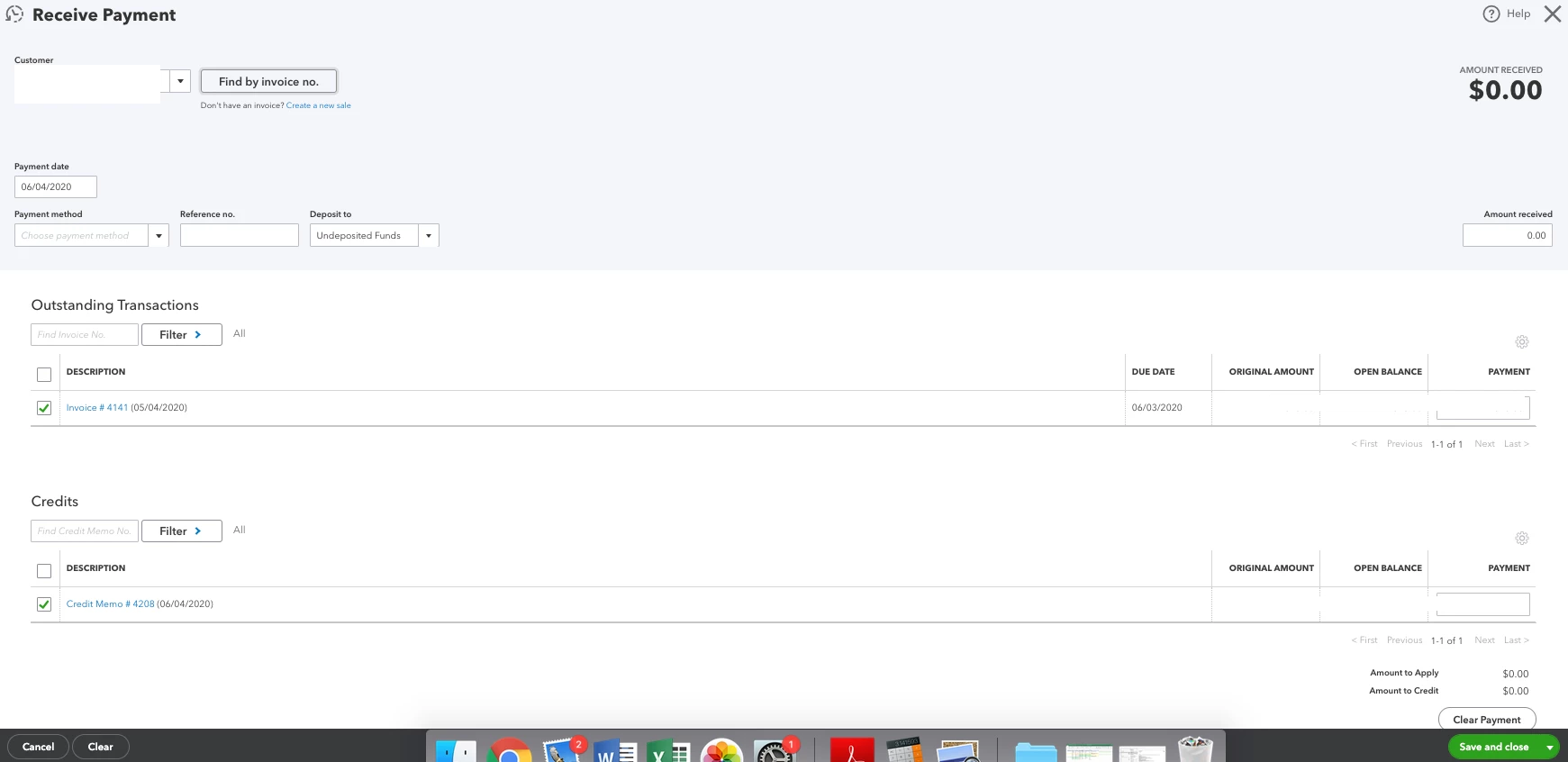
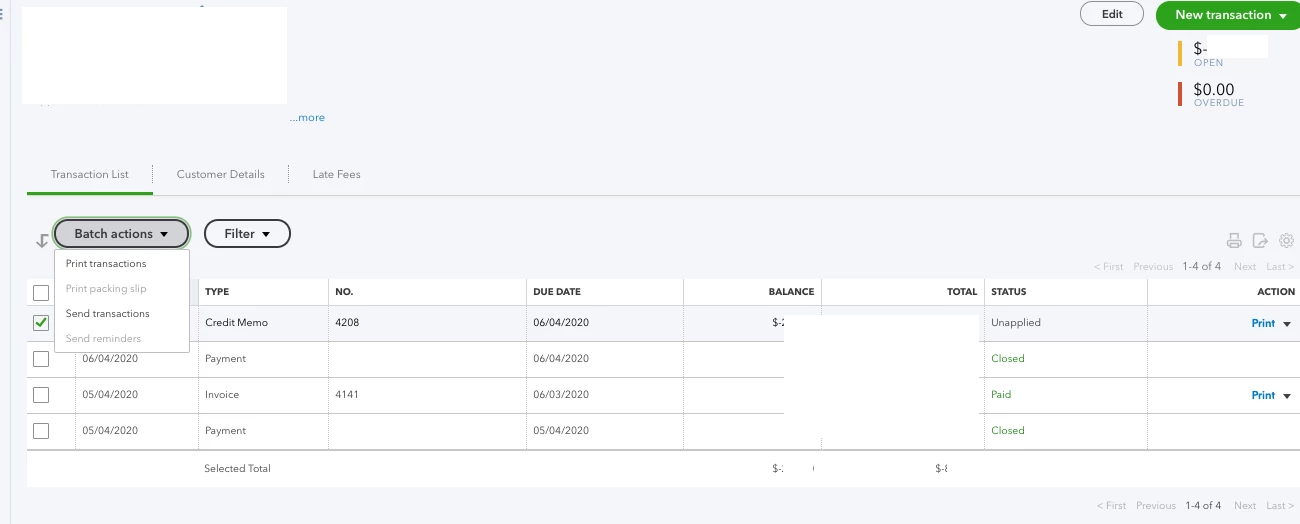
This did not work. Essentially, the initial deposit is still showing in the account. The Credit Memo shows as 'unapplied' and now the balance is in the negative. See screenshots.


Can someone please help me figure out what the issue is here or where we might have missed a step in the process? 


If anyone on QB Online can help with this, I'd appreciate it. In the past, this was a simple thing to process. Thanks!


Screenshots:


Best answer by KlentB

Hi there, marketingmuses.


I'll help you in handling your customer balance.


The program prompts you that warning because you've entered the whole amount of the invoice in the credit memo. Please know that we only need to create a credit memo for the remaining balance of the invoice since you've already issued a refund for the initial deposit.


We can open the credit memo and edit the amount. This way, we'll be able to close the invoice and zero out the customer's balance. Here's how to do it:


  1. Select Sales from the sidebar menu.
  2. Go to the Customers tab, then select the appropriate customer.
  3. Locate then click the credit memo.
  4. Edit the amount of the credit memo.
  5. Click Save and close, then select Yes to confirm the changes.

Once done, you can now perform Receive payment using the credit memo that you've created.


In case you'll need to track all the invoices that are due on a particular day, we can customize your Transaction Detail By Account report.


Should you have any other concerns or follow-up questions, you can always find me here. Have a great rest of the weekend.

1 reply

JenoP
June 5, 2020

Hi there, marketingmuses. 
 

Credit memo is usually created if you want to use a credit as a payment to a future invoice.


As you mentioned and shown in the screenshot, the initial deposit is still recorded in your account. This can be the reason why there's a negative balance in the customer's account.


If you want to keep the original payment in the record, you can directly create a refund receipt or check to refund the customer instead. Otherwise, applying the credit memo as a payment to the original invoice will still leave a negative balance. 


I also checked the screenshots and it looks like the Credit Memo was not applied successfully as a payment to the original invoice. Let's open the invoice again and redo the process:


  1. Click the 1 payment made link under the PAID status.
  2. Click the date of the payment.
  3. Make sure to check the box of the unapplied Credit memo in the Credits section.
  4. Click Save and close.

Let me share these articles for more details on how to record a refund or apply a credit memo: 


I'll be around if you nee anything else. 

June 5, 2020

Hi Jeno - 


Thanks for the quick reply! 


One of the issues is that the original invoice balance due was much higher than the deposit amount that was refunded. We did create a refund check, but the outstanding balance was still there from the original invoice balance due. So it wasn't the same amount refunded compared to the original invoice - hopefully this makes sense.


In the morning we will go through all of these steps that you are recommending and I will follow up if that solved the problem. 


Thanks!