March 13, 2019
Solved

Sales Receipt Refunded Now How Do I Record

  • March 13, 2019
  • 1 reply
  • 0 views

Hello!


I have a couple of auto sales receipts that were refunded within 2-days of running the card - how do I record the refunds in Quickbooks? The sales receipts just show $0.00 in my deposit causing it to not balance.


Thank you!


Best answer by BettyJaneB

Hello there, @BorealisAcct.


It's good to have you back here in the Community. I'd be happy to provide you with the steps on recording a receipt in QuickBooks Online.


Recording a refund receipt in QuickBooks Online doesn't affect the customer's balance (accounts receivable), this will only affect the bank balance.


To record a refund:

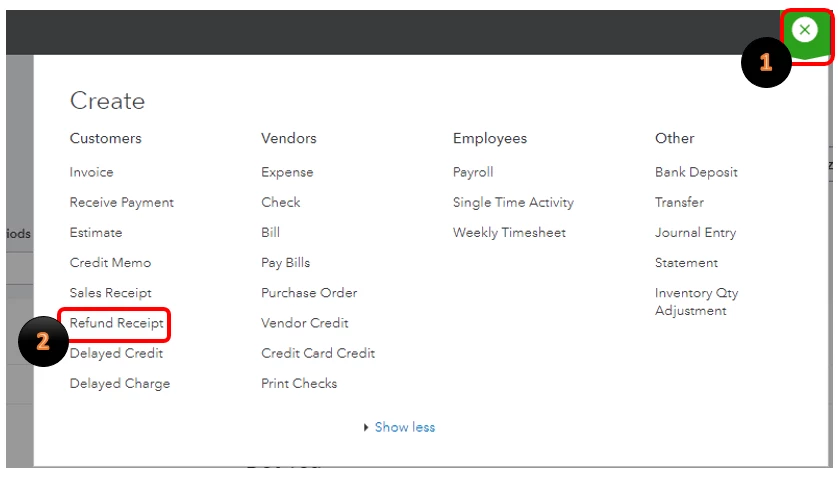
  1. Select Plus icon (+) on the Toolbar.
  2. Under Customers, choose Refund Receipt.
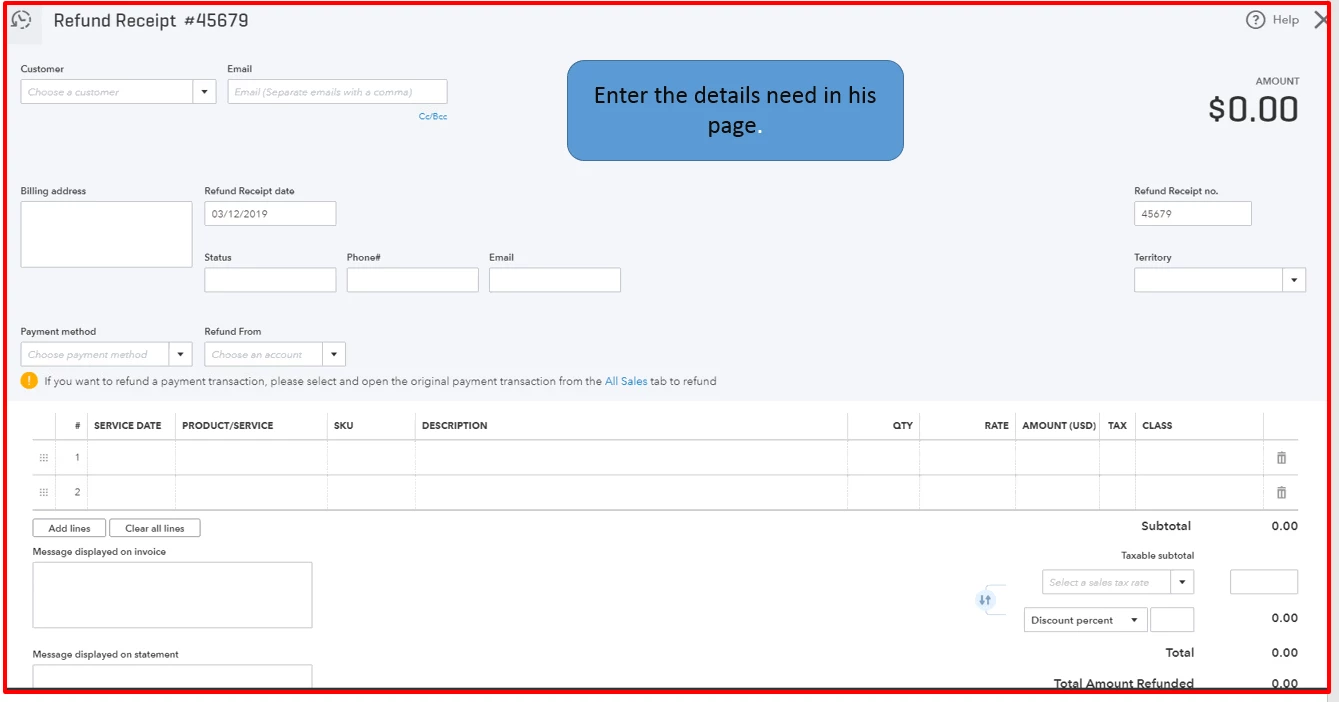
  3. Select the same product/service you are refunding and enter the exact amount of the refund.
  4. Fill out the necessary fields, then select Save and close.
For more details about this process, please refer to these articles: 

This should help you record your refunded sales receipt in QuickBooks.


Please let me know if you have any other questions concerning QuickBooks by leaving a reply in this thread. I'm always here to help. Have a great day!

1 reply

BettyJaneB
March 13, 2019

Hello there, @BorealisAcct.


It's good to have you back here in the Community. I'd be happy to provide you with the steps on recording a receipt in QuickBooks Online.


Recording a refund receipt in QuickBooks Online doesn't affect the customer's balance (accounts receivable), this will only affect the bank balance.


To record a refund:

  1. Select Plus icon (+) on the Toolbar.
  2. Under Customers, choose Refund Receipt.
  3. Select the same product/service you are refunding and enter the exact amount of the refund.
  4. Fill out the necessary fields, then select Save and close.
For more details about this process, please refer to these articles: 

This should help you record your refunded sales receipt in QuickBooks.


Please let me know if you have any other questions concerning QuickBooks by leaving a reply in this thread. I'm always here to help. Have a great day!


March 13, 2019

BettyJaneB,


Thank you for the response! I followed the Refund Receipt - however, I am not seeing the $ amount in my deposit section that will balance out my bank deposit.


Any other advice?


Thanks!

March 13, 2019

Never mind - hadn't had my coffee yet ;-) was putting towards bank account and not undeposited funds. 


Thank you!!