September 10, 2020
Question

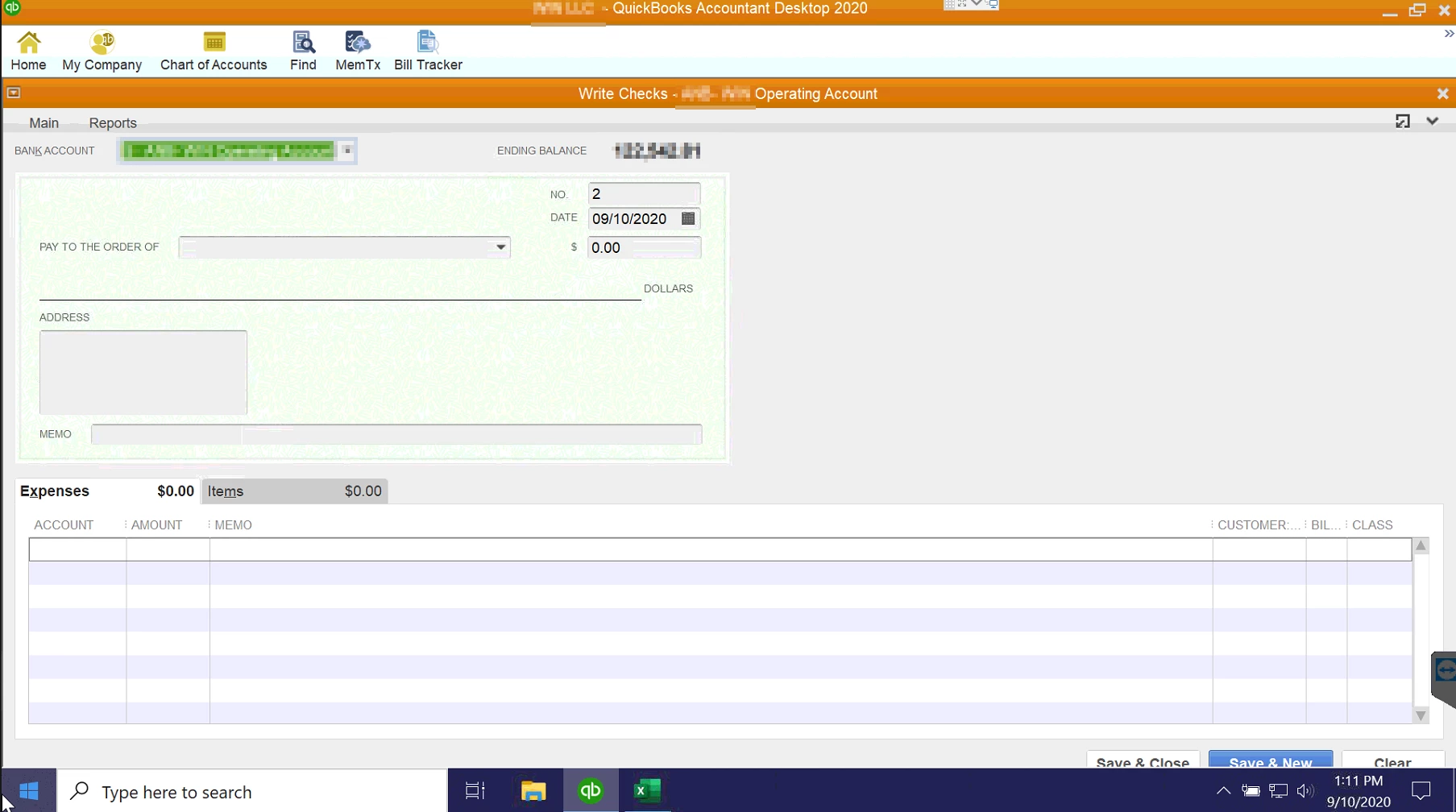
"Save & Close" and "Save & New" isn't appearing on the screen correctly.

  • September 10, 2020
  • 1 reply
  • 0 views


We have an issue with QB 2020 V30.0.4008.0, and I do believe that this hasn't been a problem since we ran the latest update a few weeks back, where the "Save and Close" and "Save and New" buttons aren't present when we're trying to make payments.  This issue is sporadic, but occurs enough that it creates a problem with our office being able to conduct business.


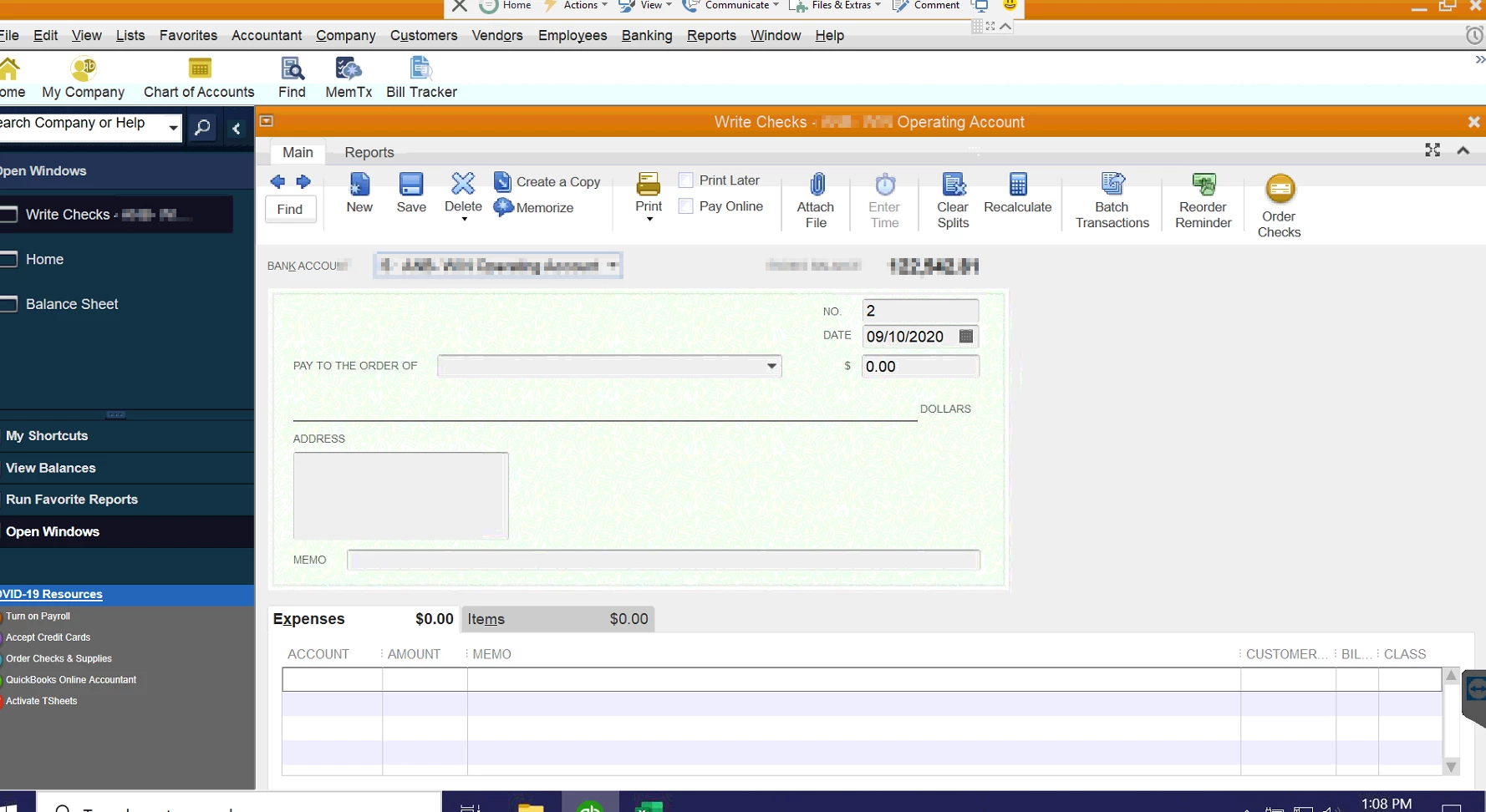
We have two PCs in this office, both experience this issue.  If the user clicks on "Maximize work area," they'll be able to see the buttons, but generally only partially (see the second image posted).


What might be triggering this?


1 reply

September 10, 2020

Hi there, TeraJulia. 


I'm more than happy to provide with some help and get your screen looking the way it should so you can see those buttons without any issues. What you're going to want to do is change the display settings directly within the QuickBooks product. You can do so, following these steps:

  1. Close QuickBooks Desktop. 
  2. Open the Windows Start menu. 
  3. Type "QuickBooks" into the search. Then right-click the QuickBooks icon and select Open file location
  4. In the folder, right-click the QuickBooks.exe file and select Properties
  5. Go to the Compatibility tab, 
  6. Select the Disable display scaling on high DPI settings checkbox. You can also select Change high DPI settings and then Override high DPI scaling behavior.
  7. Select Apply and then OK

You can find these steps and additional steps showing you how to adjust your view preferences and how to change your Windows display setting at the following link: Fix screen issues in QuickBooks Desktop


If you need anything else, feel free to post below anytime. Rain or shine, we're here for you. Thanks and have a nice day.