

April 20, 2022
Question

P&L Report Layout / Double entries

  • April 20, 2022
  • 1 reply
  • 0 views

Hello Team!

When I generate P&L reports it separates the data in three columns (by customer, by project and the total), I only want to see the total by project. Is this a parameter in the layout? How can I set the report to only see the total by project?

Please find attached the screenshots for 1) P&L report, 2) the journal entry, 3) layout of the report.

Thanks so much in advance,

1:
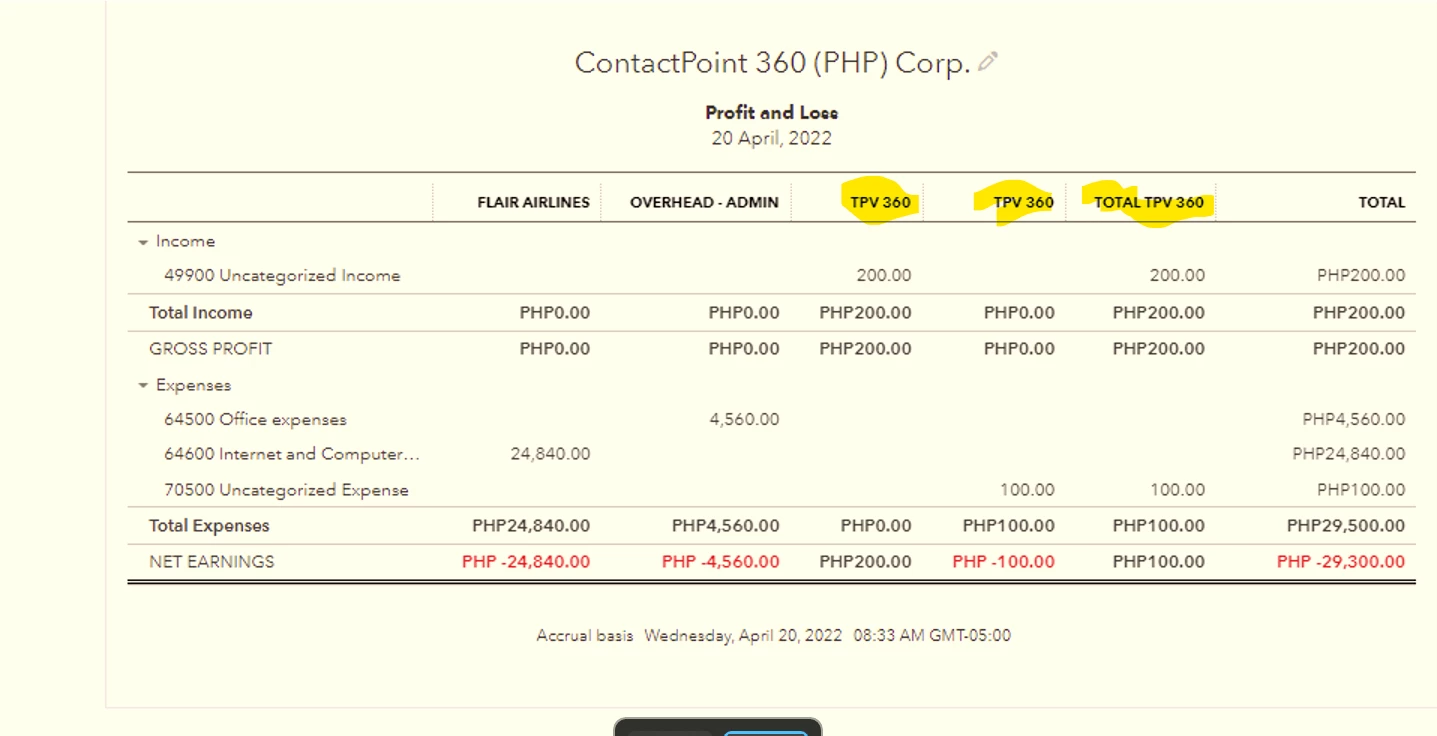
2:
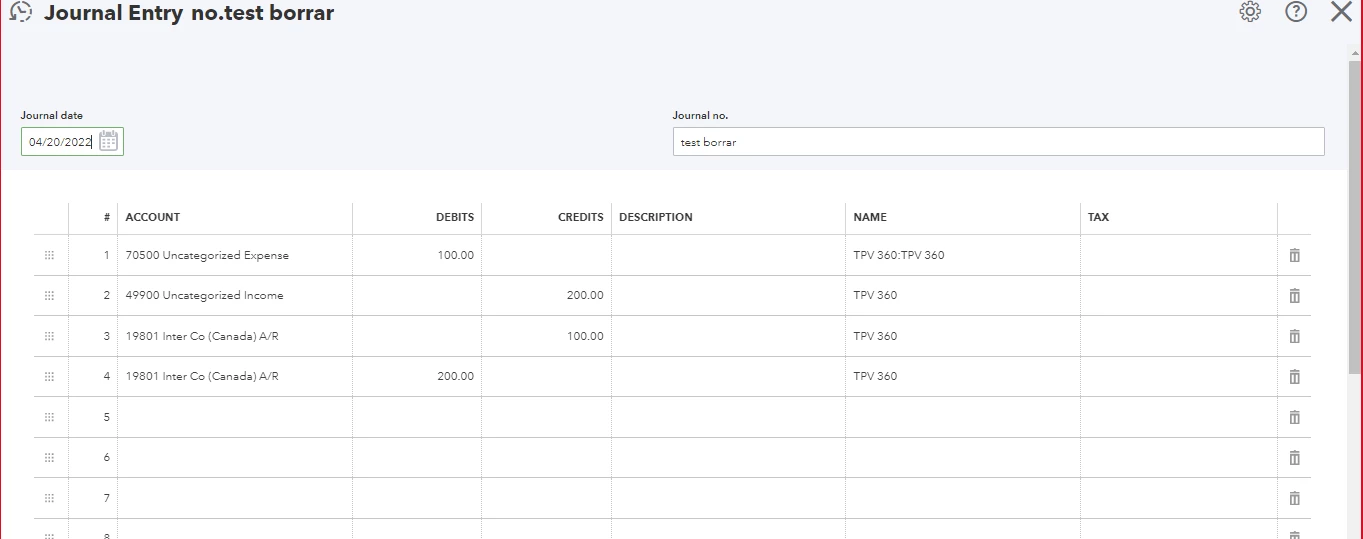
 

3:
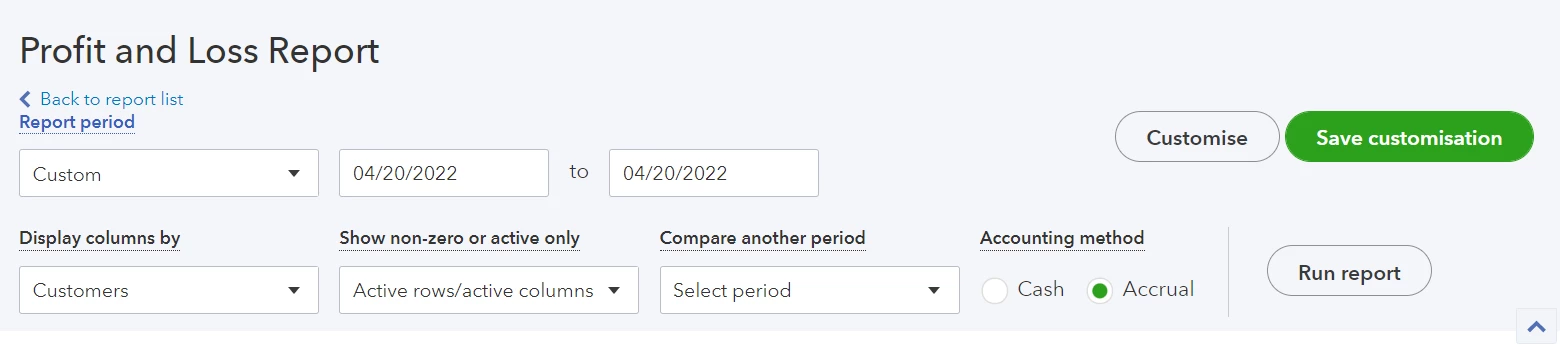
1 reply

April 20, 2022

Thank you for posting here on the Community page, anpagolo.


I'm here to guide you on how to set the report to only see the total by a project?


Here's how:


  1. Run your report and then click the Customize button.
  2. Set the report date in the Report period field.
  3. Go to the Rows/Columns section. Then, select the Customers from the drop-down.   
  4. Select Filter and click the dropdown from the Customer. 
  5. Uncheck the TPV 360 and Total TPV 360.
  6. Once done, click Run report.


You might want to learn more about customizing reports in QuickBooks Online, feel free to check out this article: Customize reports in QuickBooks Online.


If you need further assistance with your reports in QBO, please let me know in the comment below. I'll be more than happy to share some more insights with you at any time.

anpagoloAuthor
April 20, 2022

Hello, thank you for your reply

However, in the customer filter I don't have a total label to select. In this filter I only see the customer (TPV360) and the project (TPV 360:TPV 360), and when I uncheck one of them the report doesn't show the complete P&L (net earning is PHP 100).

This is how the report looks if I select TPV 360:

This is how the report looks if I select TPV 360:TPV 360. It shows the expense but not the income, and it also keeps showing more than one column for TPV 360.


April 20, 2022

Thank you for reaching out to the Community, @anpagolo. I’ll share some information about customizing your report to only show the total project in QuickBooks Online (QBO).


Currently, the option to filter the total in the profit and loss report is unavailable in QBO. What we can do is export this into an excel file and manually remove the columns according to your preference.


Here’s how you can export your report into an excel file:


  1. Go to the Reports menu.
  2. Find and choose the report you'd like to export.
  3. Select the Export icon at the top of the report. Select Export to Excel from the drop-down menu.


See this video tutorial about importing your data to your QuickBooks company: How to Import Data from Excel into QuickBooks Online.


Feel free to reply in this thread if you have further questions about reports. The Community always has your back. Have a great day!