June 8, 2020
Solved

How do I delete "Inventory Starting Value"?

  • June 8, 2020
  • 2 replies
  • 0 views

Hi,


I am just trying out this tracking inventory feature.


However, I messed up with the account name set up.


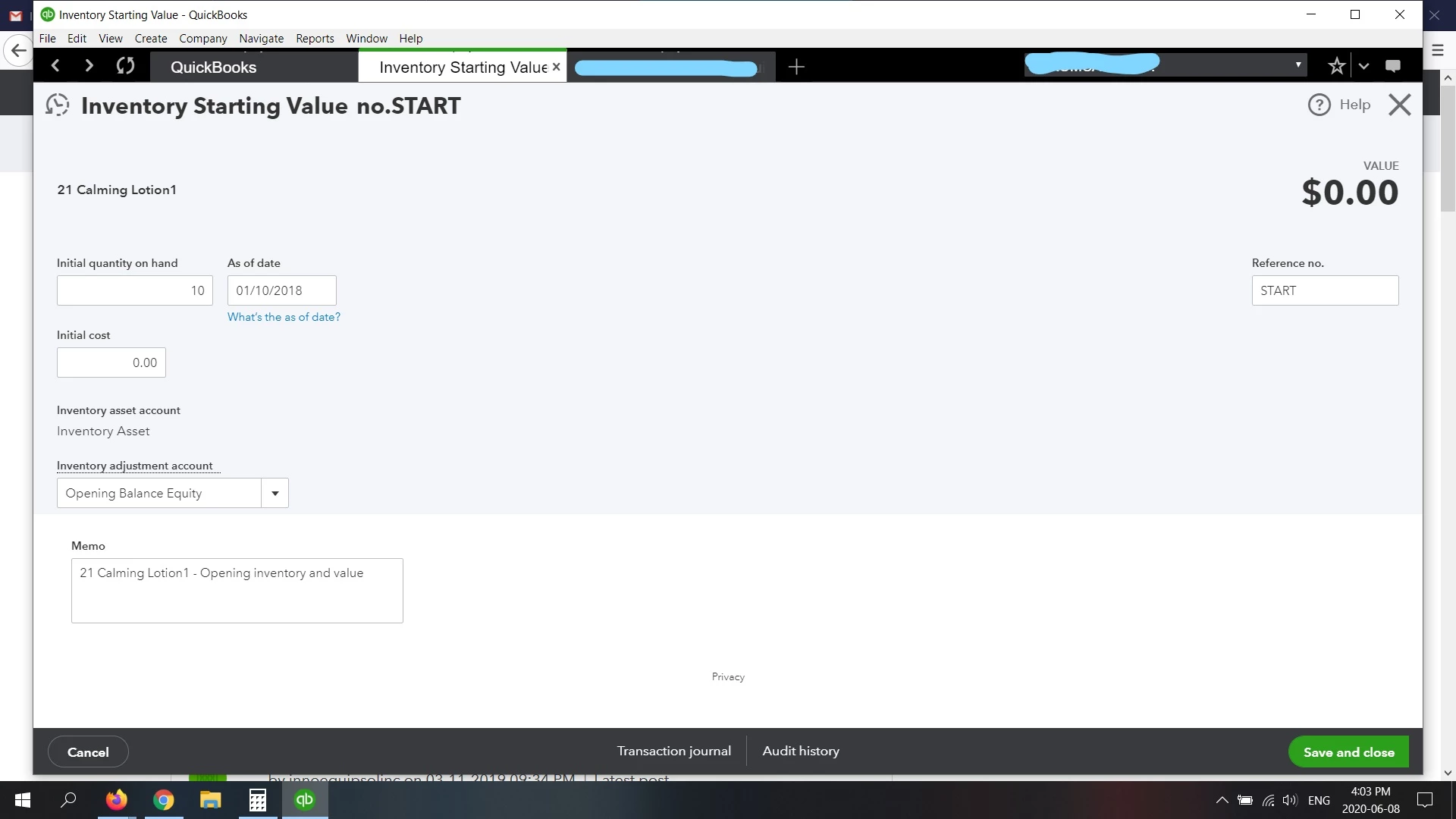
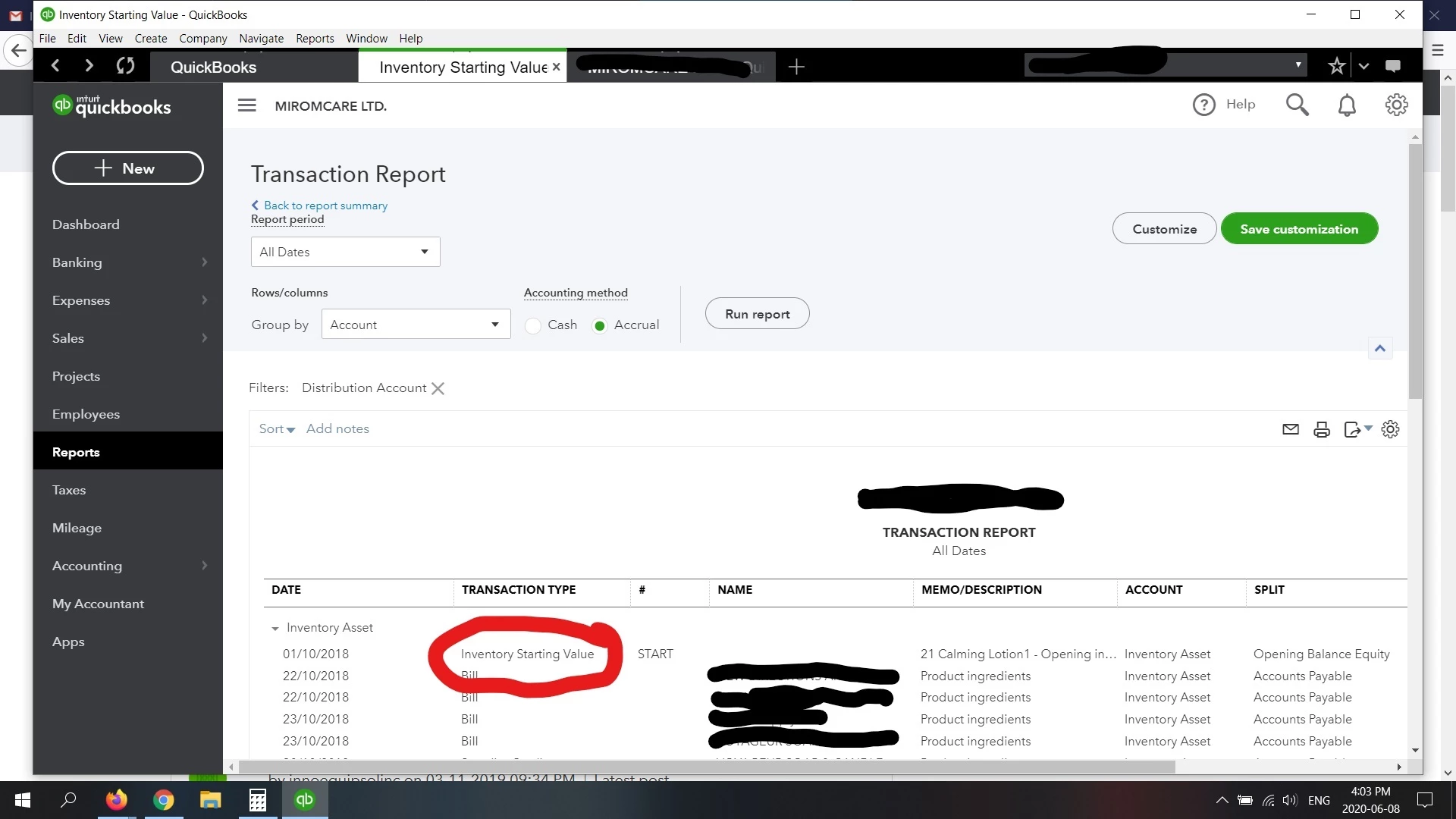
Now I want to delete the transaction indicated on the screenshot, but it won't let me delete "Inventory Starting Value".


I've made the account inactive through "Products and Services" via the gear icon, but this transaction still shows up.


How do I remove it?


Best answer by AddieC

Hi tonjunee, thanks for following up. I know how important it is to make sure entries like this aren't going to impact your accounting tasks moving forward. This type of transaction is for back-end purposes only, and since it has a $0.00 value associated with it, it's not going to impact your reporting. As long as you've made the product inactive, you don't have to worry about the transactions still appearing in the account. 


If you have any other questions about this, please reach out to our tech support team.


Cheers. 

2 replies

June 9, 2020

Hi there,  


Sometimes it's necessary to adjust your inventory quantity and I'll be happy to give you a hand. 


QuickBooks offers a versatile Products and Services feature which is great for managing your items on the go. Based on what you've described, I recommend adjusting the quantity on hand to zero. Here's how: 

  1. Click the + New button and select Inventory Qty Adjustment.
  2. Enter the Adjustment Date and the Inventory adjustment account.
  3. Select the Product and enter the new quantity.
  4. Click Save and close.

Once you're done, you can check your Opening Balance Equity account to see the adjustments. Give this a try and if you have questions, please contact our support team using this link. Let me know if you have other questions by leaving a comment below. I'll be on standby.

tonjuneeAuthor
June 9, 2020

Hi @JamesM 


It wont let me save "0" for initial quantity on hand. Is there another route I can take?


Tonny


AddieC
AddieCAnswer
June 9, 2020

Hi tonjunee, thanks for following up. I know how important it is to make sure entries like this aren't going to impact your accounting tasks moving forward. This type of transaction is for back-end purposes only, and since it has a $0.00 value associated with it, it's not going to impact your reporting. As long as you've made the product inactive, you don't have to worry about the transactions still appearing in the account. 


If you have any other questions about this, please reach out to our tech support team.


Cheers. 

PatriciaT
June 10, 2020

Hi there tonjunee,


It's great you keep an eye on your reports to ensure your books are accurate. With QuickBooks Online, you have the flexibility to delete or adjust your entries when necessary. I'll be happy to assist you with this.  


To remove the amount associated with your inactive inventory product, you first need to re-activate the item in your settings. Here's how to that.

  1. Go to the Sales menu and select the Products and services tab.
  2. Select the Filter icon.
  3. From the Status ▼ dropdown, select Inactive and click on Apply
  4. Find the item that needs to be reactivated.
  5. From the Action ▼ dropdown, select Make active.
  6. Click on clear filter to come back to your active items list.

Now that your item is active, you can remove the amount linked to it in a few steps.

  1. Locate your item in the Products and services tab.
  2. Select the ▼ dropdown beside Edit.
  3. Click on Adjust starting value.
  4. Change the $50 amount showing as the Initial cost to zero.
  5. Select Save and close.

And voilà! You're now all set to bring back the item to inactive.


To learn more on inventory and the tracking inventory feature in QuickBooks Online, check out these articles.

I hope this helps! Let me know how it goes.

tonjuneeAuthor
June 10, 2020

Hi@PatriciaT 


Thanks for responding.


I changed the initial cost to $0. But now there is no change in inventory asset once I record the sale. This doesn't seem correct to me. How do I reduce the inventory asset without adding more initial cost out of thin air?


PatriciaT
June 10, 2020

Hi again, tonjunee,


Glad to see you were able to remove the $50 amount. What you're currently experiencing is unusual and I can appreciate the outcome with your inventory asset isn't what you'd expect. The inventory asset should be reduced by sales and increased by purchases such as bills showing in your report. Here're some useful articles for your reference.

At this point, I'd recommend reaching out to our tech support team to investigate further why your sales receipt had a null effect on your inventory asset. They have all the necessary tools to pull up your account in a secure environment and ensure everything is set up correctly. Here's how to reach us.


Phone and Chat: Click Contact Us to learn how to reach phone and chat support.

Schedule a Callback: click (?)Help in the upper right > click Contact Us > explain your situation > click Let's Talk > choose Get a callback (Note: Callback hours are the same as regular phone hours.)

Social MediaFacebookTwitter, and Instagram from Monday to Friday between 9 a.m. and 8 p.m. ET


All the best to you!