

July 21, 2021
Question

Purchase Orders Report Field "Notes" - Desktop

  • July 21, 2021
  • 1 reply
  • 0 views

Quickbooks Desktop
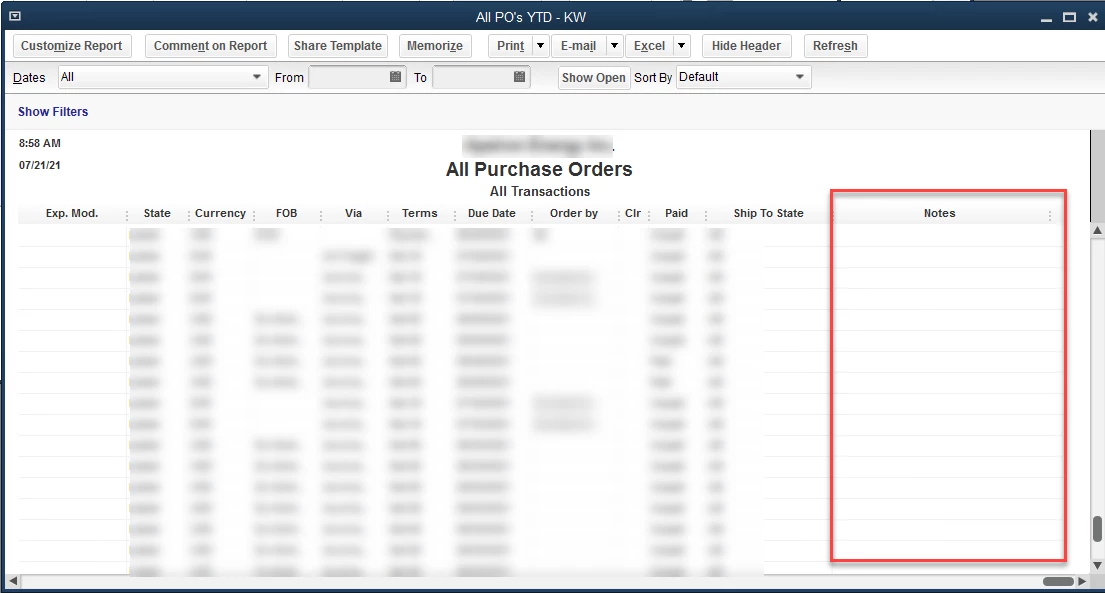
I have customized an All Purchase Orders Report and noticed a field that can be added to the report called "Notes". (See image below)

I don't see that field on the Purchase Order Form. Do you know where it is? I'm curious, where is this field on the PO? I don't see it on the Template, so I can't add it to the screen.
 

1 reply

July 21, 2021

Hi KimAEInc,


It's great to see you getting the most out of your product. I know having the ability to add notes to your forms would be handy. It's currently not an option available on purchase orders or your other forms. If you'd like to see it considered for future updates, I invite you to provide feedback. I can provide you with the steps to share your thoughts on the product.

  1. Go to Help.
  2. Select Send feedback online.
  3. Click Product suggestions.
  4. Fill in all your ideas and click Send feedback.

If you have any other questions, I'd be happy to help. Have an amazing day!

KimAEIncAuthor
July 21, 2021

Thank you, I will submit a request. Out of curiosity, if I can't use that field in the form where is that field coming from? It must live somewhere.


July 21, 2021

Thanks for reaching back out, KimAElnc. You can add notes to your internal information for your sales form, but they do not show up on your reports. On the right side, when you are filling out a form is a collapsable section with two tabs, customer or transaction. If you look at the tab, there's a notes section at the bottom. 


Have a great evening!