

April 6, 2023
Question

How do you record GST amount that a custom charge when importing goods?

  • April 6, 2023
  • 1 reply
  • 0 views

Hi

So my broker normally send me an invoice which include GST for my shipment. How do I entered it in quick book online? 

For example : 
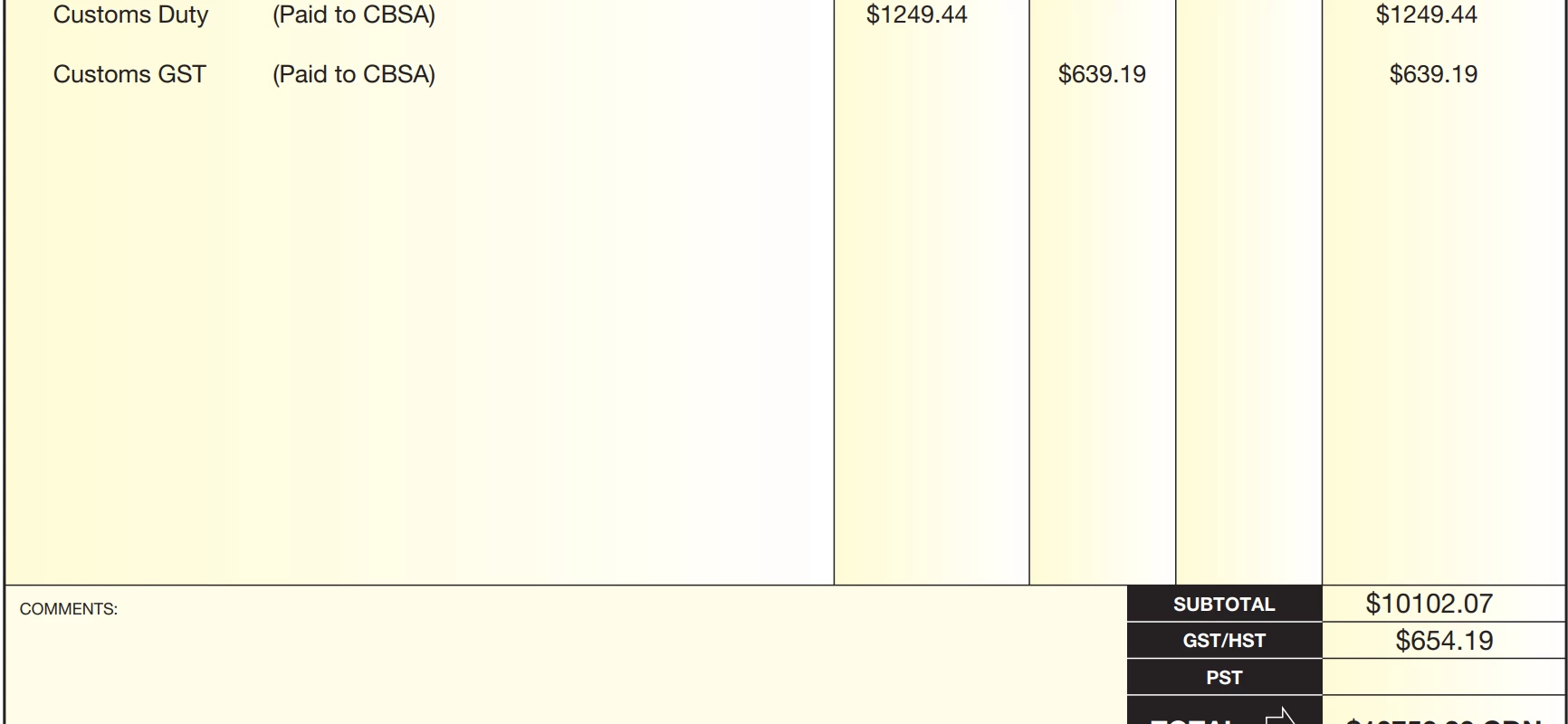
 

I tried to manual adjustment the GST amount of the expense but then it applies the 5% which then make the Total amount incorrectly. Problem is this not always match to particular percentage so I can't create another Tax group. What should i do? Thank you

1 reply

April 6, 2023

Hi there vmwind,


It's important that all your transactions be entered correctly so that your books can be well balanced. QuickBooks Online is a great tool able to help you keep track of sales and expense transactions so that you can see the profit of your company. I can provide some information about creating this transaction.


In order to enter this transaction, since there is a custom tax amount, it would be best to create it manually to start by going to the +New button, then Expense. Enter the date and supplier of the amount, then in the line items, enter the total without tax. Then select the taxes you want to apply, which in this case would be GST. The amount calculated initially will be wrong as you're not calculating the normal amount, but you can adjust in in the text box for the tax section. Don't forget to save. If you have the transaction shown in your bank feed, then you can go match it to the transaction you just created by going to the Banking tab, ten clicking on Match beside the transaction.


if you have any other questions, feel free to reach out here.

vnwindAuthor
April 6, 2023

Hi Alex 

Thank you for the reply but I tried your way and it wont let me override the tax amount. see screenshot. The total amount is 10756.26 includes the 654.19 for GST (not exactly 5%), but if i change the tax amount, it automatically adjust the total. How do i stop it from auto update the total?
Thank you

April 6, 2023

Hello again vmwind,


I see what's going on from the screenshot you've posted. Since you have the tax on the transaction set to Inclusive of tax, then the total you need to enter is the total including taxes, then adjust the taxes to be deducted.