

February 3, 2021
Question

Sales tax on a supplier credit for using a custom rate not working

  • February 3, 2021
  • 1 reply
  • 0 views

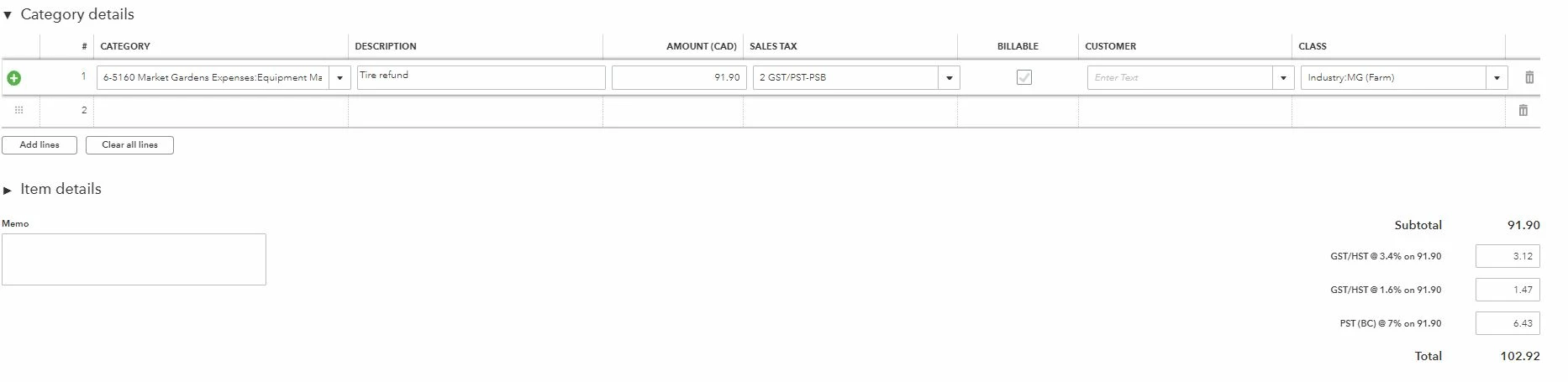
As a non-profit organization we claim a rebate from CRA for 68% of the GST which is 3.4% and we expense 32% of the GST which is 1.6%. Being in BC there is also PST of 7%. Therefore we have created a custom tax code so that the 3.4% portion of GST is recorded in the GST Receivable account and the 1.6% portion of GST is expensed. The 7% PST is also expensed. This works perfectly when recording an expense or bill.
It does not work when we try to record a supplier credit!
When we record a supplier credit using the same custom tax code we receive an error saying "We're sorry, Quickbooks encourntered an error while calculating tax. Try reselecting the tax rate or reentering the product/service item and saving the form again."
We've come back to this several times and continue to receive the same error message.
How do we resolve this issue?

1 reply

Rebecca R
February 3, 2021

Hello there dsimanton,


Thanks for being a member of the QuickBooks family! You've done a fantastic job making the Sales Tax module work to meet the needs of your business. Creating custom tax codes and groups is one of the many awesome features that QuickBooks Online is equipped with so I love that you're using it to its full potential. Let me give you a hand with this so you can create a supplier credit with your custom code.


One of the first troubleshooting avenues I like to take is within your browser and with your internet. The images and files stored in your browser's cache can cause issues with the way that QuickBooks operates, and it's important to eliminate this as the source of the problem before we proceed with further troubleshooting. Here are some steps I'd like you to try:


Once you've completed the steps above, log in to QBO and try to create your supplier credit with the appropriate custom code. If you're still not successful, the next step is to reach out to our team of support experts outside of the Community. A screenshare will help shed some light on this, and an agent working with you in real-time may be able to spot a problem that isn't as easily identified from here in the Community with limited details. It's possible that this is an issue that needs to be looked into by our team of highly skilled engineers. If that's the case, an agent can make that happen and collect some account details to ensure that you're kept in the loop when there's a fix. Here are some ways that you can reach out:


Phone: Call us at 1-855-253-1536 from Monday to Friday between the hours of 9 AM and 8 PM EST.
Schedule a Callback or start a Chat: click (?)Help in the upper right > type and enter "Contact support" into the QB Assistant > click Contact Us > explain your situation > click Let's Talk > choose Get a callback or Start a Chat
Social MediaFacebookTwitter, and Instagram.


I'll be here if you have any other questions. I'm confident you'll have this sorted out in no time. Enjoy your day!
