March 31, 2020
Solved

An invoice has been marked as 'paid' in error- how do I amend this please?

  • March 31, 2020
  • 1 reply
  • 0 views
Original commenter did not share additional details
Best answer by Angelyn_T

Welcome and thank you for taking the time to reach out to us here on the Community page, @stuartbhood.


You can delete the payment that was linked to an invoice to re-open the invoice again.


Here's how:


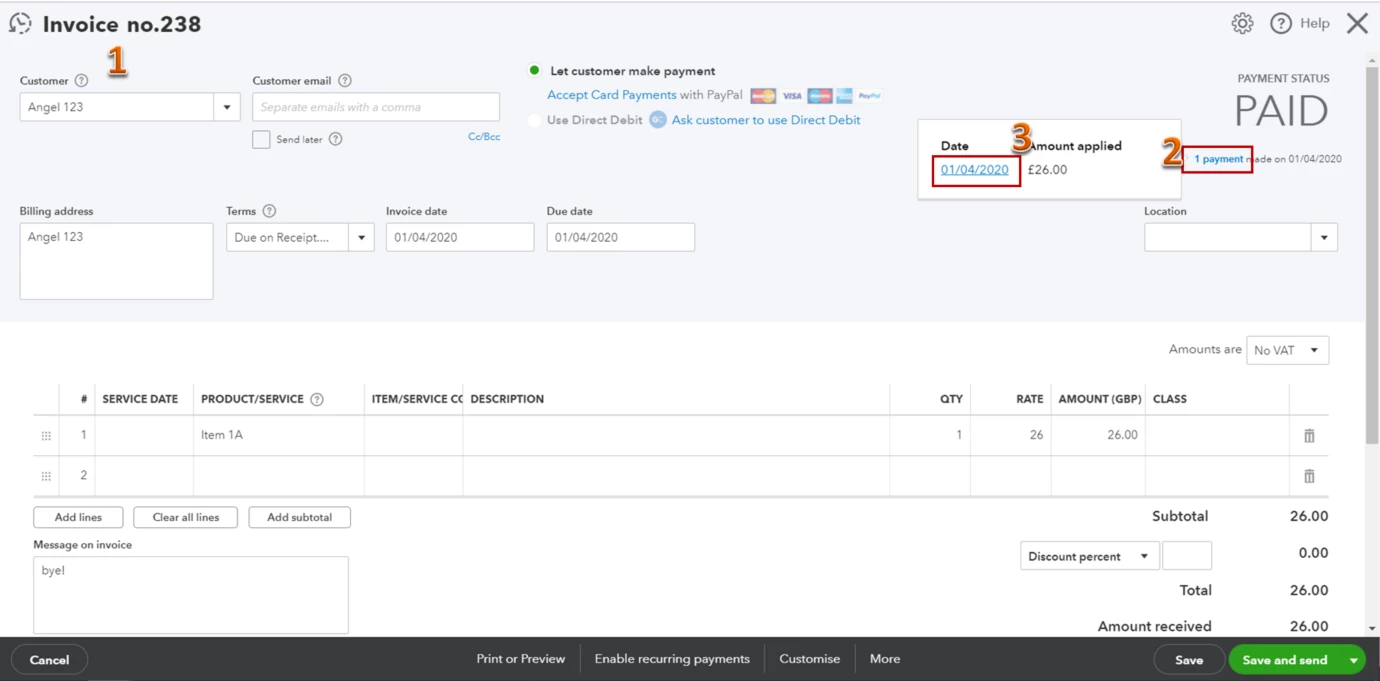
  1. Open the invoice that was marked as paid.
  2. Click on the payment link under the Payment Status section.
  3. Hit the date link to open the payment.
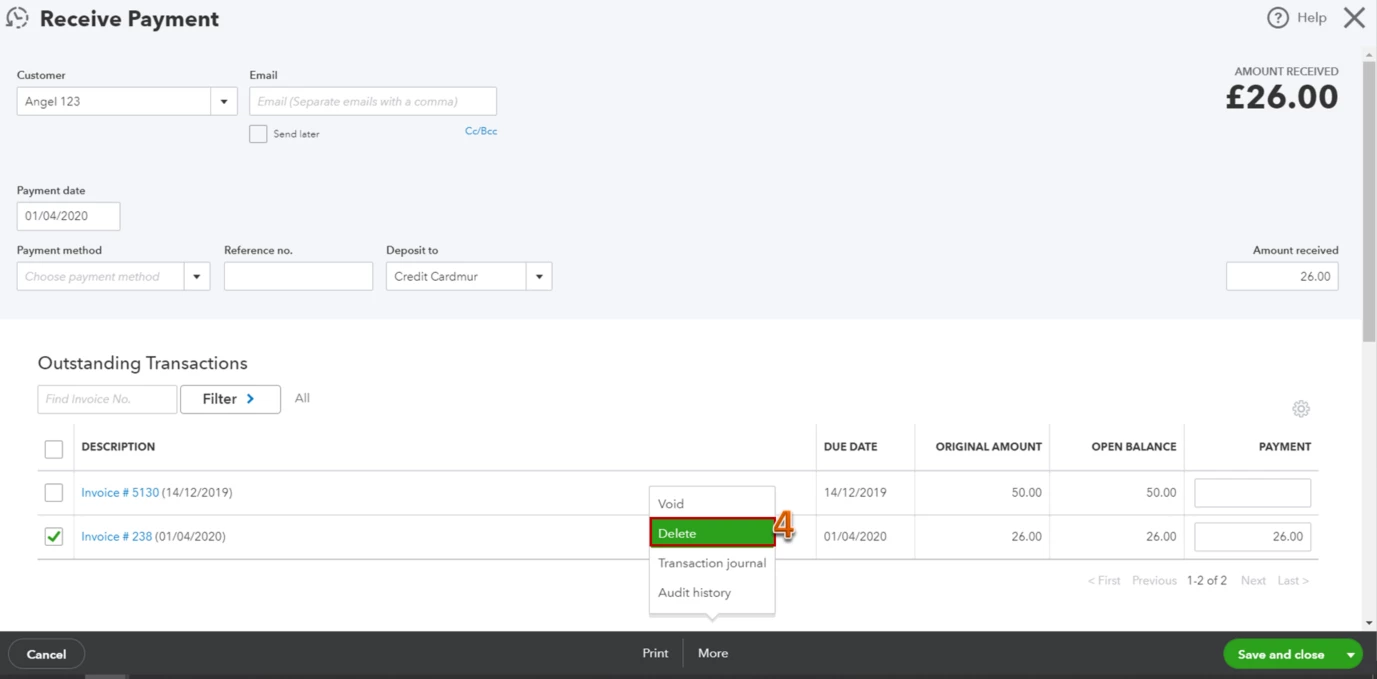
  4. Tap on the More button beside Print, then select Delete to remove the payment.

I've added these screenshots for your visual reference.
 

Let me know if there's anything you need assistance with. I'm always here to help. Have a good day!

1 reply

Angelyn_T
Angelyn_TAnswer
March 31, 2020

Welcome and thank you for taking the time to reach out to us here on the Community page, @stuartbhood.


You can delete the payment that was linked to an invoice to re-open the invoice again.


Here's how:


  1. Open the invoice that was marked as paid.
  2. Click on the payment link under the Payment Status section.
  3. Hit the date link to open the payment.
  4. Tap on the More button beside Print, then select Delete to remove the payment.

I've added these screenshots for your visual reference.
 

Let me know if there's anything you need assistance with. I'm always here to help. Have a good day!


