Hi there, @psellick8.
Adding different categories in an invoice is currently unavailable. However, you can consider creating a service item and add it to the invoice to break down the income. Let me guide you through the process.
Based on your example, you can create service items for labour and mileage and add them as line items in your invoice. Here's how:
- Click the Gear icon, then select Products and services
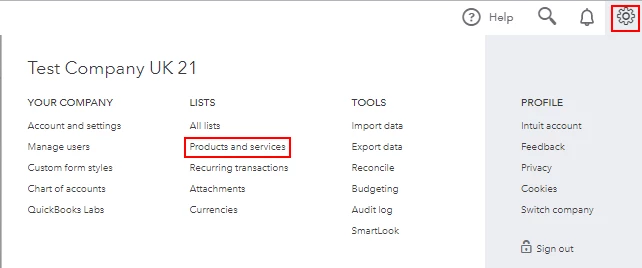
- Select New and choose Service.
- In the Name field, enter Labour.
- Enter the amount in the Sales price/rate field and choose the appropriate income account from the drop-down.
- Click Save and close.
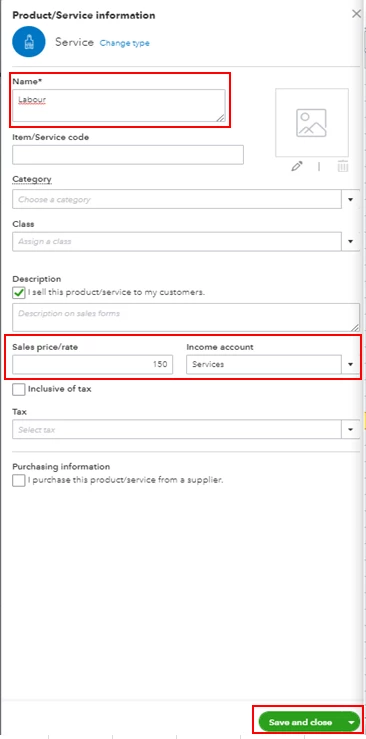
Please repeat the steps for the mileage. For more guidance, feel free to check out this article: Add product and service items to QuickBooks Online.
You can also set up sub accounts which in reporting will show separately the income/expense of the sub account and then overall the total of the parent chart of account so you can see both which is handy in some situations.
Once done, you can now create an invoice and add the service items you created as a line item.
I've attached a screenshot below for your visual reference.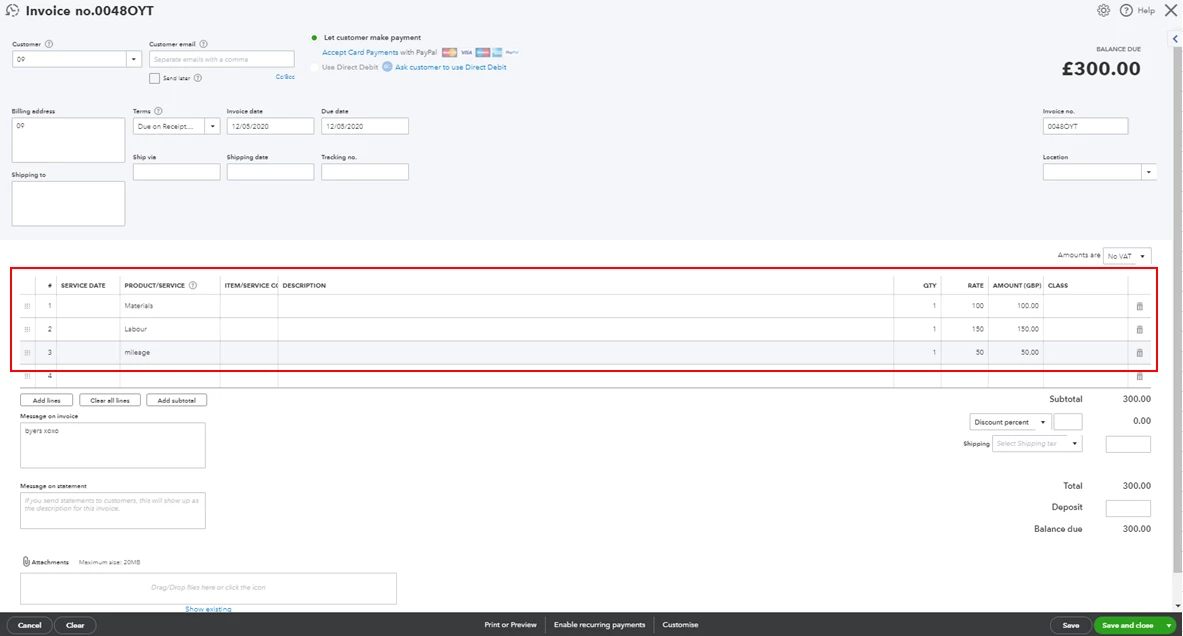
Please touch base with me here for all of your QuickBooks needs, I'm always happy to help. Have a good one and be safe.

