Solved
Can I apply profit margins to estimates
Original commenter did not share additional details


Hi there, info1436.
For now, there's no feature where you can apply or add profit margins when creating estimates in Quickbooks Online (QBO).
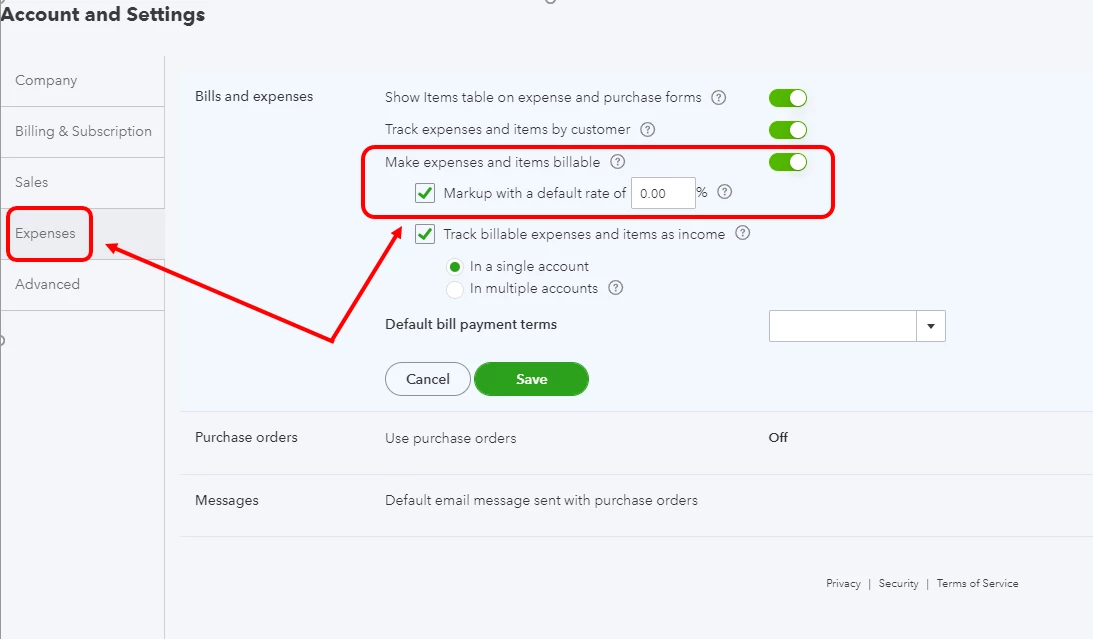
Although, there's a Billable Expense feature in both the QBO Plus and Advanced versions. Once activated, you can add a mark up rate to billable expenses. Then, apply them when invoicing your customers.. Please take note that it can only be used in invoices, and not to estimates.
If you're using either of these versions, follow these steps on to turn it on:
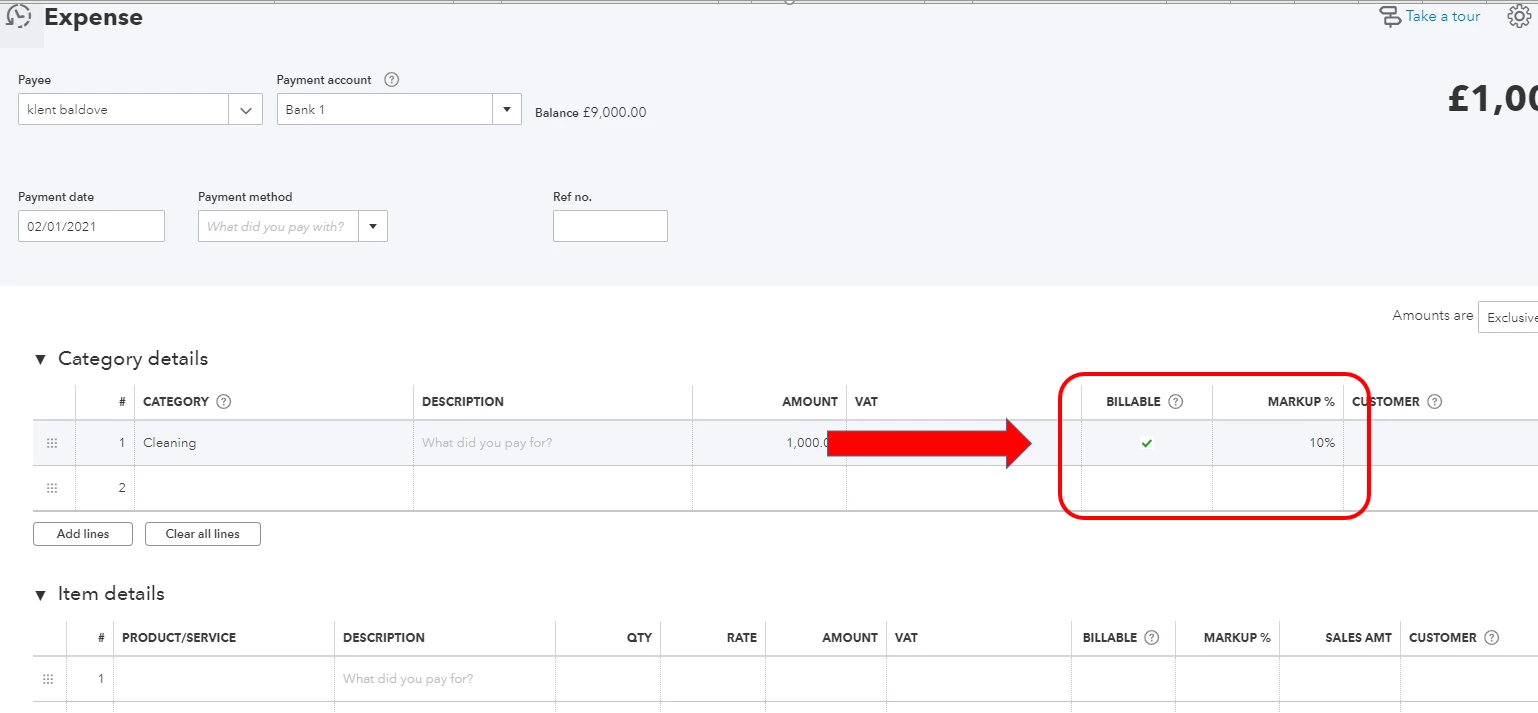
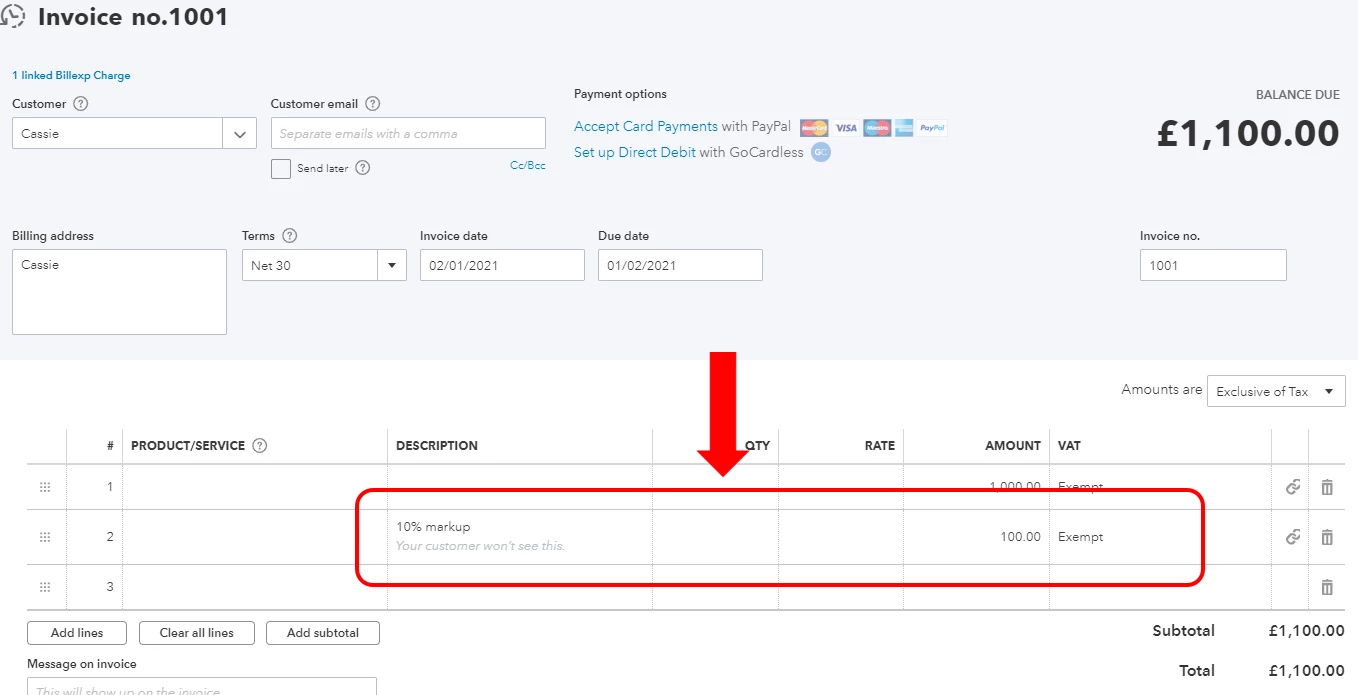
Once done, you will see a Billable and Markup columns when creating Check or Expense transactions. Then, the amount of the markup will also automatically show up when creating an estimate for the billable expense. You can see them in the screenshots below.
We'll take note of your question as a feature request for now. We also have a site where you can see all the latest product enhancements and newly added features in QBo. Here's the link: https://quickbooks.intuit.com/blog/.
You can always add a reply or visit us again in the Community if you need anything else.
Enter your E-mail address. We'll send you an e-mail with instructions to reset your password.