Solved
For example, I sold a my works vehicle, the buyer could only bank transfer a limited amount per day due to his bank settings. So he made 3 payments across 3 days, and one payment by cash. So I created an invoice for him for the Sale to create a paper chain to balance my books as it was coming into business account. But I have 1 invoice that I need to match with 4 payment transactions. How can I add the 4 payments together to match the one invoice. This would also be beneficial to know for perhaps if a customer paid an invoice from 2 different accounts or 2 people partially paid one invoice each?
Thanks for reaching out to the Community, psellick8.
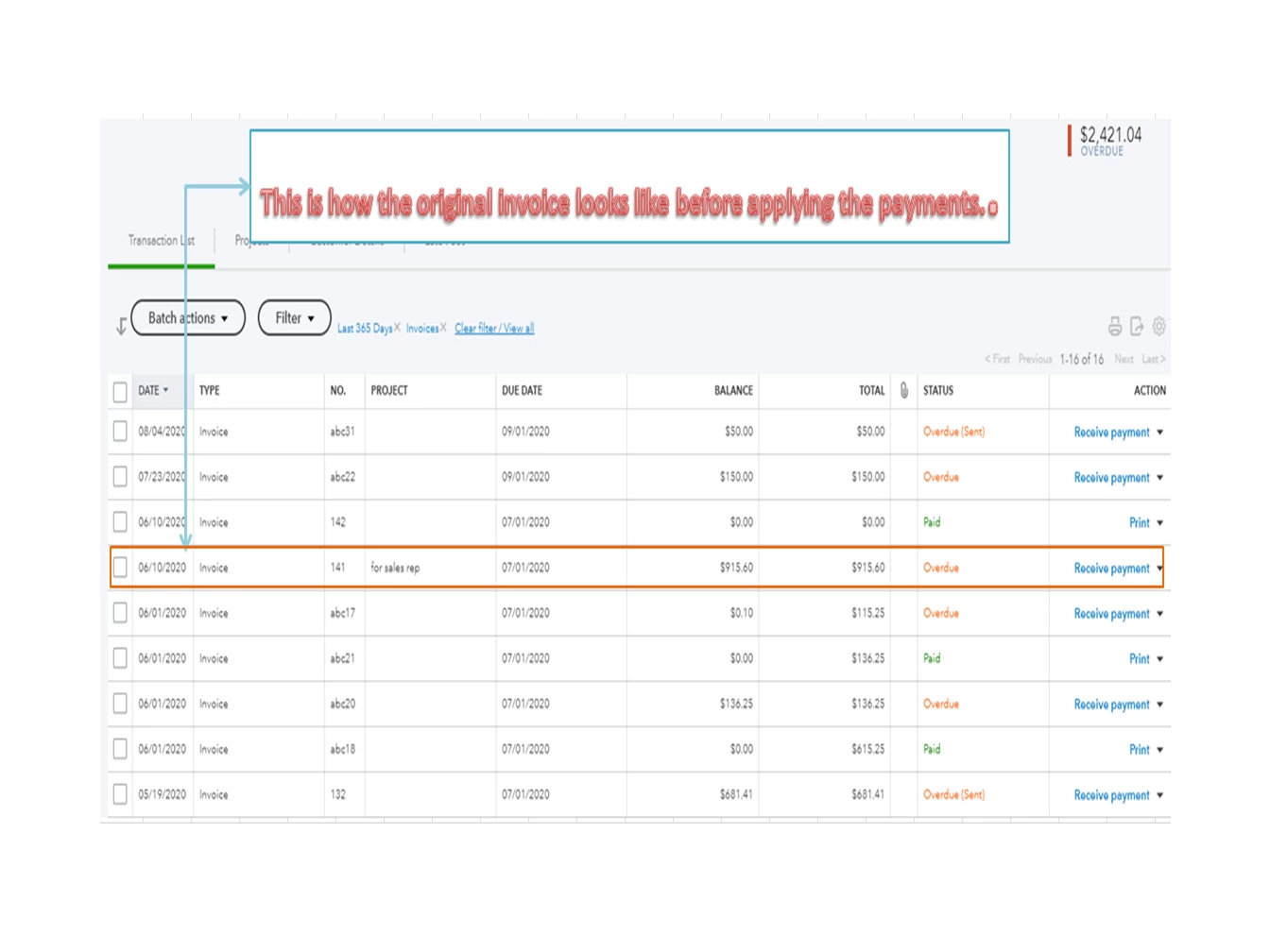
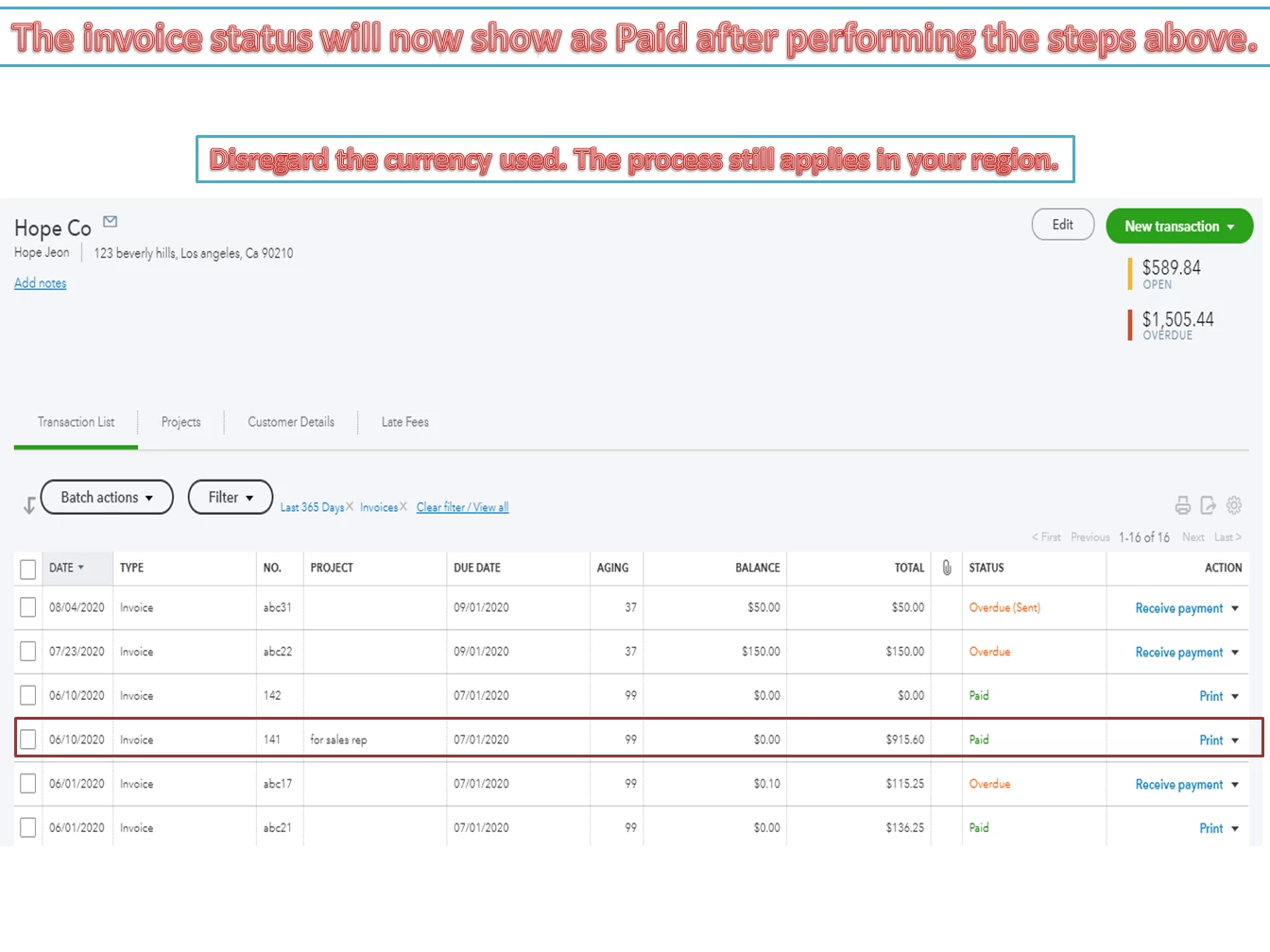
Based on the details provided, you’ll no longer have to add the amounts. QBO allows you to create a partial payment for the invoice. All you have to do is apply each one to the transaction.
Here’s how:
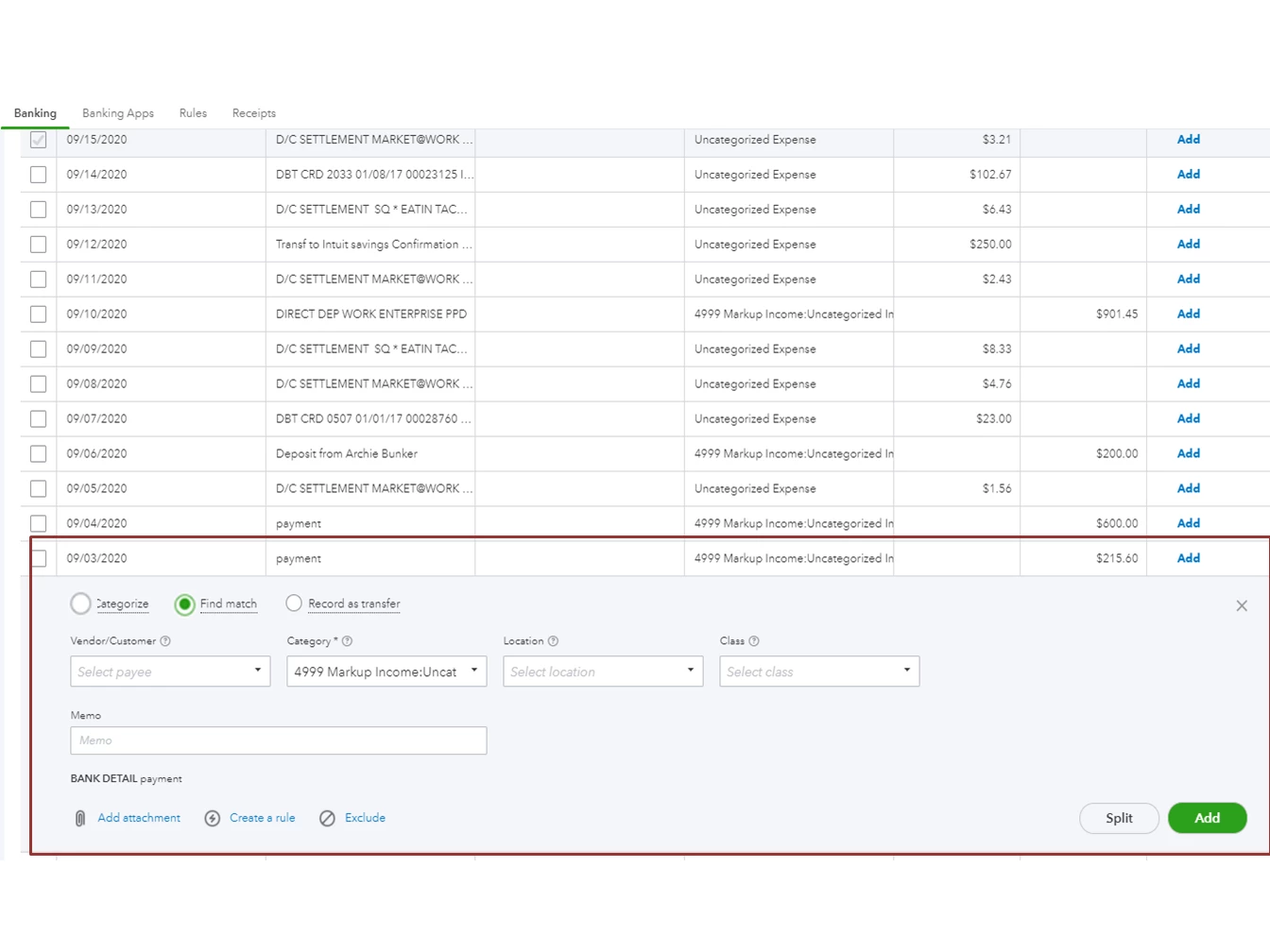
- Tap the Banking menu to select the Banking tab.
- From the list, pick the account you’re working on.
- In the For Review column, click your mouse to the payment to expand the line.

- Tick the radio-button for Find Match to open the Select transactions to match page.
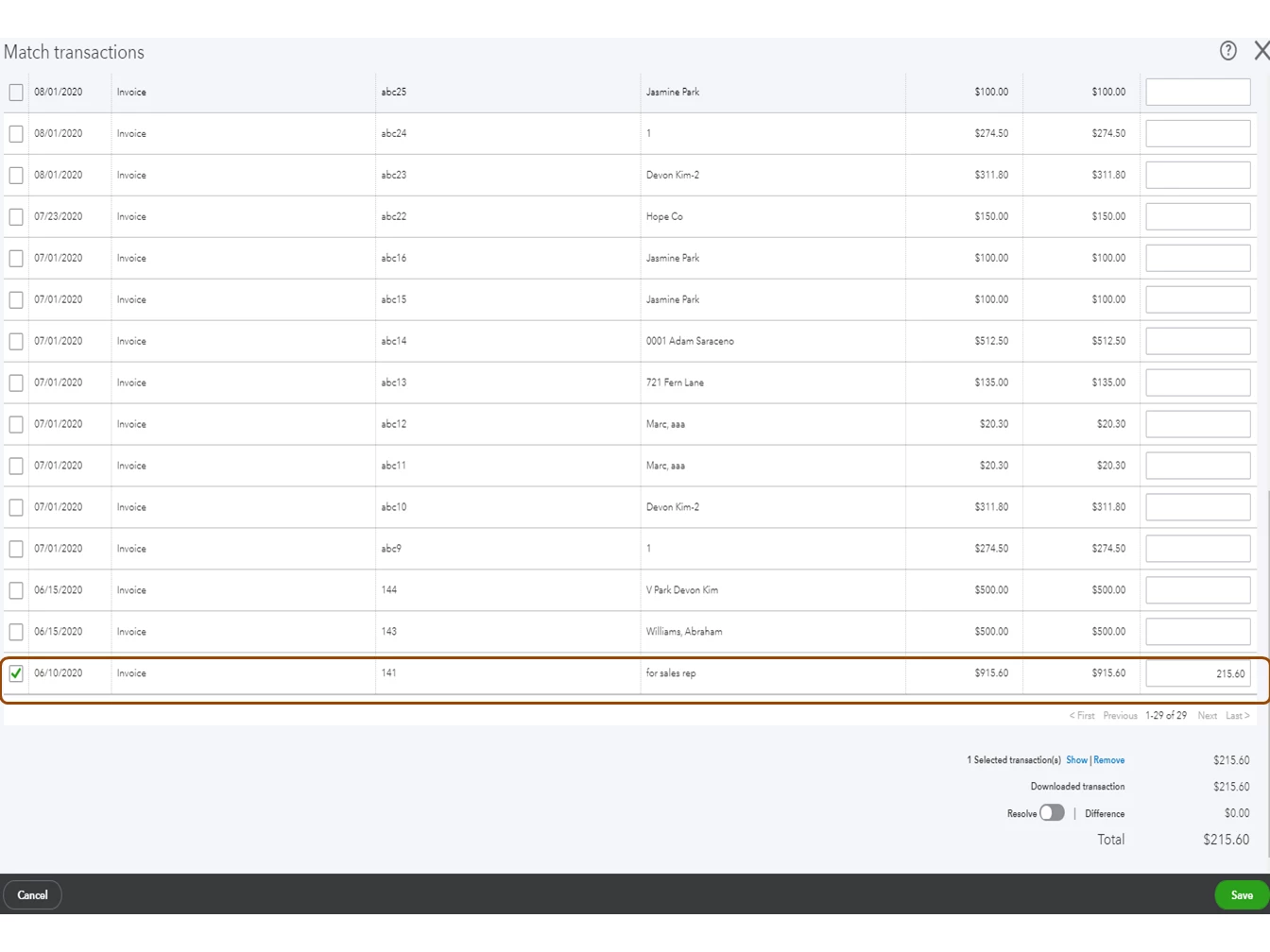
- Hover your mouse to the invoice and enter the partial amount in the Payment box.

- Click Save.
- Perform the same procedure to the remaining amount you want to match.


For additional resources, check out this article: Categorise and match online bank transactions in QuickBooks Online.
Reach out to me if you have any clarifications or questions. I’m here to answer them for you. Have a good one.
Enter your E-mail address. We'll send you an e-mail with instructions to reset your password.