Solved
Can you send a payment receipt?
Original commenter did not share additional details


Yes, you can, @d-j-webbelectric.
There are two ways on how you can send a payment receipt in QBO. Here's one:
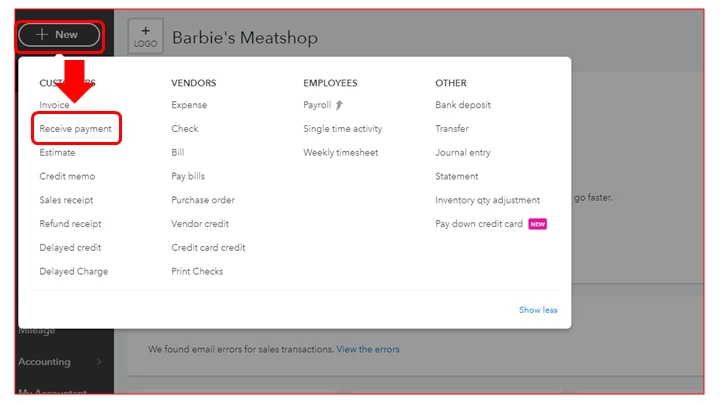
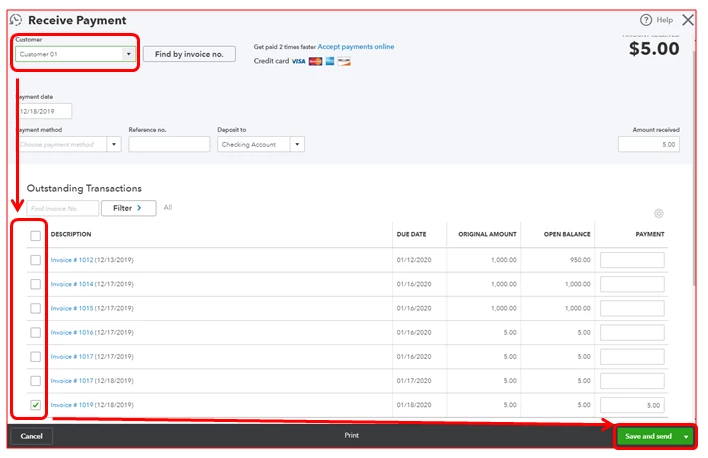
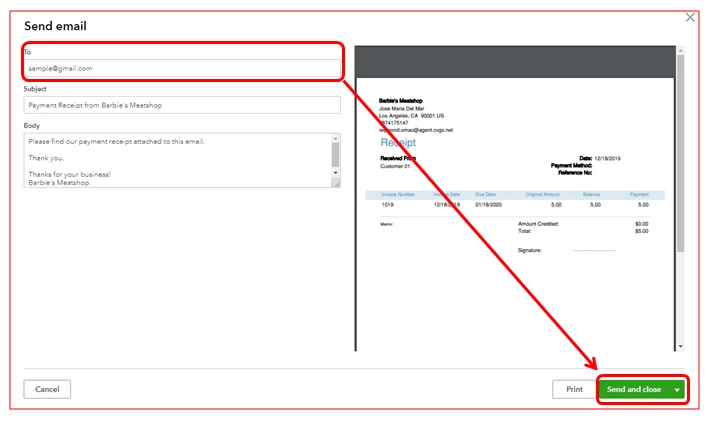
On the other hand, you can also receive the payment after creating an invoice. Just click Receive payment, then Save and send. After that, make sure to provide the right email address and click Save and close.
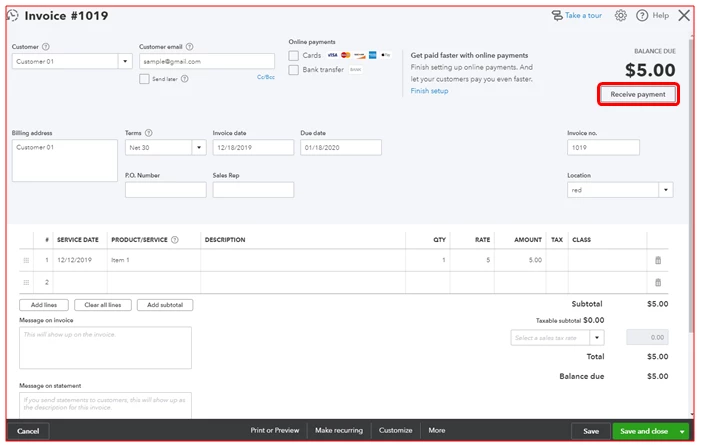
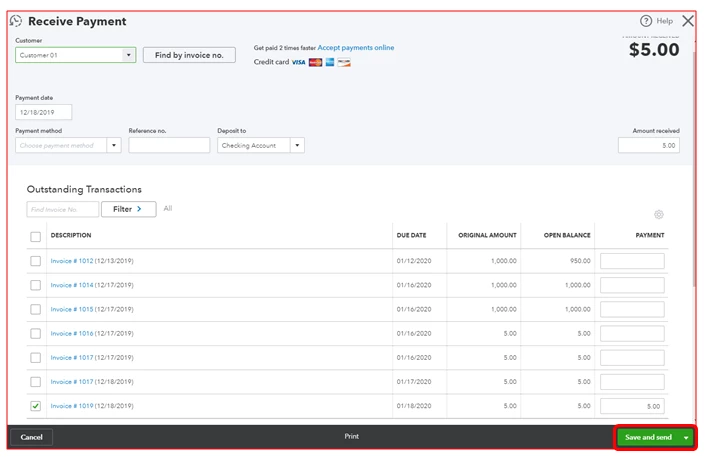
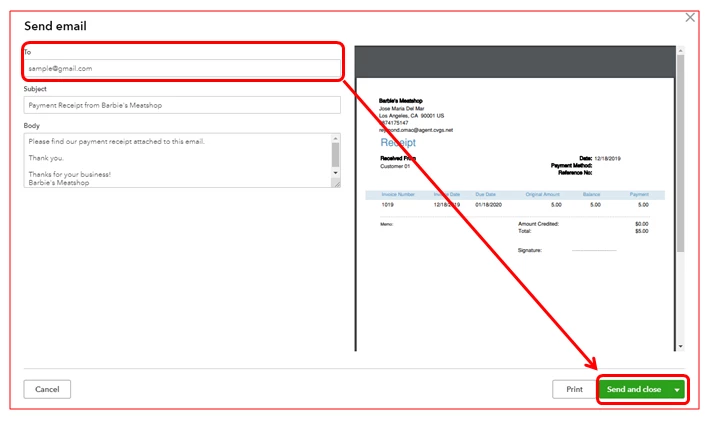
You'll to categorize your transactions by recording the invoice payments in QuickBooks Online. Once a customer pays an invoice, the system processes the payment and categorizes it into the right account.
If would only take a few clicks to reach out to us in the Community. Please don't hesitate to comment down below if you need any further assistance.
Enter your E-mail address. We'll send you an e-mail with instructions to reset your password.