Solved
Customers don't seem to receive quotes or invoices sent through QB. Anyone else experience this? Missed loads of opportunities from customers thinking i didn't quote :(
Original commenter did not share additional details


Thanks for bringing this one to our attention, everestjoinery.
I've checked here on our end and there's no reported issue where customers not receiving emailed transactions. Let's ask your customers to check their junk mail or spam folders if the sent emails are routed to those locations.
If none, let's clear and re-enter your email address to refresh it in your account.
Here's how:
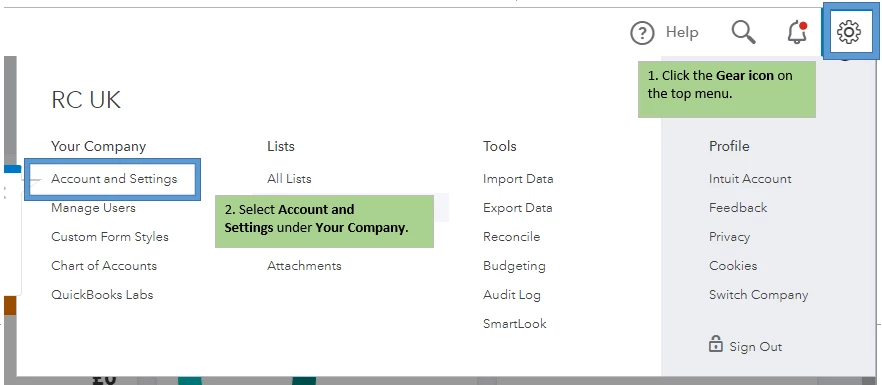
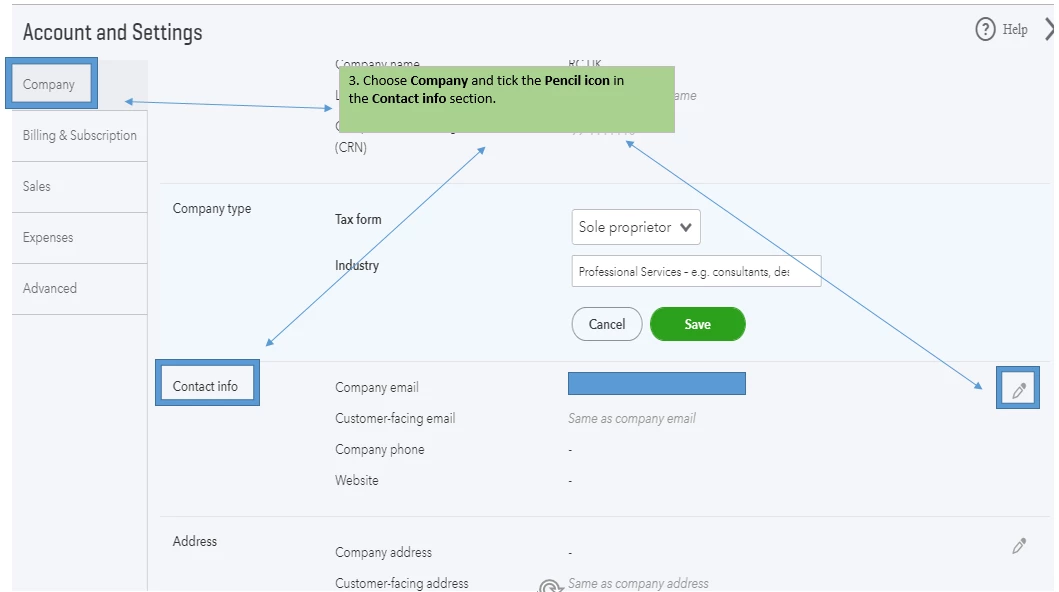
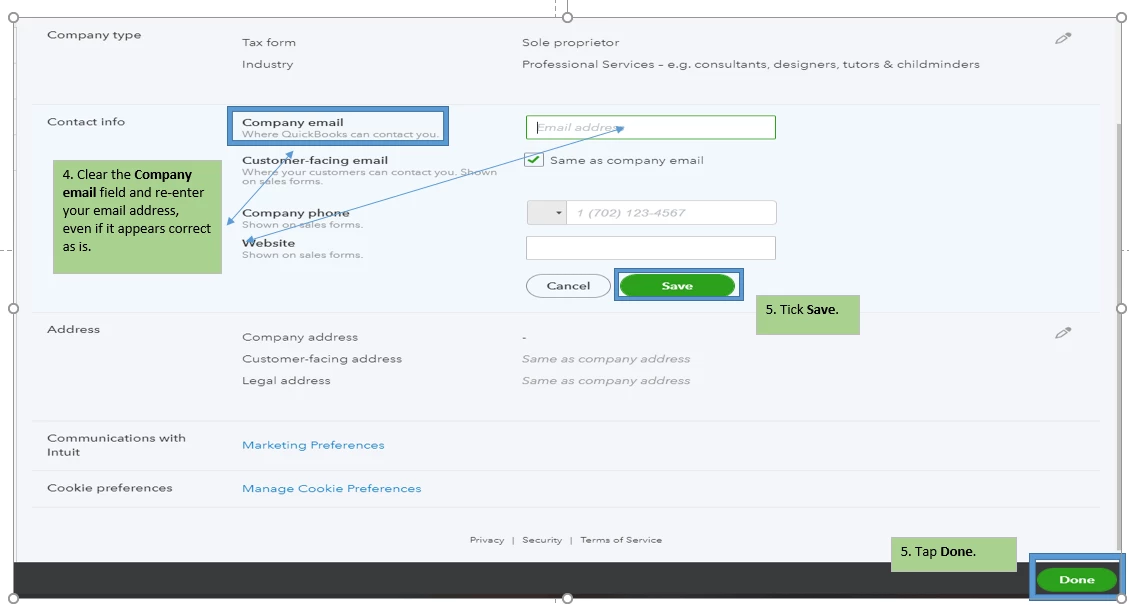
Then, try sending the invoice/quotes to your email. If you still don't receive the email, try using a different email address that has a different domain (like Gmail, Hotmail or Yahoo address).
If the same thing happens, please proceed to Solution 3: Configure server to accept QuickBooks Online mail server host names and IP addresses in this article: 3 solutions for when customers aren't receiving your emails.
I've got a link here that provides you with articles about managing your customer's transactions: Manage Customers and Income for.
I'm just one post away if you need a hand with customising your sales form or any QuickBooks Online related. Have a great day ahead.
Enter your E-mail address. We'll send you an e-mail with instructions to reset your password.